1.2 The current temperature has not reached the target temperature and has not changed for 20 seconds.
1.3 The current temperature has been fluctuating at the target temperature for more than 20 seconds. 1.4 Ambient temperature below 8°C triggers the machine's low-temperature protection mechanism.
Steps to Resolve
Determine if there is a temperature display on the nozzle and hot bed on the screen:
Temperature Display Issues:
Ambient Temperature Below 8°C:
If the nozzle and hot bed temperature display is lower than 8°C, place the machine in an environment with an ambient temperature higher than 8°C for printing.
Nozzle Temperature Shows "0":
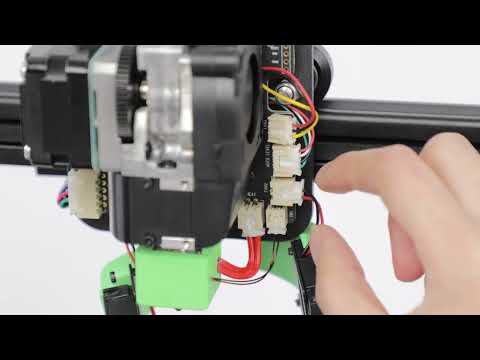
Re-plug the Type-C cables for the nozzle and base. Ensure the Type-C bolt is not too tight.
Inspect the Nozzle:
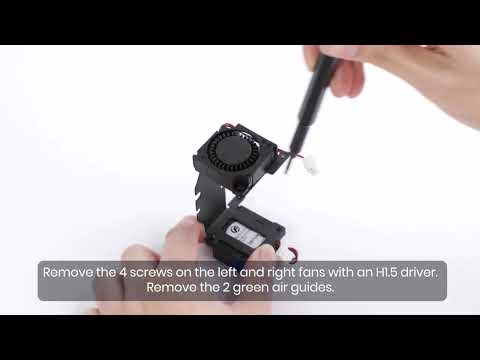
Remove the nozzle shell. Check if the nozzle thermistor and heating pipe wires are damaged or if the terminals are unplugged. Turn off the power during this operation to avoid accidental short circuits.
Hot Bed Temperature Shows "0":
Remove the screws shown in the figure, unplug the two Type-C wires and Z motor wires, and remove the bottom shell. Check if the hotbed thermistor wires on the main board are damaged or if the terminals are unplugged. Unplug the power cord during this operation to avoid short circuits or electric shock.
Inspect the Printing Platform Board:
Remove the printing platform board and the screws shown in the figure. Check for abnormal wire welding or damaged connecting wires. Turn off the power during this operation to avoid short circuits.
2. High Temperature Abnormalities
Abnormal Behavior
2.1 The nozzle temperature rises above 275°C, and the display screen reports an abnormally high temperature. 2.2 The hot bed temperature exceeds 110°C, and the display screen reports high-temperature abnormalities.
Steps to Resolve
Restore Factory Settings:
Click Settings > Restore Factory Settings, then warm up the printer to see if the problem is resolved.
Re-plug Cables and Restore Settings:
If restoring factory settings does not resolve the problem, re-plug the Type-C cables for the nozzle and base, then click Settings > Restore Factory Settings, and preheat to see if the problem is resolved. Ensure the Type-C screws are not too tight.
Contact After-Sales Support:
If the above steps do not resolve the problem, please contact us for further assistance.