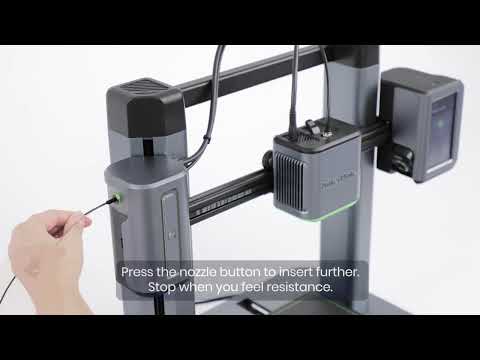
What are the consumable parts included in M5C? How often do they typically need replacement

M5C includes several consumable parts. These parts are prone to wear and may require replacement periodically. The consumable parts in M5C are:

  1. Nozzle: The nozzle's wear can impact print quality. It is recommended to replace it as needed.
  2. PEI Steel Plate: Wear or scratches on the PEI steel plate can affect first layer adhesion and reduce print success rates.
  3. Silicone Cover: Wear on the silicone sleeve may lead to internal nozzle damage.

You can purchase replacements for these consumable parts on the official website, and the replacement frequency depends on your printing frequency. Typically, it is necessary to replace these consumable parts every 1-3 months to maintain optimal performance.

If you have any further questions, please contact us for assistance.


Unresolved icon
96 undefined
Daily Maintenance
Get Started
FAQ
TroubleShooting
Part Replacements
AnkerMake 3D Printer Maintenance (Lubrication)
25986 views42 likes/2025-04-07 18:25:24
How to Replace the X-axis Belt of M5C
4231 views6 likes/2025-04-07 18:25:04
How to adjust X/Y axis belts on the M5C
2656 views5 likes/2025-04-07 18:25:36
How to Adjust the V Wheel of X and Y Axis
2431 views2 likes/2025-05-30 10:28:11
How to clean the M5C printer
2216 views3 likes/2025-04-07 18:25:04
How to Replace the V Wheel of X Axis of M5C
2483 views4 likes/2025-04-07 18:25:36
How to Replace the Y-axis Belt of M5C
2283 views5 likes/2025-04-07 18:25:04
How to Fix Loose Threaded Rods on the M5C
1063 views1 likes/2025-04-07 18:25:04
Download icon
M5C X Axis Belt Adjuster.gcode
Download icon
Ankermake Studio Guide(V1.5.21)
Download icon
M5C Y axis belt adjuster.gcode
Download icon
V8110 AnkerMake M5C EU Declaration of Conformity
Download icon
V8110_UK Declaration of Conformity
Download icon
M5C Y Axis Belt Adjuster.gcode
View More
Play videoHow to Replace the Air Guide of the Print Model Fan
How to Replace the Air Guide of the Print Model Fan
Play videoHow to Replace the Print Model Fan
How to Replace the Print Model Fan
Play videoAuto Leveling
Auto Leveling
Play videoV Wheel Adjustment
V Wheel Adjustment
Play videoHow to Transfer Files and Start Printing
How to Transfer Files and Start Printing
Play videoLoading Filament
Loading Filament
View More