Root Cause of the Issue
The V wheel of the Y-axis has worn out, resulting in poor print quality.
Solution
1. Use the 3.0mm hexagonal wrench to loosen the adjusting bolt of the Y-axis belt, and then carefully remove the belt from the idler wheel.

2. Remove the PEI board, use the 2.5mm hexagonal wrench to unscrew the four bolts on the hot bed board, and then carefully remove the hot bed board.

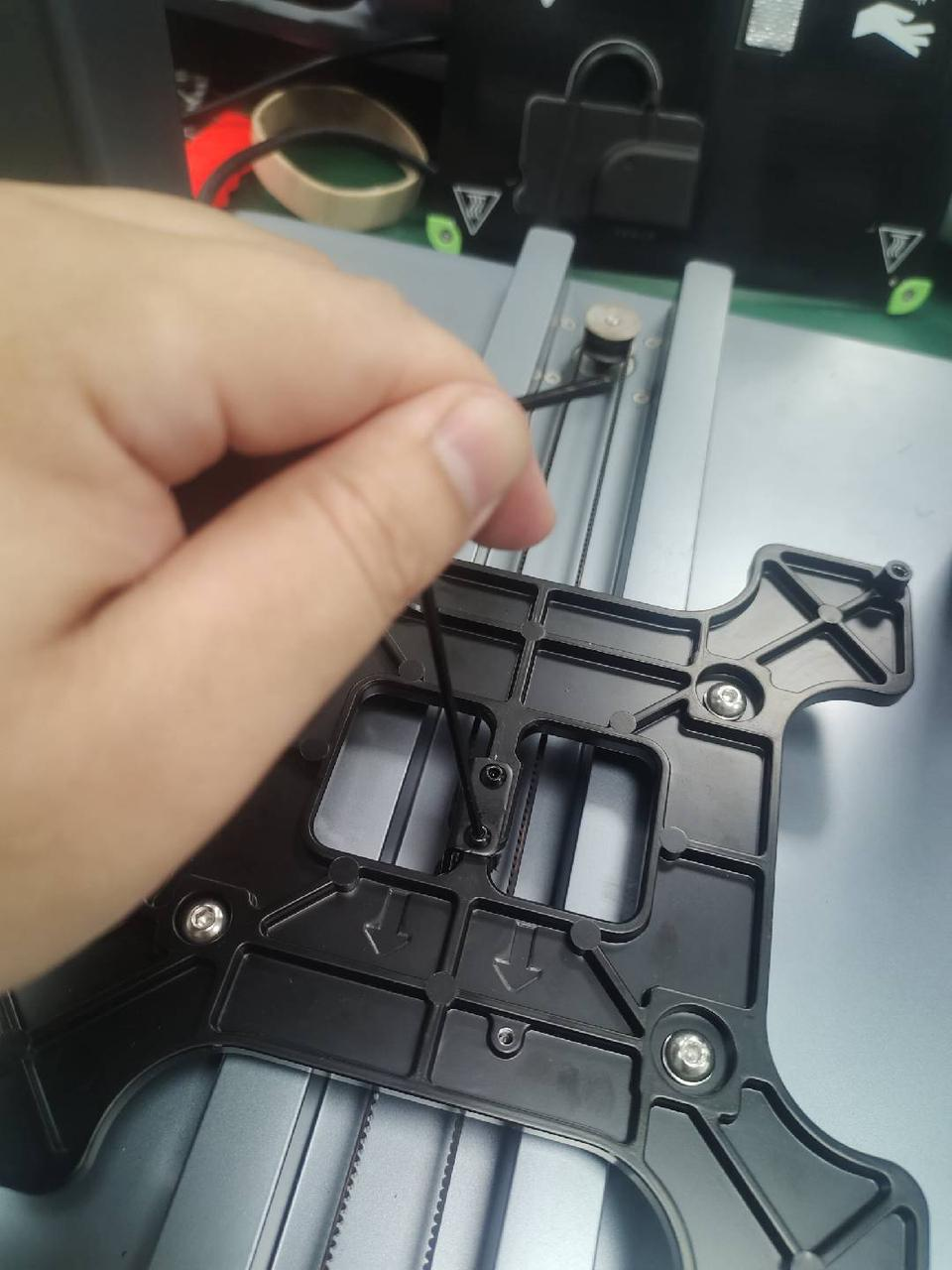
3. Use the 2.0mm hexagonal wrench to unscrew the two bolts on the belt plate.
4. Use the 8.0mm open wrench to clamp the V wheel lock nut, then use the 3.0mm hexagonal wrench to unscrew the hexagonal bolt in the round head to remove the V wheel.

Please follow the steps below to complete the installation process:
1. Prepare four new V wheels. Please first tighten the two non-adjustable V wheels, and then tighten the two adjustable V wheels.

2. Place the hot bed base trolley into the Y-axis V wheel groove in the direction indicated by the arrow.

3. Use the 2.0mm hexagonal wrench to tighten the two bolts on the belt plate.
4. Carefully place the belt on the Y-axis idler and synchronous wheel, and then use the 3.0mm hexagonal wrench to tighten screws of the Y-axis belt.
5. Use the 10mm open wrench to adjust the eccentric nut of the lower V wheel. Please ensure that the V wheel holds the V wheel groove and the V wheel holder can slide smoothly left and right without shaking.

6. Use the 2.5mm hexagonal wrench to tighten the four bolts on the hot bed board, and then place the PEI board on the hot bed.
If you have any further questions, please contact us for assistance.










