Fault Phenomenon
During automatic measurement of the rotary attachment, error 0xFD011E0002 appears, causing the measurement to fail.
Cause Analysis
-
The cup taper is too high.
-
The Rotary Printing Attachment is not lifting correctly during measurement.
Troubleshooting
Check whether the cup’s overall taper angle meets the requirement:
-
The rotary printing attachment is suitable for conical cups with an overall taper angle ≤ 13° (taper value ≤ 0.23).
How to measure the taper of your cup:
-
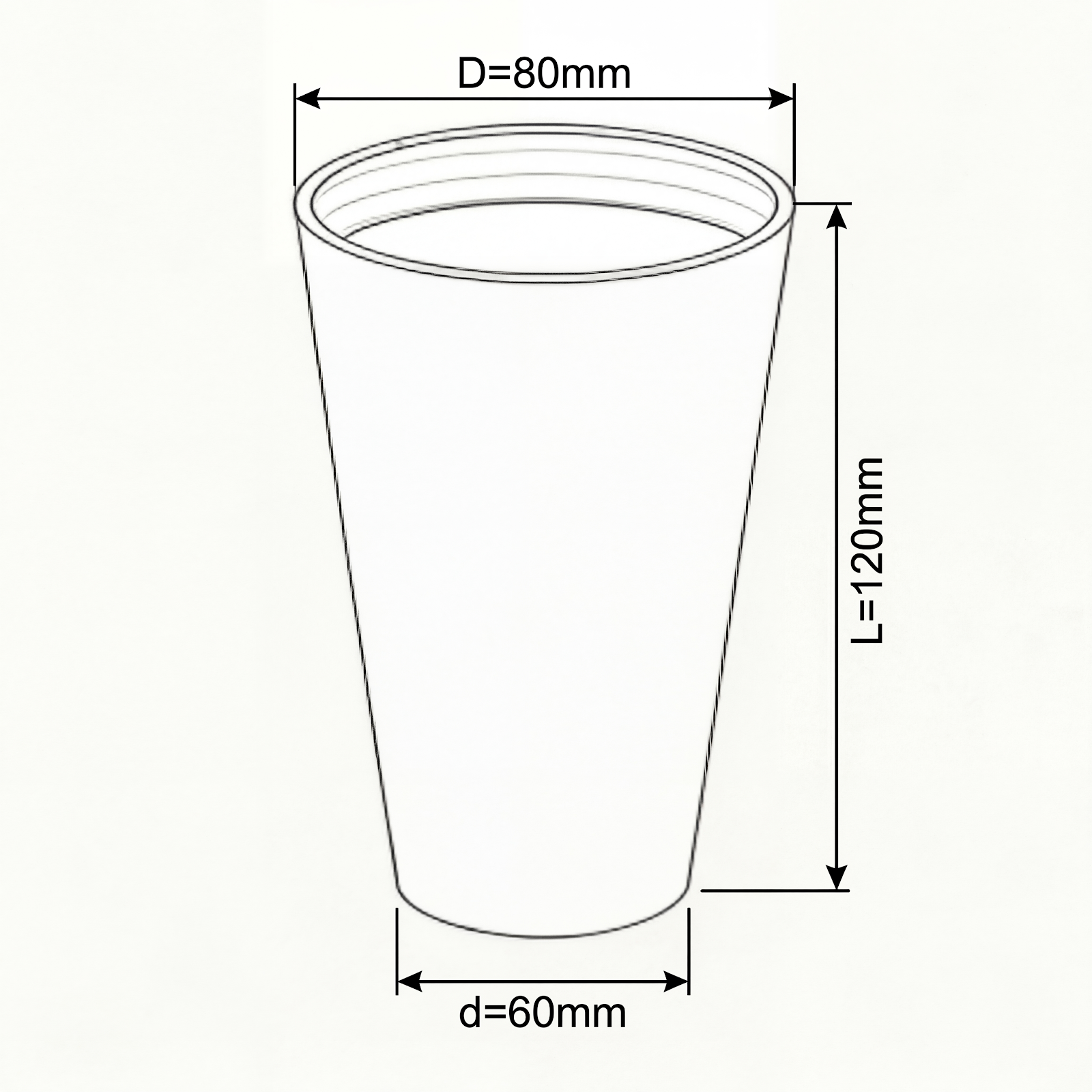
Measure the three parameters of the cup: cup mouth diameter (D), cup bottom diameter (d), and cup body effective height (L).
-
The taper calculation formula is: taper = (D − d) / L. Taking the parameters shown in the figure as an example: (80 − 60) / 120 = 0.17. Since the calculated taper value (0.17) is less than the maximum allowable value (0.23), the cup meets the printing requirements.
-
If the taper value is greater than 0.23 (approximately equal to an overall taper angle greater than 13°), the cup is not within the supported specifications.
-
Check the lifting column on the right side of the Rotary Printing Attachment to confirm whether it moves normally during the measurement process (see the red box in the figure), and whether there is any abnormal sound. If any abnormality is found, record a video and send it to eufyMake Customer Support.
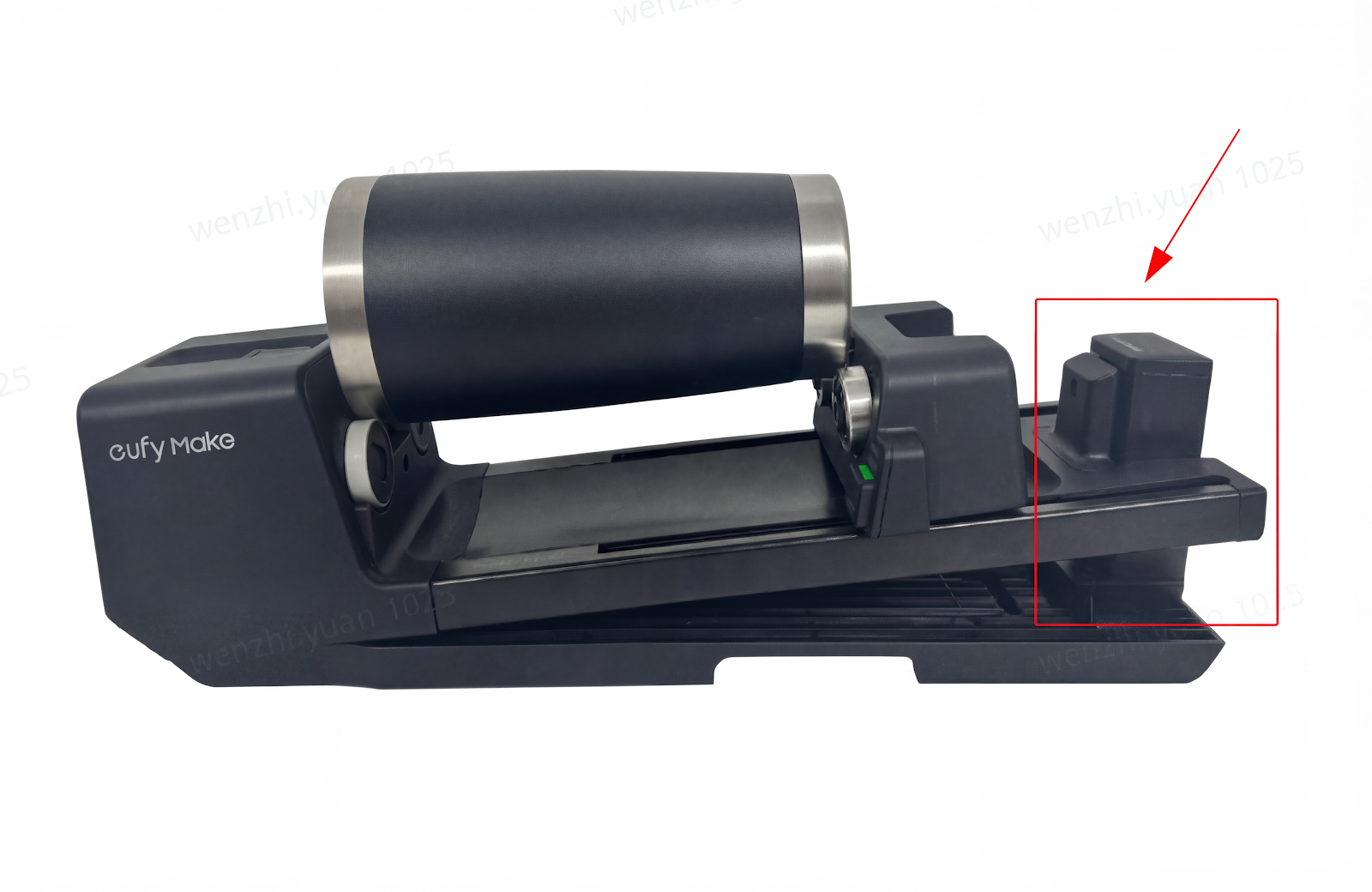
-
After the measurement is completed, check whether there are any foreign objects around the lifting shaft. If any are found, remove them and reinstall the Rotary Printing Attachment, then try again.
Support Contact
If the issue persists after completing the above steps, please contact eufyMake Customer Support at support@eufymake.com with the following information:
-
Your Order Information
-
Printer SN. Please refer to: How to Check the Device Serial Number (SN)
-
Printer and App Logs. Please refer to Log / Feedback Upload Process (App & PC) – Overview
-
Relevant photos and videos.