1.Product Description
The UV Cleaning Cartridge is a maintenance consumable designed to help maintain the Print Head of the eufyMake UV Printer E1.
The cartridge contains cleaning solution and a water-based moisturizing fluid. These fluids help remove residual ink, keep the Print Head moist, and maintain the nozzles in good condition. This supports stable printer operation and consistent print quality.
The printer automatically uses the UV Cleaning Cartridge during scheduled cleaning and moisturizing cycles. Regular maintenance helps support long-term printer reliability and extend the service life of the Print Head.
2.Specification, Model
3.Product Appearance
UV Cleaning Cartridge
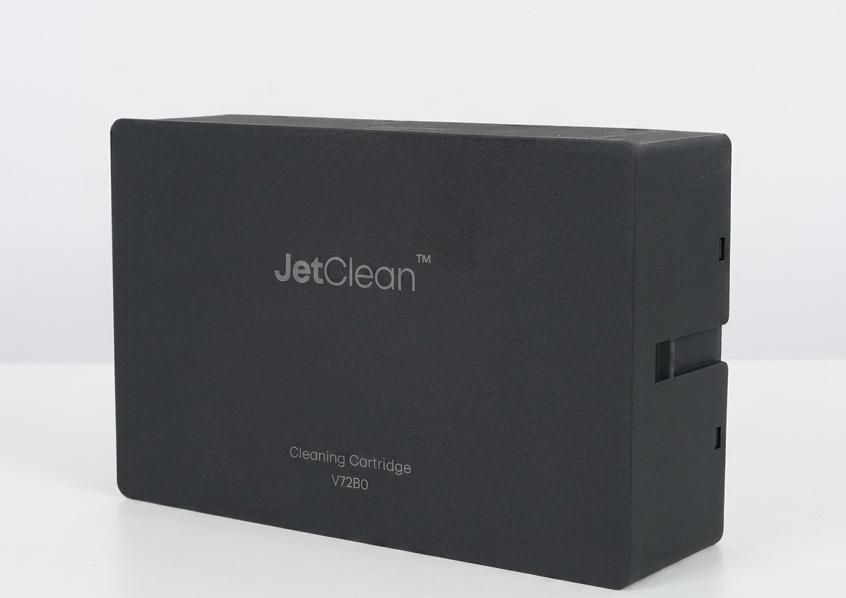
Product Appearance
4.Instructions for Use
Operating Temperature and Humidity
Installation
Remove the new UV Cleaning Cartridge from its packaging and install it as instructed by the printer.
Removal and Replacement
When prompted by the printer, remove the depleted or full UV Cleaning Cartridge and replace it with a new one.
5.Waste Ink Capacity Warning and Replacement Guide
The UV Cleaning Cartridge contains separate areas for cleaning solution, moisturizing fluid, and waste ink storage.
During normal printer operation, waste ink gradually accumulates inside the cartridge. When the waste ink storage area is nearly full, the printer will display an advance warning.
After the full warning appears, the cartridge retains enough remaining capacity for one final moisturizing cycle. Once this cycle is complete, the Print Head is protected. You may then either leave the printer powered on or complete the manual shutdown process.
Keep the Printer Powered On
The printer will automatically enter a moisturizing state and continue performing scheduled maintenance.
Keeping the printer powered on is the recommended method for maintaining the Print Head. If the printer has already entered the moisturizing state, manually shutting it down will not consume additional ink, cleaning solution, or moisturizing fluid.
Manually Shut Down the Printer
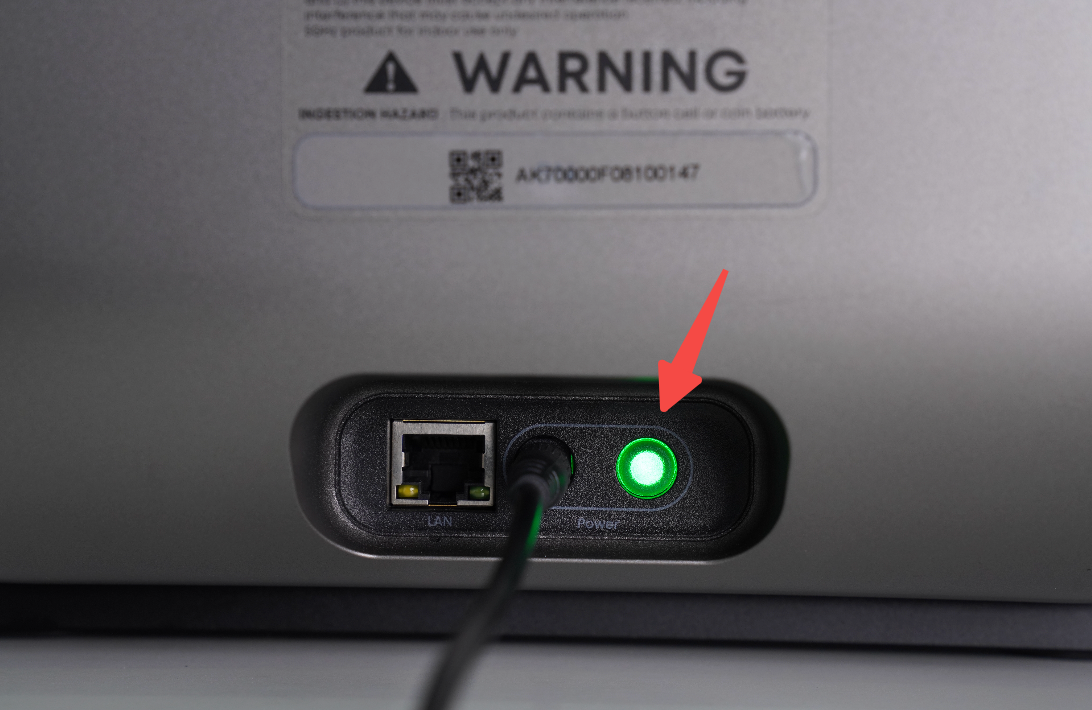
Press and hold the power button for approximately 5 seconds.
The power button is located beside the power connector on the printer. A shutdown confirmation sound indicates that the shutdown process has started.
-
If moisturizing has not yet been completed, the printer will automatically perform a safe shutdown moisturizing cycle. This takes approximately 7 minutes and 30 seconds.
-
If the printer is already in the moisturizing state, it will skip the additional moisturizing cycle and proceed directly with shutdown without consuming additional consumables.
After shutdown is complete, the printer may be disconnected from power and placed into storage.
Important: After the UV Cleaning Cartridge reports that it is full, only one final shutdown moisturizing cycle is available. Do not continue printing. Replace the cartridge promptly before resuming printer operation.
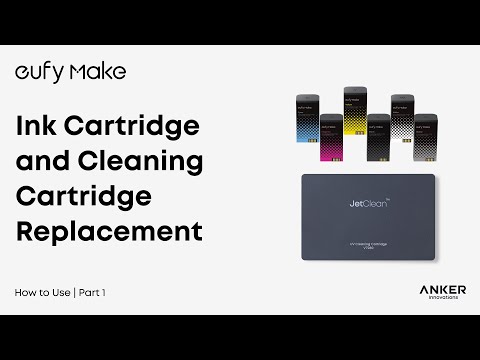
For replacement instructions, refer to the following video:
https://www.youtube.com/watch?v=xLeZG6GcztY
6.Safety Precautions
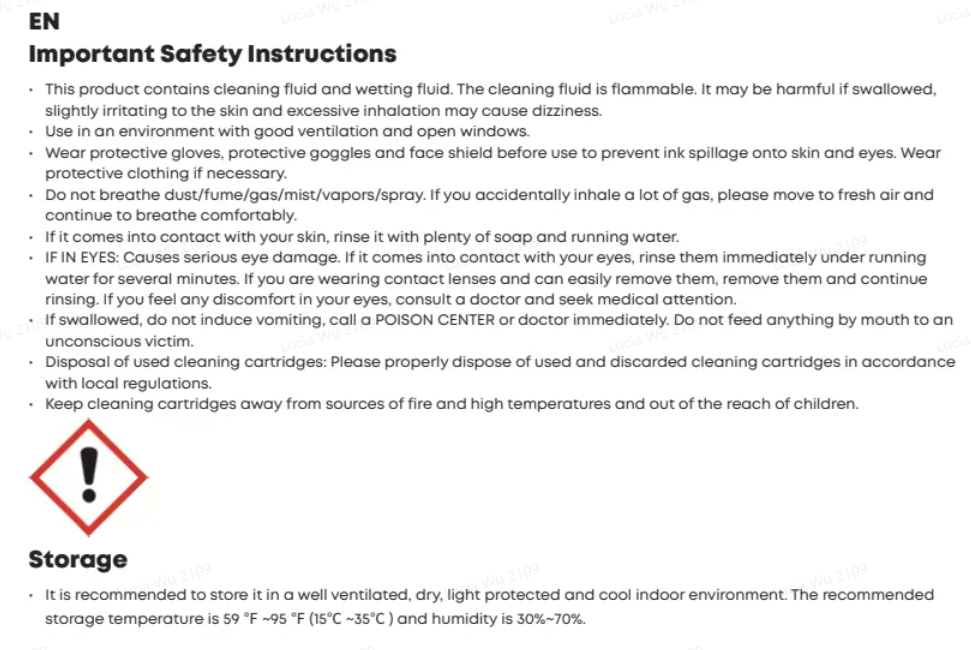
I. Classification of the Cleaning Solution
Label element: Warning (as shown in the figure)

Warning: Contains hazardous substances.
-
Wash your hands thoroughly after handling.
-
Wear protective gloves, protective clothing, eye protection, and face protection.
-
Avoid contact with the eyes, skin, and clothing.
If the solution comes into contact with the eyes:
Rinse carefully with water for several minutes. Remove contact lenses, if present and easy to do, then continue rinsing.
Additional classification information: Combustible.
Precautions for Normal Use
-
Wear rubber or plastic gloves and safety goggles before removing or installing the cartridge.
-
For minor leaks, absorb the liquid using a tissue or cloth.
-
Use a water-based damp wipe to remove colorless cleaning solution residue.
-
Use an alcohol-based cleaning liquid to remove traces of colored waste ink.
Accidental Leakage Measures
-
Wear suitable personal protective equipment, including impermeable gloves, a mask, and protective clothing.
-
If vapor is present, use a respirator equipped with an appropriate filter.
-
Ensure adequate ventilation, particularly when handling a leak indoors.
First Aid Measures
General Recommendations
-
Do not inhale gases, vapors, or sprays.
-
Avoid contact with the eyes, skin, and clothing.
Skin Contact
Wash the affected area thoroughly with soap and plenty of water.
Remove contaminated clothing and shoes. If irritation persists, seek medical attention.
Eye Contact
Immediately rinse the eyes with plenty of water, including beneath the eyelids, for at least 15 minutes.
If irritation persists, seek medical attention.
Ingestion
Do not ingest or swallow cleaning solution or waste ink.
Firefighting Measures
-
Suitable extinguishing agents: Carbon dioxide, dry chemical powder, dry sand, alcohol-resistant foam, or alkaline saltwater mist.
-
Unsuitable extinguishing media: Do not use a solid water stream, as this may spread the fire.
-
Specific hazards: Avoid inhaling combustion gases or smoke. Burning materials may produce dense smoke.
-
Protective equipment for firefighters: Use suitable respiratory protection and personal protective equipment. If a fire or explosion occurs, avoid inhaling fumes. Collect contaminated firefighting water separately and do not allow it to enter drains.
7.Storage Environment
Store the UV Cleaning Cartridge indoors in a well-ventilated, dry, shaded, and cool location.
-
Recommended storage temperature: 10–45°C
-
Recommended storage humidity: 25–75%, without condensation
Keep the cartridge dry to maintain product integrity.
8.Disposal
The mixture contains ingredients whose hazards to the aquatic environment are unknown and which may be persistent.
Do not release residual or unused liquid into the environment.
Dispose of the cartridge and any remaining contents in accordance with applicable regional, national, and local laws and regulations.
For additional disposal instructions, refer to:
https://support.eufymake.com/s/article/Waste-Ink-Cartridge-Cleaning-Cartridge-Disposal-Guide
Frequently Asked Questions (FAQ)
Q1: Can I continue using the printer after the UV Cleaning Cartridge reports that it is full?
A: No. Do not continue printing after the full warning appears.
The cartridge retains only enough remaining capacity for one final moisturizing cycle to protect the Print Head. Replace the cartridge before resuming printing.
Q2: Can I unplug the printer after the full warning appears?
A: No. Do not disconnect the printer from power before the moisturizing or shutdown process is complete.
Disconnecting power without moisturizing the Print Head may cause the nozzles to clog. Print Head damage caused by an extended power interruption without proper maintenance may not be covered under warranty.
Leave the printer powered on so that it can moisturize automatically, or press and hold the power button for approximately 5 seconds to begin the safe shutdown process.
The printer may be disconnected from power after shutdown is complete.
Q3: If the printer has already completed moisturizing, will shutting it down consume additional consumables?
A: No. If the printer has already entered the moisturizing state, the shutdown process will skip the additional moisturizing cycle and proceed directly with shutdown.
No additional ink, cleaning solution, or moisturizing fluid will be consumed.