Fault Phenomenon
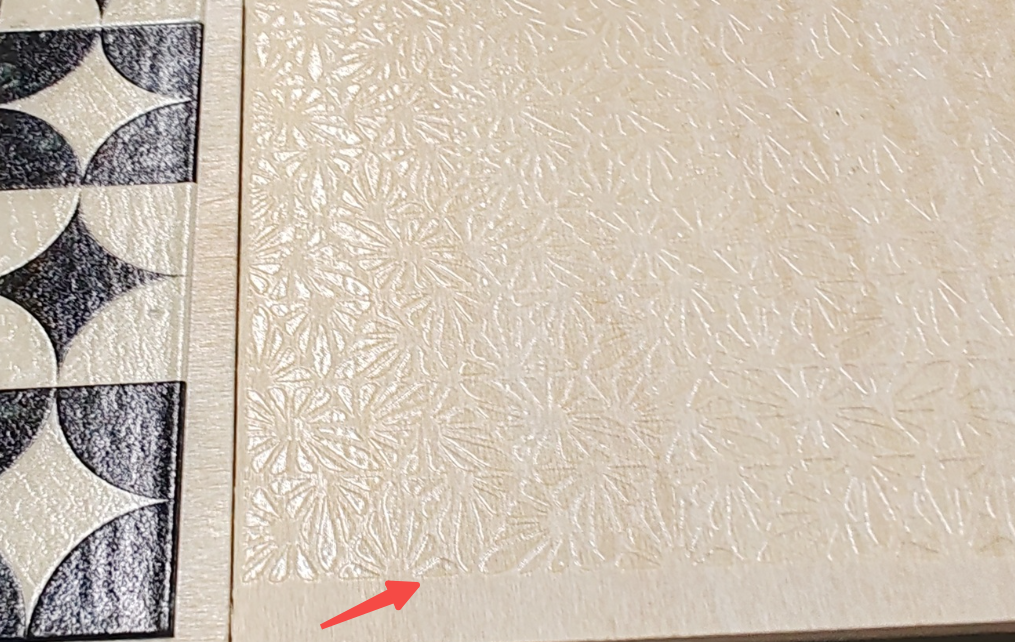
The height of the printed varnish texture or embossed effect is significantly lower than the design expectation, resulting in insufficient three-dimensional appearance.
-
The designed depth map is set to 2 mm, but the actual printed height is only about 1 mm.
-
The embossed effect appears flat and lacks three-dimensionality, showing a noticeable difference from the preview effect.
Cause Analysis
Clogged Nozzle
Some nozzles in the varnish print head are clogged or damaged, resulting in reduced varnish output and ultimately leading to insufficient printing height.
Troubleshooting Steps
-
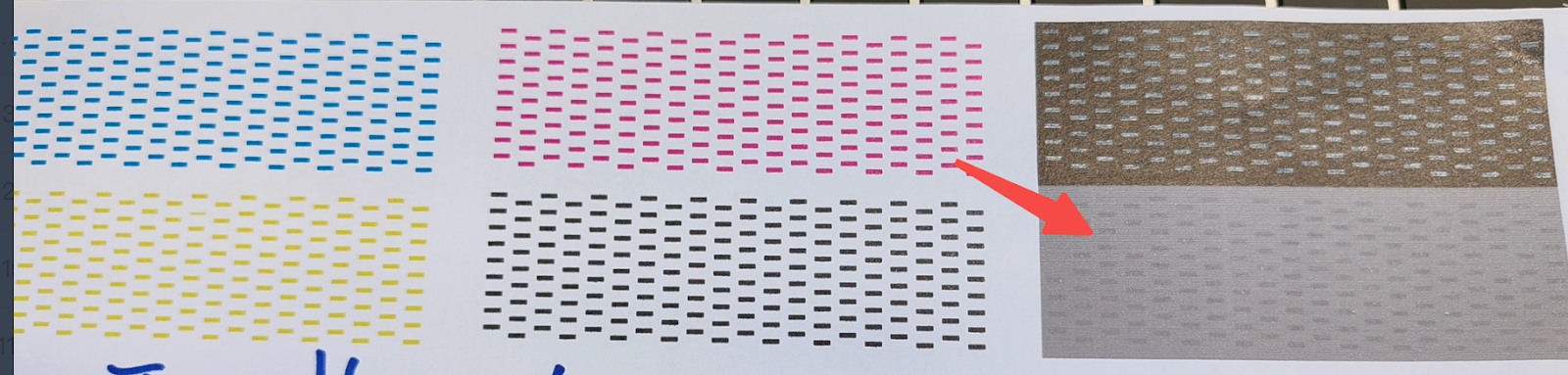
Print the nozzle status diagram, check the nozzle condition, and carefully observe the varnish nozzle section for issues such as broken lines, missing segments, or blurring.
-
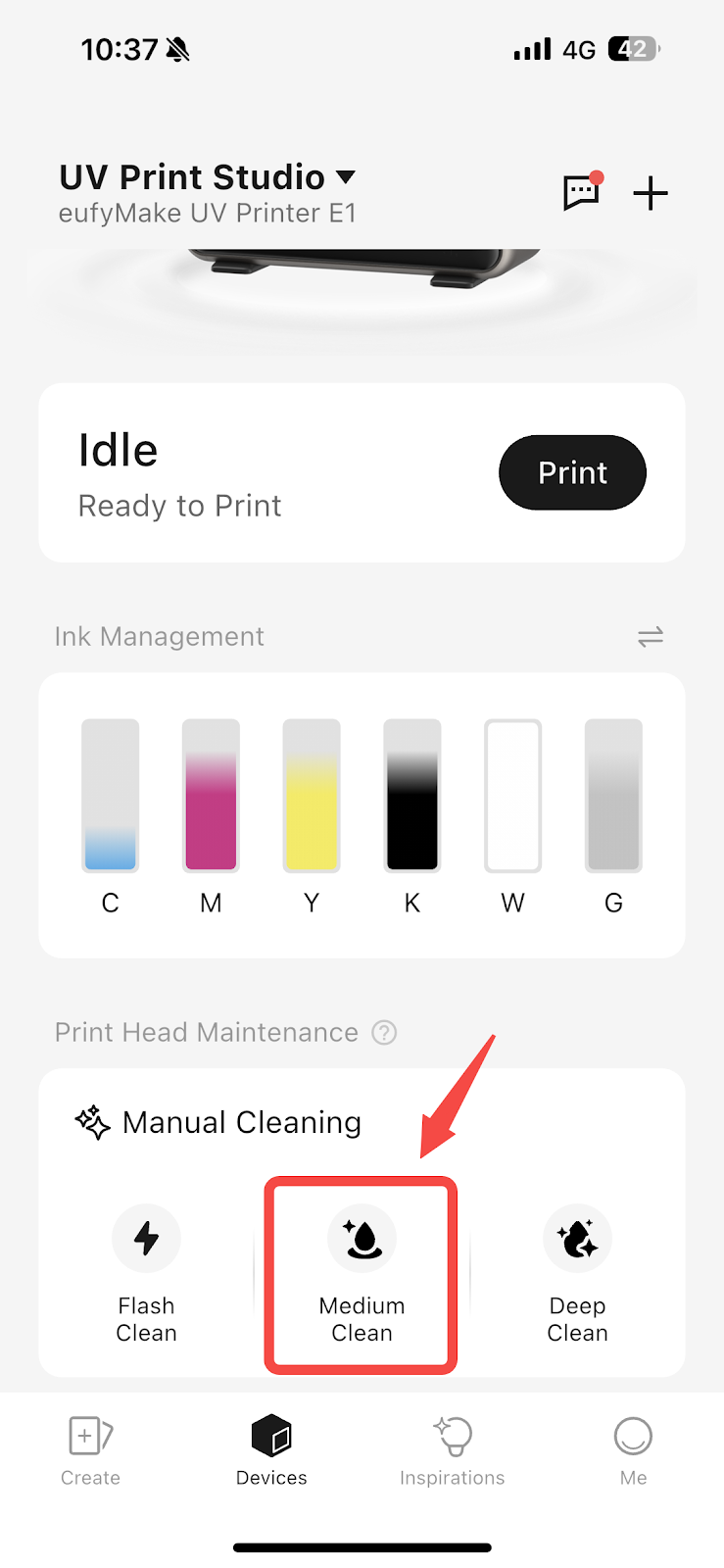
If the varnish nozzle status shows a broken lines, perform two Medium Clean operations on the print head. Then check again to see whether the varnish section of the print head has recovered.
-
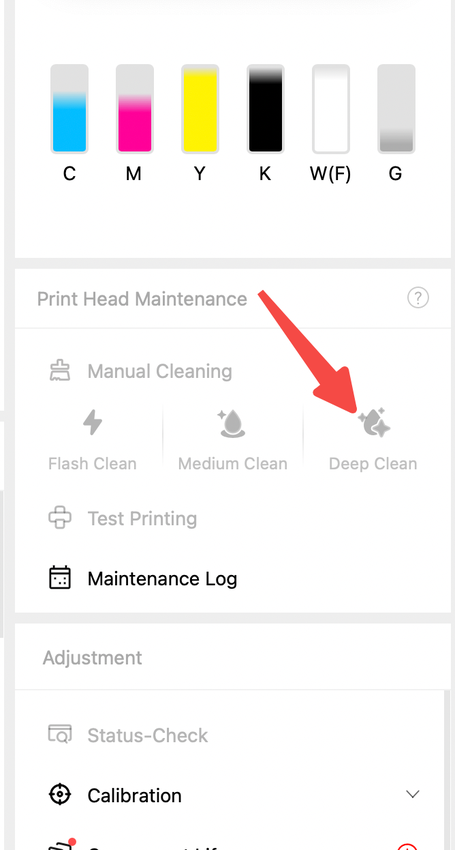
If the condition does not improve or multiple broken lines are still present, perform a Deep Clean, then print the nozzle status chart again for inspection.
-
If there is still no improvement, perform a factory reset, refill the ink, and then print the nozzle status chart again for inspection. Please refer to eufyMake UV Printer E1 Device Unbinding & Factory Reset
Support Contact
If the issue persists after completing the above steps, please contact eufyMake Customer Support at support@eufymake.com with the following information:
-
Your Order Information.
-
Printer SN. Please refer to: https://support.eufymake.com/s/article/How-to-Check-the-Device-Serial-Number-SN
-
Printer and App Logs. Please refer to:https://support.eufymake.com/s/article/Log-Upload-Process-App-PC-Overview
-
Print photos of mixed ink and photos at the ink stack.