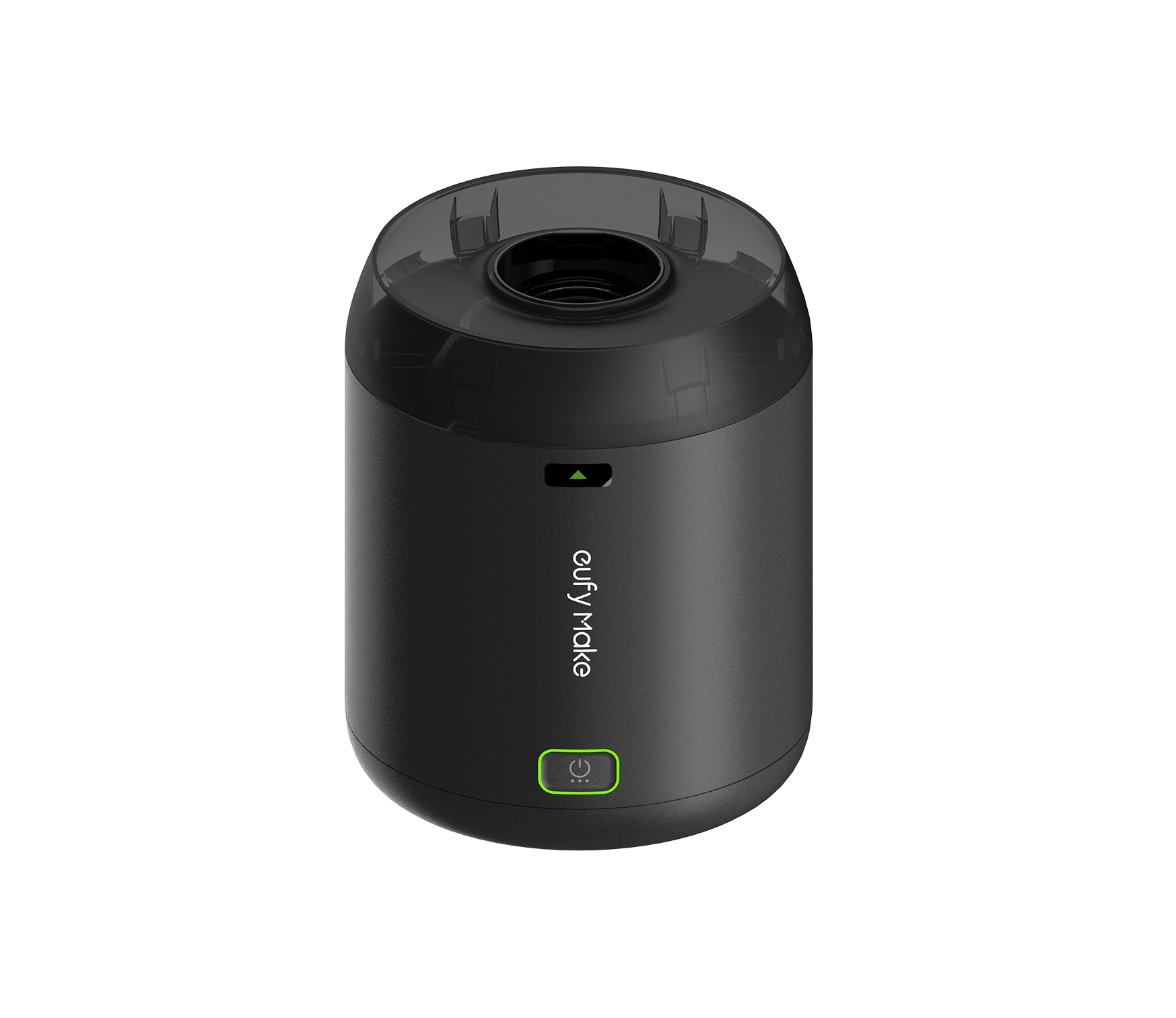
T520Q is a ventilation accessory for the eufyMake E1 (V8260) UV Printer, designed specifically for the gases and odors produced during UV printing. It uses a centrifugal impeller to quickly extract gases generated during printing and vent them outdoors with high airflow, remaining effective even during open printing.
Its large-diameter, low-noise fan keeps noise levels within 55 dB at high speed and as low as 45 dB in silent mode. The air guide, custom-designed for the E1, fits closely around the exhaust outlet to provide stable exhaust performance without affecting print quality. The compact body supports both desktop placement and wall mounting to accommodate different space layouts.
Product Positioning
During printing, the UV printer produces gases such as TVOCs, which can accumulate over time in enclosed or semi-enclosed spaces and affect the comfort of the printing environment.
T520Q extracts the gases produced during printing and vents them directly outdoors through an exhaust duct, reducing indoor odors at the source. It is suitable for environments with a window or where the exhaust duct can be connected to the outside.
Components and Working Principle
The T520Q Exhaust Fan Kit includes the following accessories:
-
Power Adapter
-
Exhaust Fan
-
Wall-Mount Kit
-
1 m Exhaust Hose
-
3 m Exhaust Hose
-
Exhaust Duct
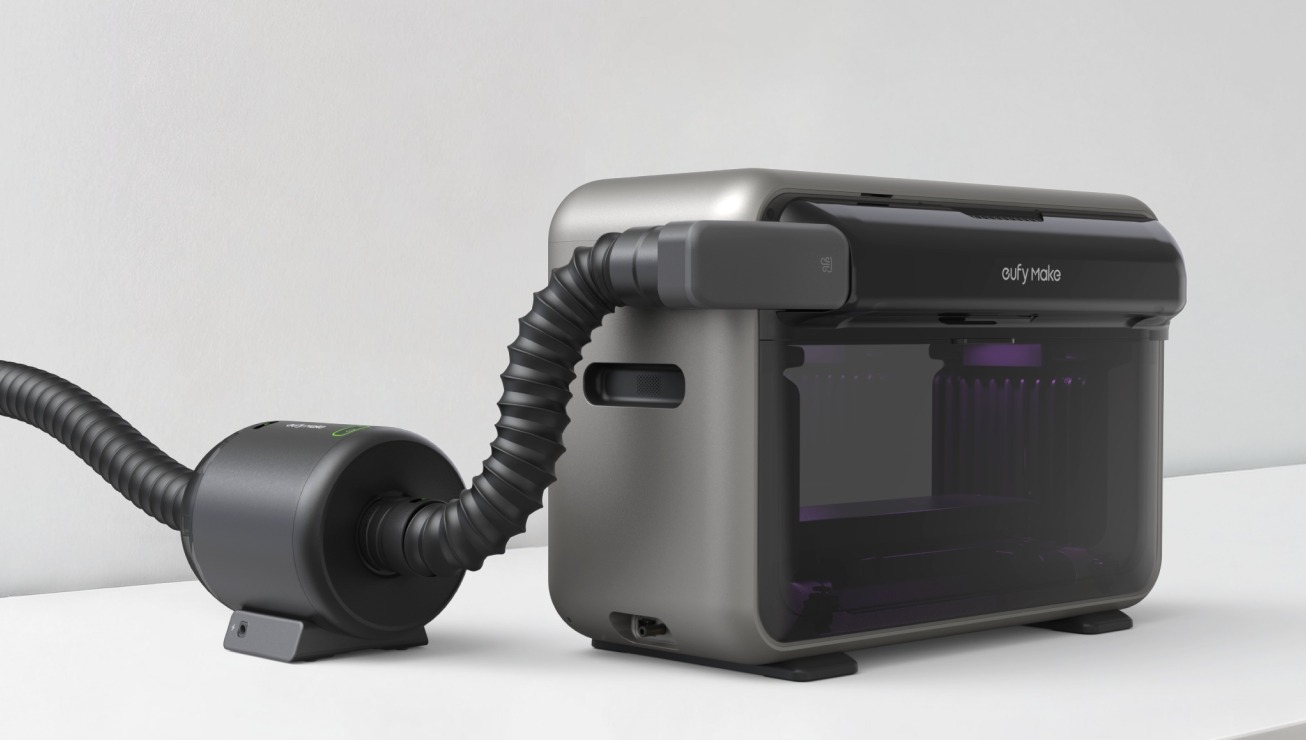
Working principle:
-
The air guide fits closely around the printer's exhaust outlet and directs the gases produced during printing into the exhaust system.
-
The exhaust hose connects the air guide to the fan and carries the gases outdoors.
-
The fan provides the extraction power needed to vent the gases outdoors.
Product Dimensions
Main unit dimensions: 215 × 180 × 198 mm (L × W × H).
Hose diameter: 2 inches.
Before purchasing, make sure your desktop or wall has enough space for the ventilation accessory, and leave sufficient room for routing the exhaust hose.
Applicable Scenarios
-
Indoor studios with a window or vent.
-
Spaces where the printer's exhaust system can be connected to the outside.
-
Not suitable for fully enclosed, windowless spaces. For these environments, choose the T5216 Purifier P1 Kit instead.
FAQ's
Q: How do I choose between T520Q and T5216?
Choose T520Q if you have a window or an opening to the outside. Choose T5216 for fully enclosed, windowless spaces.
Q: Is it loud during operation?
Noise level is ≤ 55 dB at high speed and ≤ 45 dB in silent mode, making operation quiet and unobtrusive.
Q: How often should the hose be replaced?
The hose has no fixed replacement interval. Replace it as needed based on its level of wear or if it becomes cracked.
Q: Does the hose have a warranty?
The hose is a consumable accessory and is not covered by the warranty.
Q: Do I need to retract the hose in high winds or rain?
Do not use it in high winds or rain. It is recommended to purchase and install a rain cap to prevent water from entering the hose in rainy weather.


