Common Faults and How to Handle Them
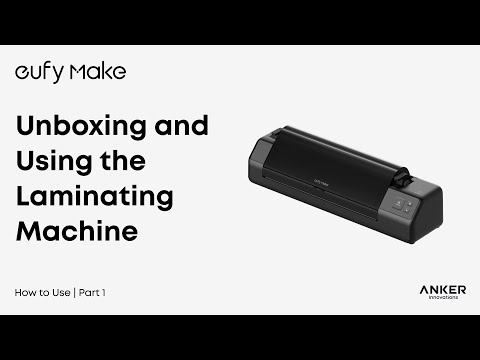
Laminator Machine Use Process
Step 1 - Load Film B into the laminator
Place the film guide onto the B film and align the left edge with the entrance of the laminator.
Slowly feed the film into the opening — the machine will automatically begin loading the B Film.
Step 2 - Cut Film B
When the B film is fully loaded, a beep will sound and the B film indicator light will turn on.
Move the cutter to either end, then press and slide it to cut the B film.
After cutting, return the B film guide plate to its original position.
Step 3 - Heating the laminator
Whilst waiting for your print to finish, press the heating button on the laminator.
Wait for the indicator light to turn green, which means the laminator has completed heating.
This process takes approximately 3 minutes.
Step 4 - Laminating after printing
After printing is complete, remove the A film from the adhesive plate. Hold the non-glued edge of the A film with both hands and align the left side with the entrance of the laminator. Carefully feed the A film into the entrance - the machine will automatically complete the lamination process.
Step 5 - Cut the corner of Film B
After lamination is complete, cut the B film using the cutter, then trim any excess corners with a paper cutter for a clean finish.
Step 6 - Apply the UV DTF Pattern
Use scissors to cut out the UV DTF sticker pattern you want to transfer. With the included crochet hook, carefully lift a corner of the pattern to separate it from the backing.
Position the pattern on the target surface, then use a squeegee to press it down firmly and ensure proper adhesion.
Common Faults and How to Handle Them
If the film becomes jammed or blocked during operation, follow these steps:
1. Press the Stop button to halt the lamination process.
2. Wait for the heating roller to cool down to room temperature.
3. Open the maintenance cover.
4. Open the ABS release switch.
5. Manually pull out the B film along the roller axis.
6. Close the ABS switch.
7. Reload the B film before resuming operation.
Indicator Light Description
-
Status indicator : shows standby (green) / abnormal (red)
-
B Film Indicator : displays B Film not installed (off) /abnormal (red) /installation completed (green)
-
Heating indicator : shows not heated (off) / heating (orange) / heating completed (green)
Important Safety Instructions
1. Do not leave the machine unattended during operation to avoid paper or film jams.
2. Keep children away from the machine and never allow them to operate it alone.
3. Avoid touching the heating roller to prevent burns.
4. Do not use the machine in hazardous environments, such as near water, on unstable surfaces, or in poorly ventilated areas.
5. Ensure the working environment temperature stays within 15–35 °C for safe and stable operation.