Problem Description
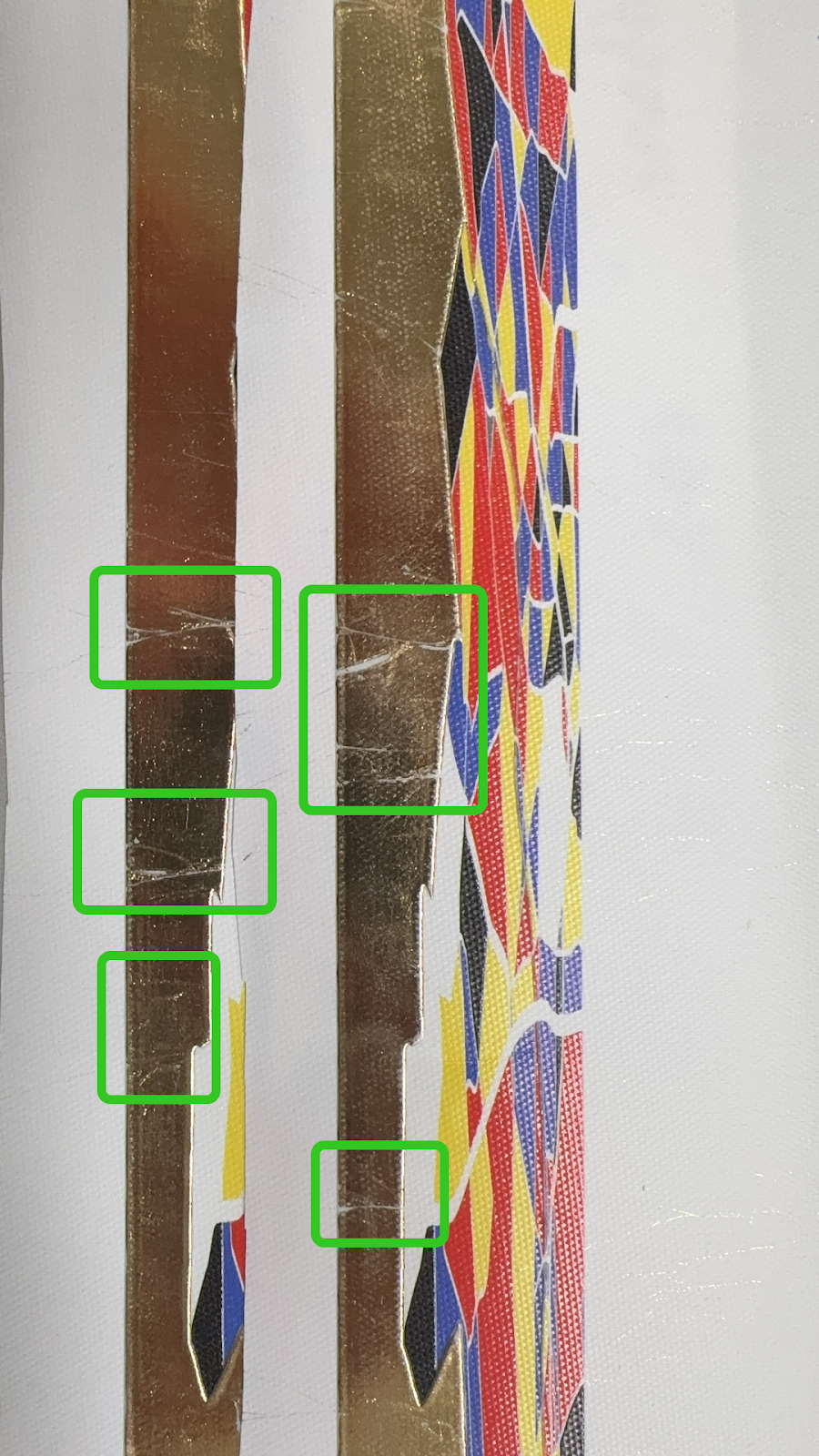
Irregular stripes appear on the gold-foiled surface, with the following characteristics:
-
Irregular distribution
-
Uneven thickness
-
Inconsistent direction
-
Some areas show slight white exposure, while others appear as single thin lines
Cause Analysis
-
Distortion or wrinkling of Film B in the laminating machine
-
Structural issues with the laminating machine
Troubleshooting
-
Refer to the https://support.eufymake.com/s/article/Laminating-Machine-Replacement-SOP-of-B-Flim and check whether Film B is installed correctly.
-
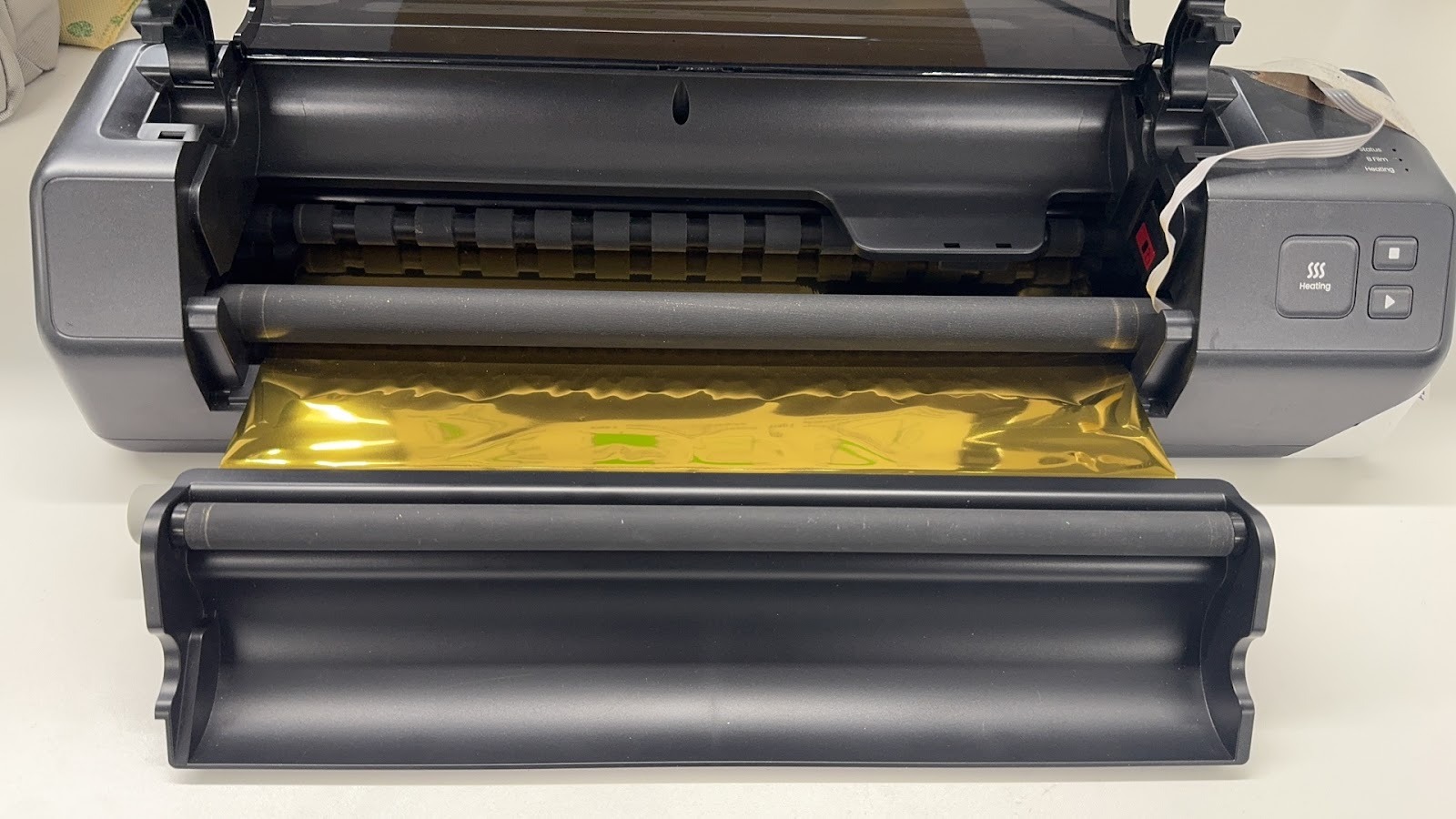
Open the maintenance cover of the laminating machine and check whether Film B is distorted or wrinkled.
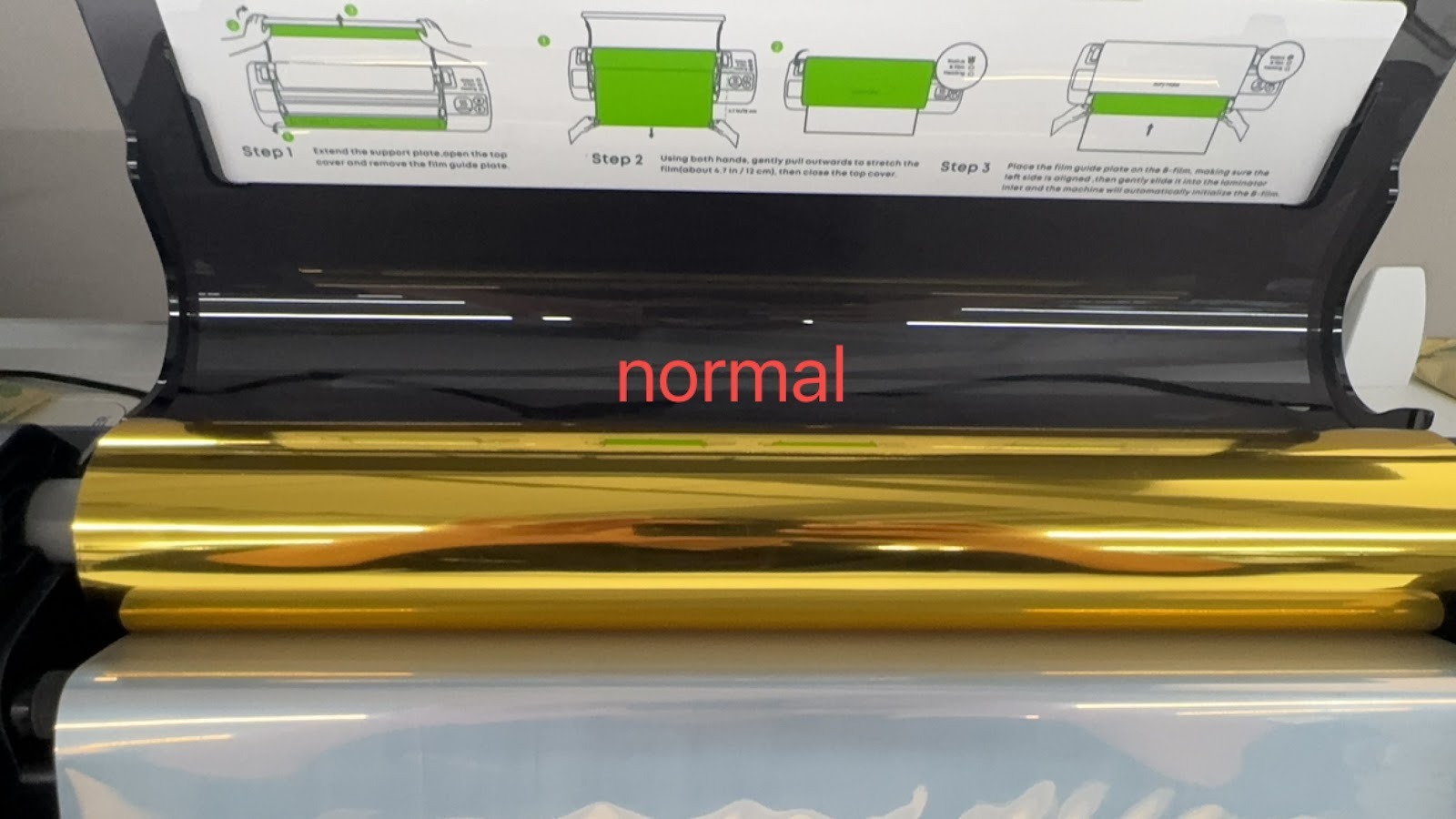
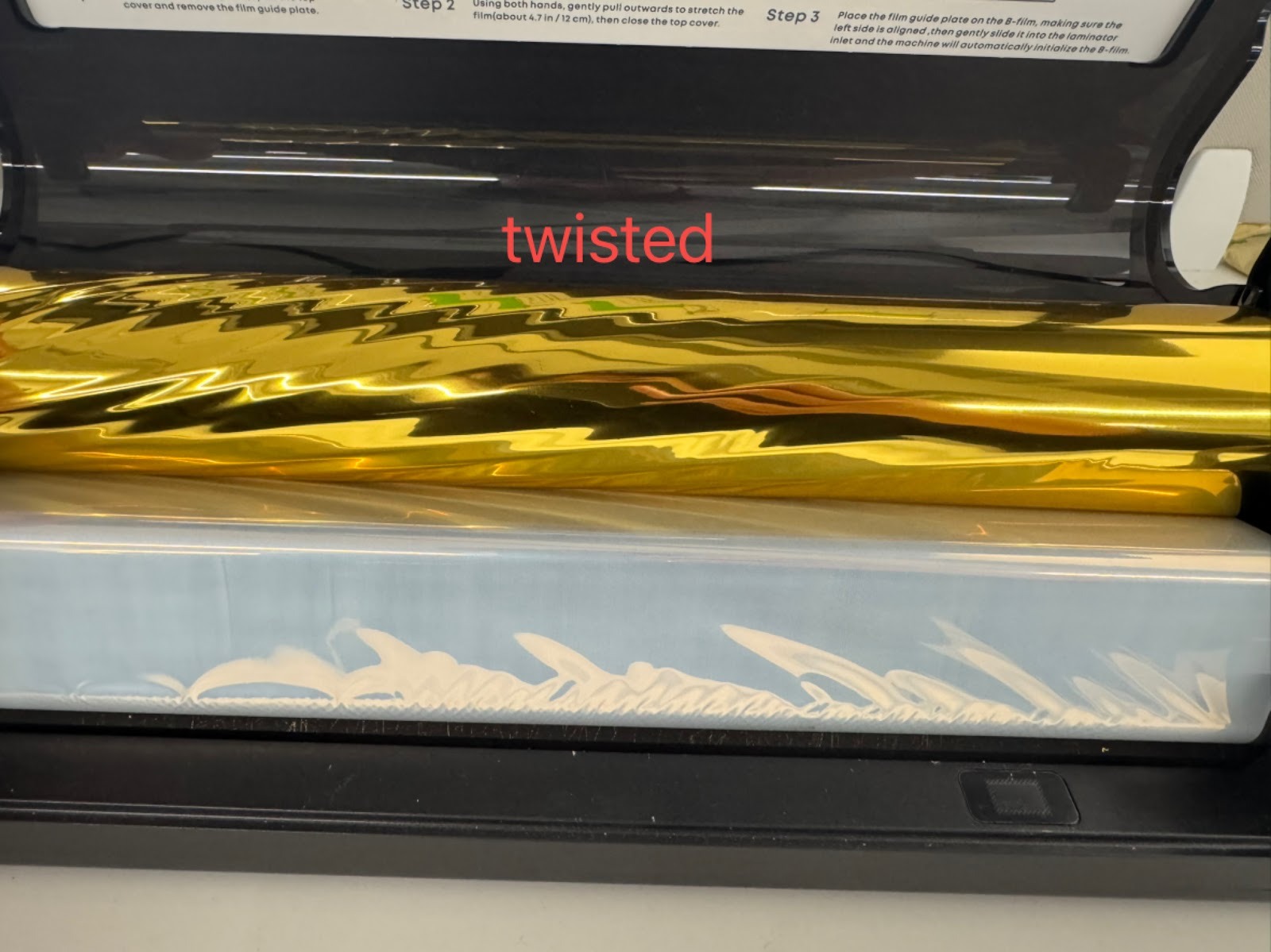
-
Refer to the https://support.eufymake.com/s/article/Laminating-Machine-Replacement-SOP-of-B-Flim and reinstall Film B, ensuring that it is flat and properly aligned.
-
Refer to the https://support.eufymake.com/s/article/Laminator-Machine-Usage-Tutorial and heat the laminator, and wait until the heating indicator light turns green and not blinking.
-
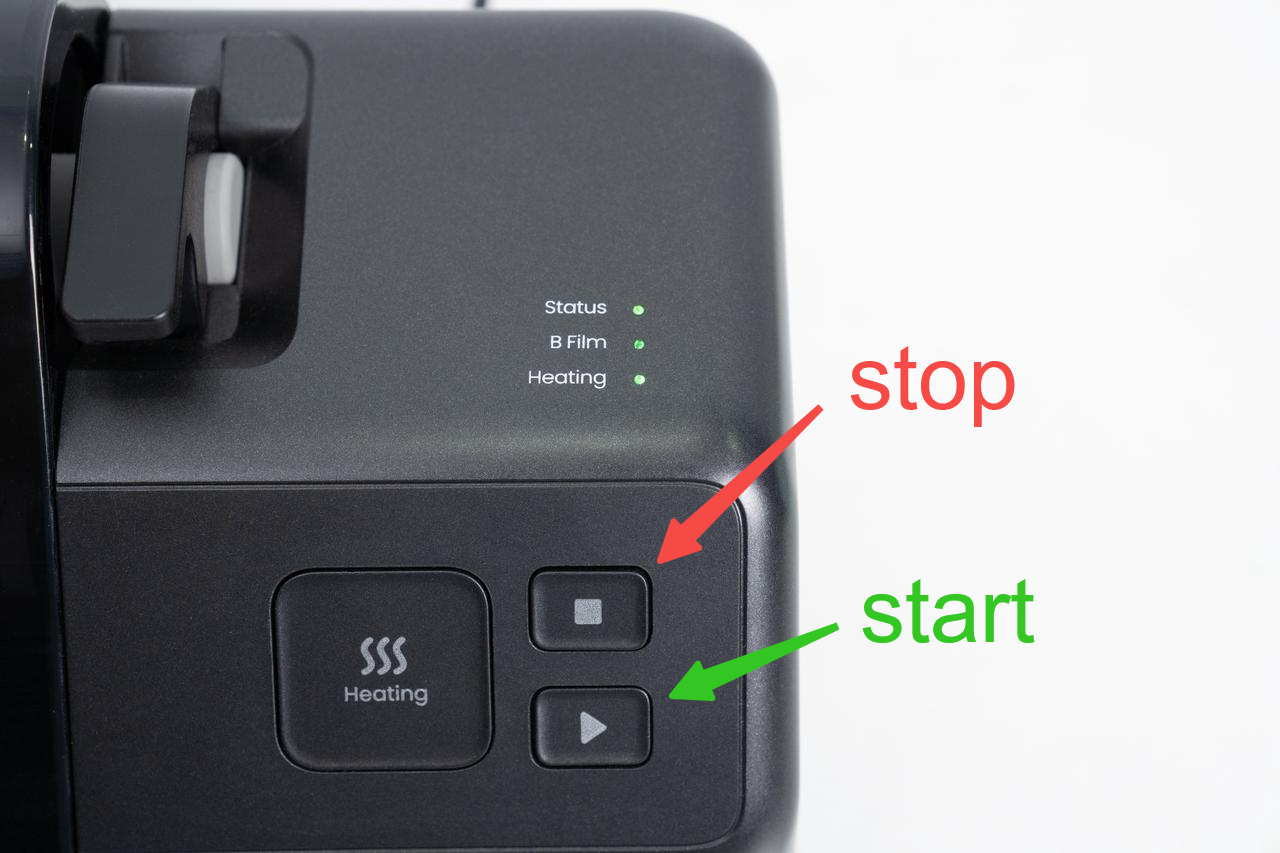
After heating is complete, press the Start button, then press the Stop button after 10 seconds.
-
Check whether there are creases on Film B at the output. Minor unevenness without creases is normal and will not affect lamination.
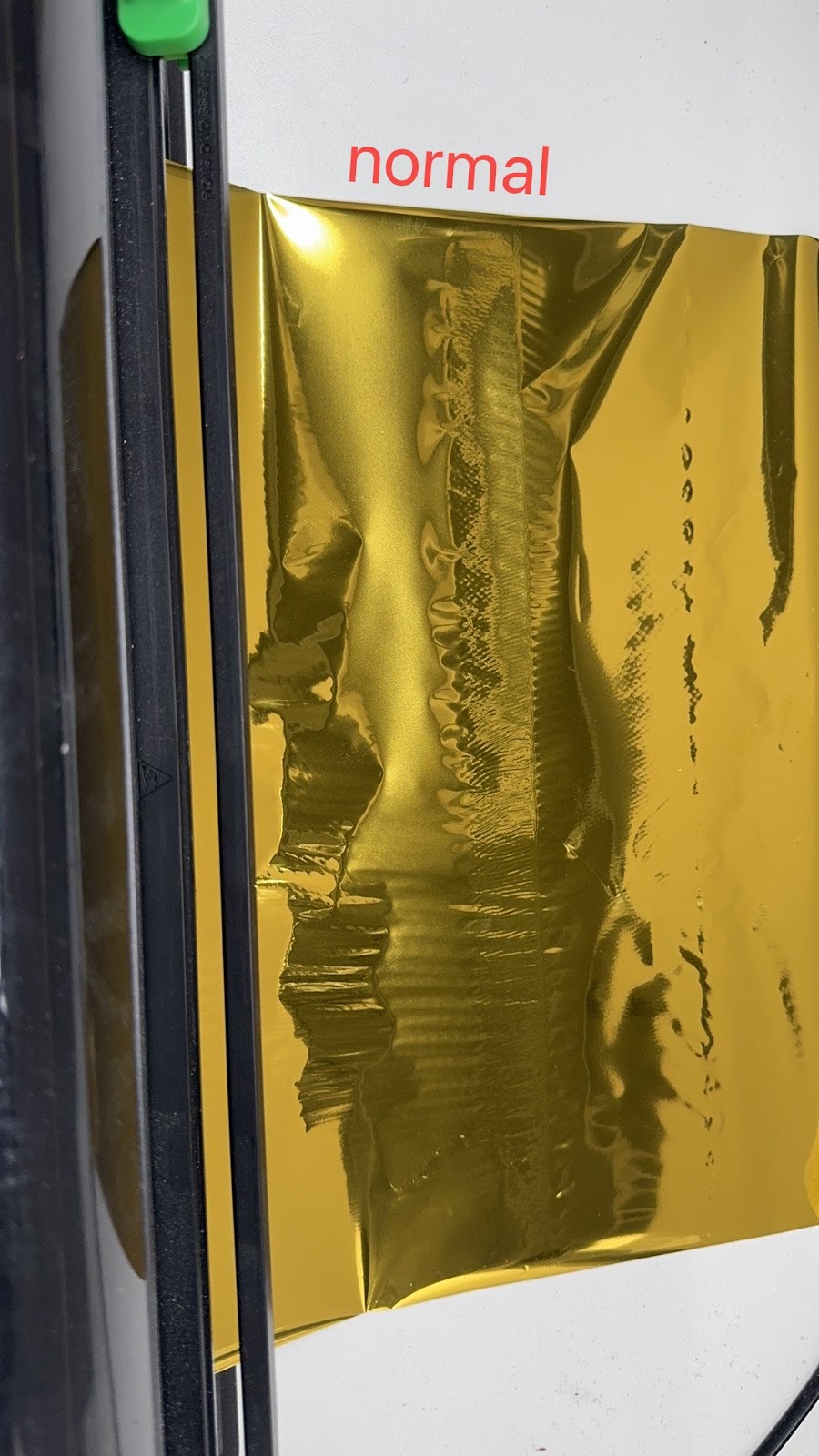
-
If there are no creases, the issue is resolved.
Support Contact
If the issue persists after completing the above steps, please contact eufyMake Customer Support at support@eufymake.com with the following information:
-
Your Order Information.
-
Printer SN. Please refer to: https://support.eufymake.com/s/article/How-to-Check-the-Device-Serial-Number-SN
-
Printer and App Logs. Please refer to: https://support.eufymake.com/s/article/Log-Upload-Process-App-PC-Overview
-
Photos of the foiled prints and photos of the laminating machine's internal structure