Flatbed Platforms Substrate Selection and Placement Requirements for UV Printer E1


Standard flatbed platforms substrate selection and placement requirement


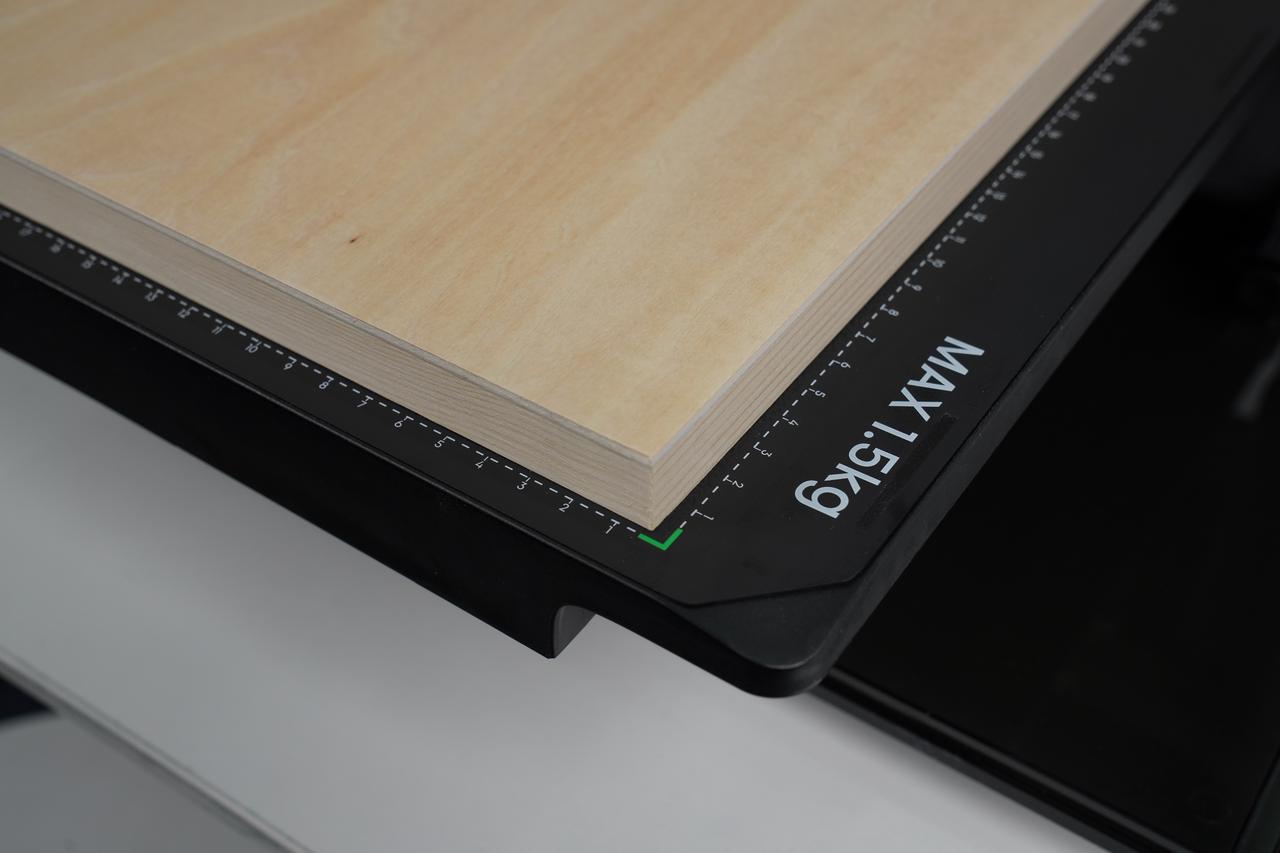
The print substrate must meet the standard flatbed platform requirements, including the maximum supported size, height, and weight.

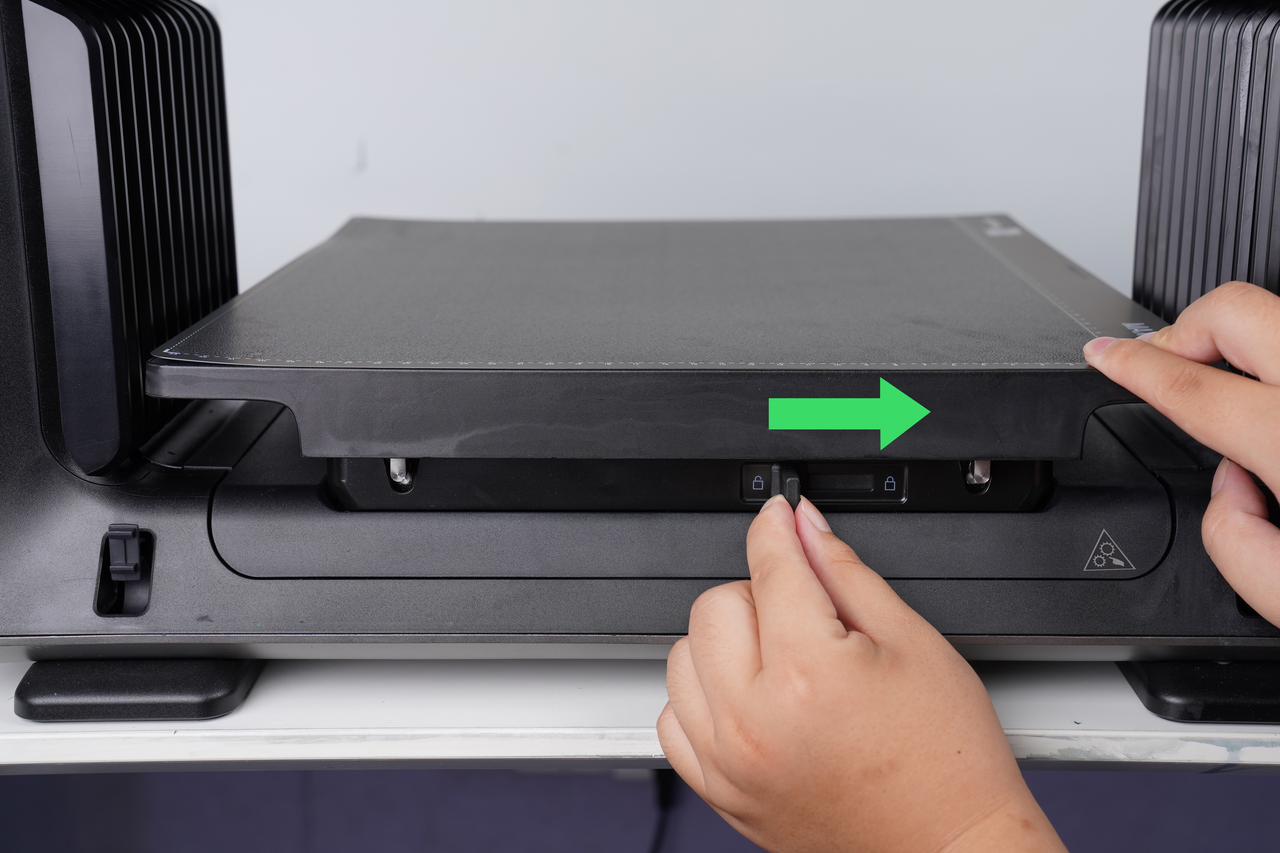
Before placing the substrate, ensure the flatbed platform is locked correctly to avoid safety issues such as movement or accidental drops.

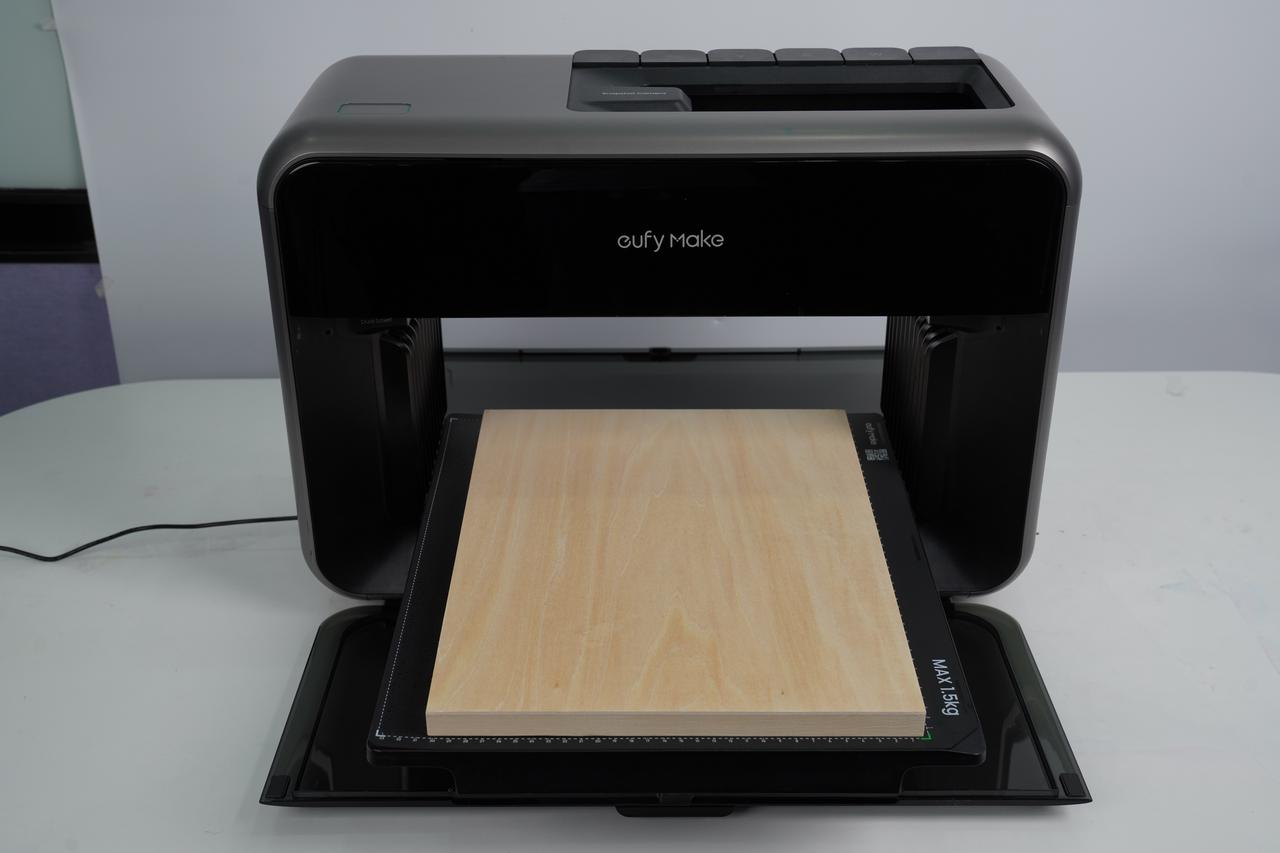
The substrate should be positioned on the standard adhesive mat to keep it securely fixed during printing.

Tutorial for using the standard adhesive mat Flatbed Adhesive Mat Instructions for UV Printer E1


Print substrate type

Planar object

Print size range

420mm*330mm(16in*13in)

Print height

60mm(2.36in), height range within 2mm(0.08in) of the upper surface (unable to print uneven objects)

Maximum load capacity

1.5kg

Substrate placement/positioning requirements

Place steadily with no curled edges, and ensure it is positioned within the adhesive mat coordinate frame

Multi-substrate placement requirements

Keep sufficient spacing between substrates, greater than 5mm (0.2in), and place substrates of the same type & height.


Lock Standard Flatbed platform


Place the substrate in the coordinate frame
Mini flatbed platform substrate selection and placement requirements

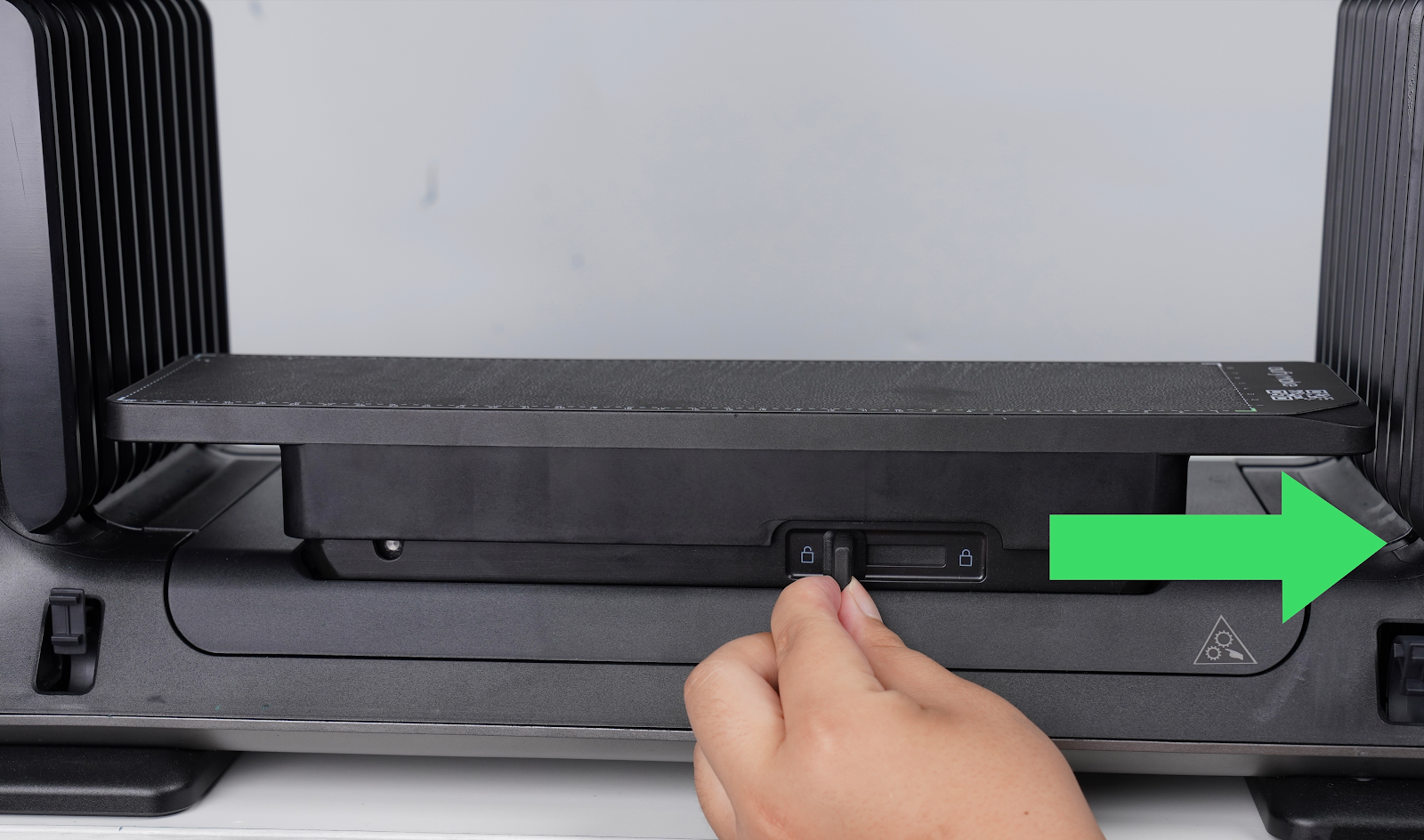
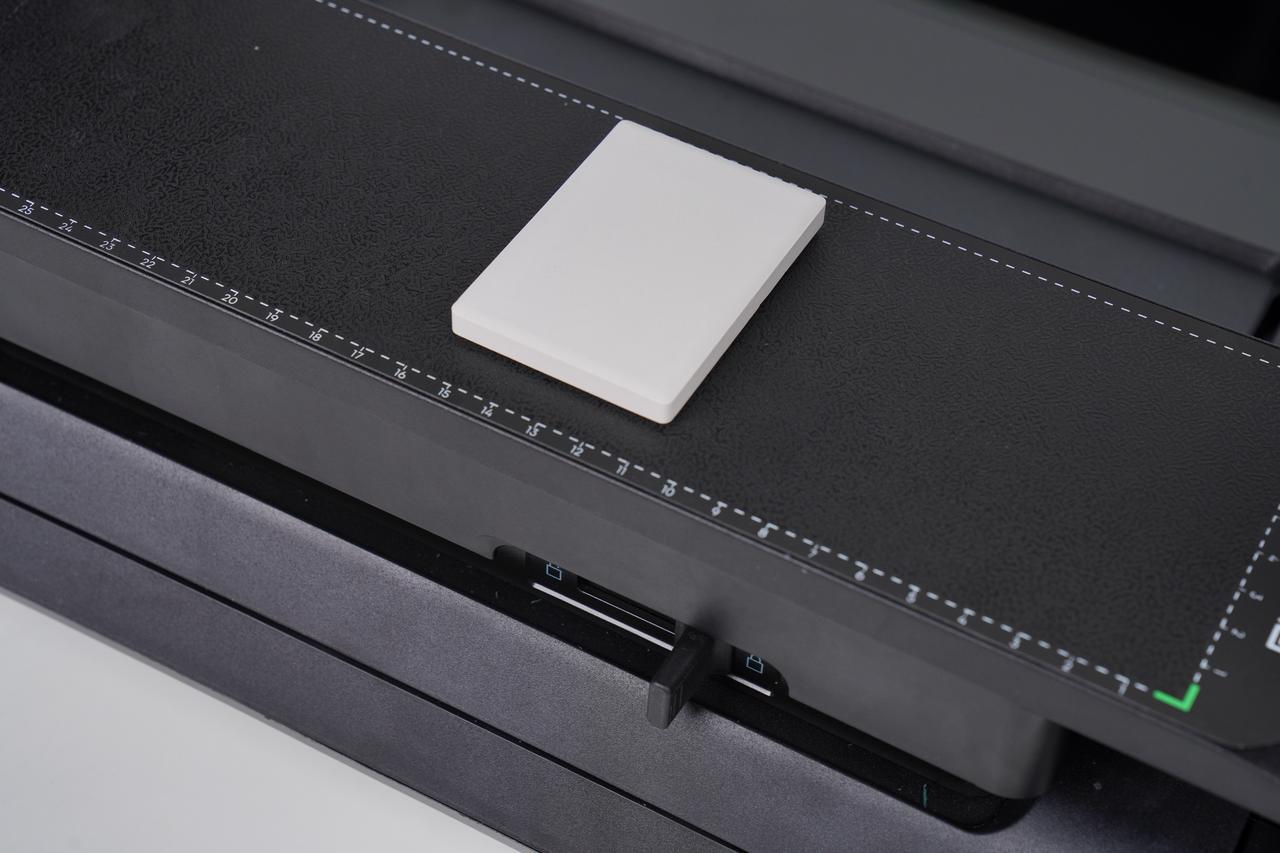
The substrate needs to meet the requirements of the mini flatbed platform maximum printing size, height and weight range , and confirm that the mini flatbed platform is locked before placing ; the substrate needs to be placed on the mini adhesion mat for fixing.

Tutorial for using the mini flatbed mat Flatbed Adhesive Mat Instructions for UV Printer E1

Print substrate type

Hard flat object

Print size range

330mm*90mm(13in*3.54in)

Print height

80mm(3.15in), within 2mm(0.08in) from the upper surface

Maximum load capacity

1.5kg

Substrate placement/positioning requirements

Place steadily with no curled edges, and ensure it is positioned within the adhesive mat coordinate frame

Multi-substrate placement requirements

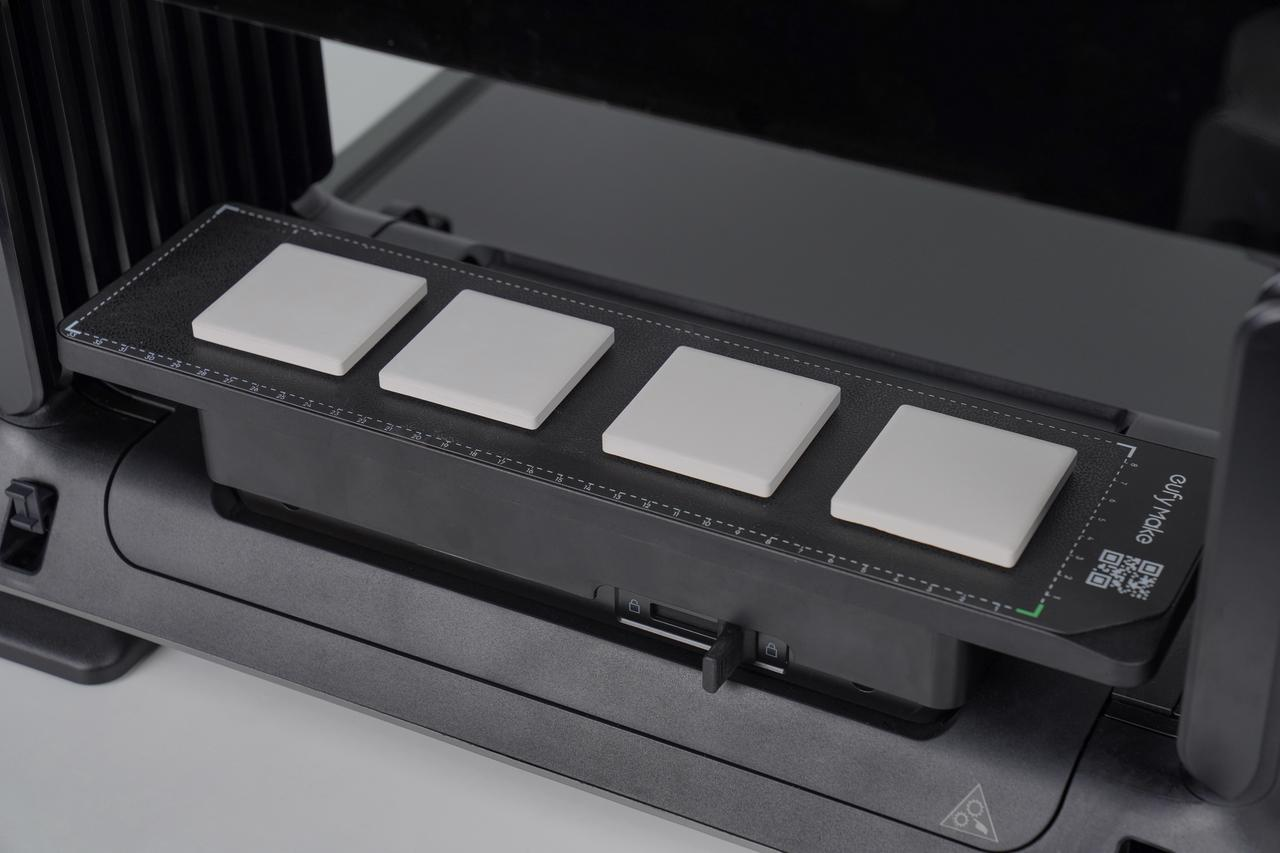
Keep sufficient spacing between substrates, greater than 5mm (0.2in), and place substrates of the same type


Lock the mini flatbed


Place the substrate within the coordinate frame

Unresolved icon
197 undefined
Download icon
UL Exposure Assessment Report for the eufyMake UV Printer E1
Download icon
Test Diagram Project File
Download icon
eufyMake Rotary Printing Attachment for UV Printer E1 Quick Start Guide
Download icon
eufyMake UV Printer E1 Quick Start Guide
Download icon
eufyMake Laminating Machine for UV Printer E1 Quick Start Guide
Download icon
eufyMake UV Printer E1 Brugervejledning (V8260)
View More
Play videoeufyMake E1 Tutorial | Part 13: Door Panel Replacement
eufyMake E1 Tutorial | Part 13: Door Panel Replacement
Play videoeufyMake E1 Tutorial | Part 3: Main Printing Workflow
eufyMake E1 Tutorial | Part 3: Main Printing Workflow
Play videoeufyMake E1 Tutorial Part 15: Printer Deep Maintenance
eufyMake E1 Tutorial Part 15: Printer Deep Maintenance
Play videoeufyMake E1 Tutorial Part 10: Ink Cartridge and Cleaning Cartridge Replacement
eufyMake E1 Tutorial Part 10: Ink Cartridge and Cleaning Cartridge Replacement
Play videoeufyMake E1 Tutorial Part 19: Encoder Strip Replacement
eufyMake E1 Tutorial Part 19: Encoder Strip Replacement
Play videoeufyMake E1 Tutorial Part 18: Printer Outer Shell Disassembly and Assembly
eufyMake E1 Tutorial Part 18: Printer Outer Shell Disassembly and Assembly
View More