What Is an ICC Color Profile?
An ICC Color Profile (ICC Profile) is a set of color mapping parameters used to create a consistent relationship between:
-
The RGB colors shown in your design software
-
The CMYK ink output of the UV Printer E1
-
The final colors produced on different substrates
Different materials, ink characteristics, and print settings can all affect the final printed color. ICC Profiles help compensate for these differences by adjusting how much of each ink color is used, allowing the printer to reproduce your design colors as accurately and consistently as possible across different materials and print jobs.
Why Do You Need ICC?
In real-world printing, the same design can look different when printed on different materials. For example, a design printed on acrylic may not look identical when printed on a phone case.
This happens because:
-
Different materials absorb and reflect ink differently
-
Colors can appear differently on different substrate surfaces
-
Print settings such as ink density and print mode can affect the final result
An ICC Profile is created for a specific combination of printer, ink, and substrate. It tells the printer how much of each ink color to use in order to reproduce a target color as accurately as possible on that material.
How ICC Profiles Work in eufyMake Software
ICC Profiles Supported by the E1
The eufyMake E1 includes multiple built-in ICC Profiles.
When you select a substrate type and print quality in the print settings, the system automatically applies the appropriate ICC Profile. No manual profile selection is required.
Switching ICC Versions
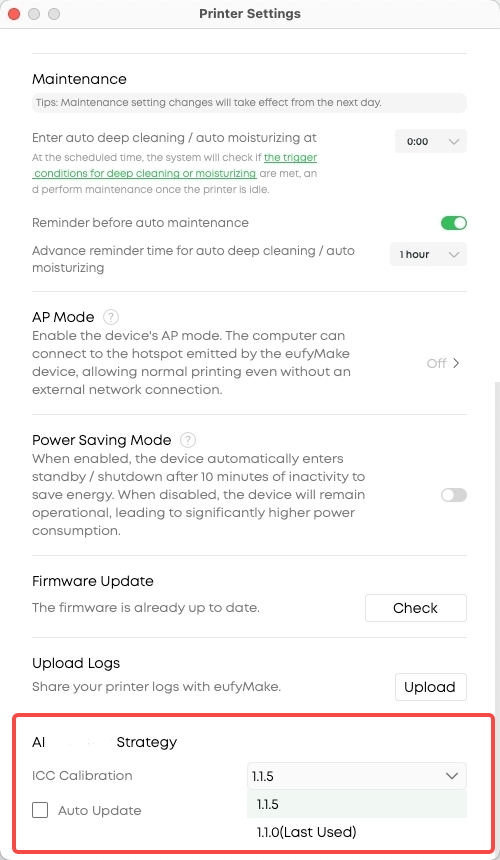
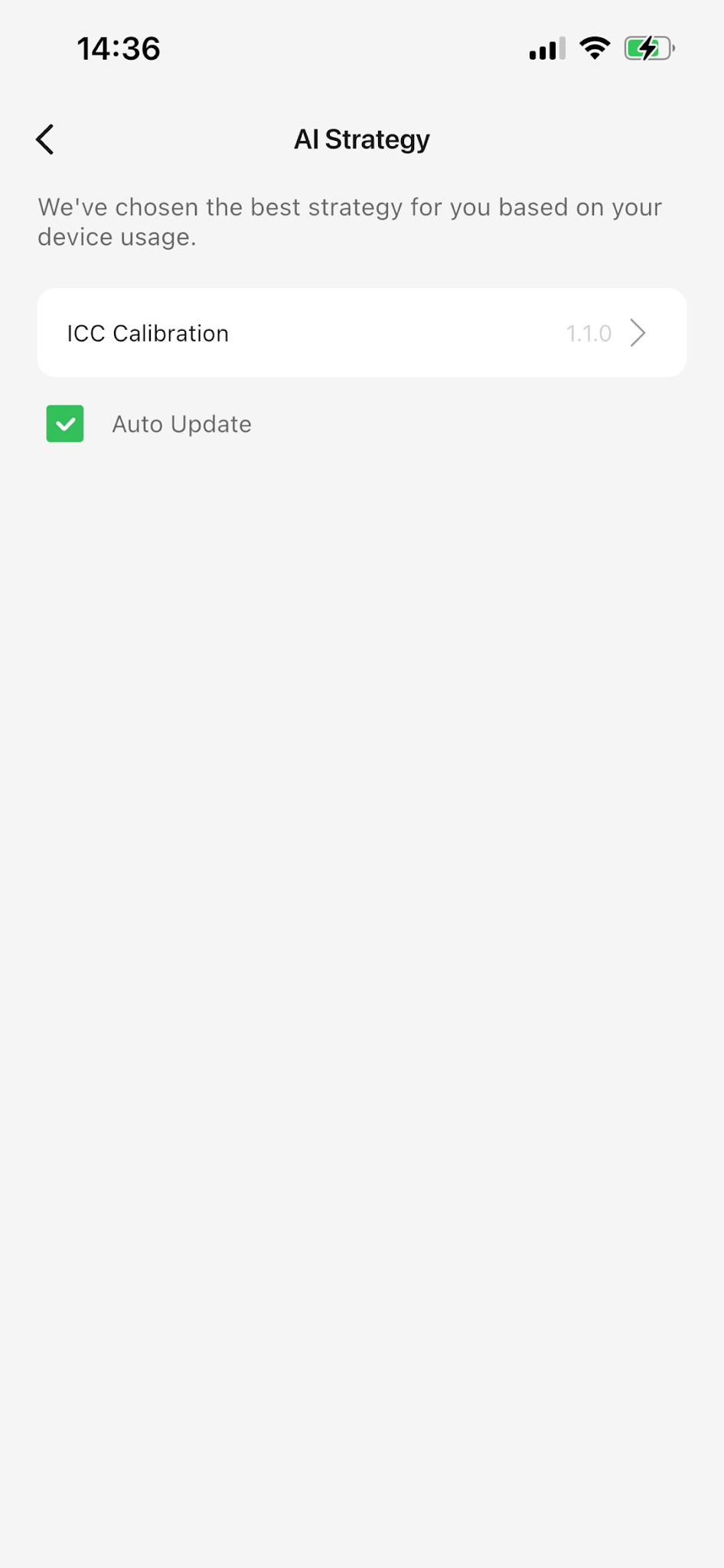
You can upgrade or roll back ICC Profile versions through the ICC Calibration menu.
Select the desired version from the drop-down list.
For the best color accuracy and stability, we recommend using the latest stable ICC version.
ICC Profile Updates
ICC Profile updates are managed independently from software updates.
You can:
-
Disable automatic ICC updates by turning off Auto Update in the ICC Calibration module
-
Review update information before installing a new ICC version
-
Choose whether to install an update
-
Roll back to a previous ICC version if needed
This gives you full control over when ICC Profile changes are applied to your workflow.
Learn More About ICC Standards
For more information about ICC standards and color management, visit the International Color Consortium website:










