Fault Phenomenon
The gold (foil-stamp) area does not fully cover the gold film. Instead, random white spots (areas where the gold film is not transferred) appear within the stamped area.
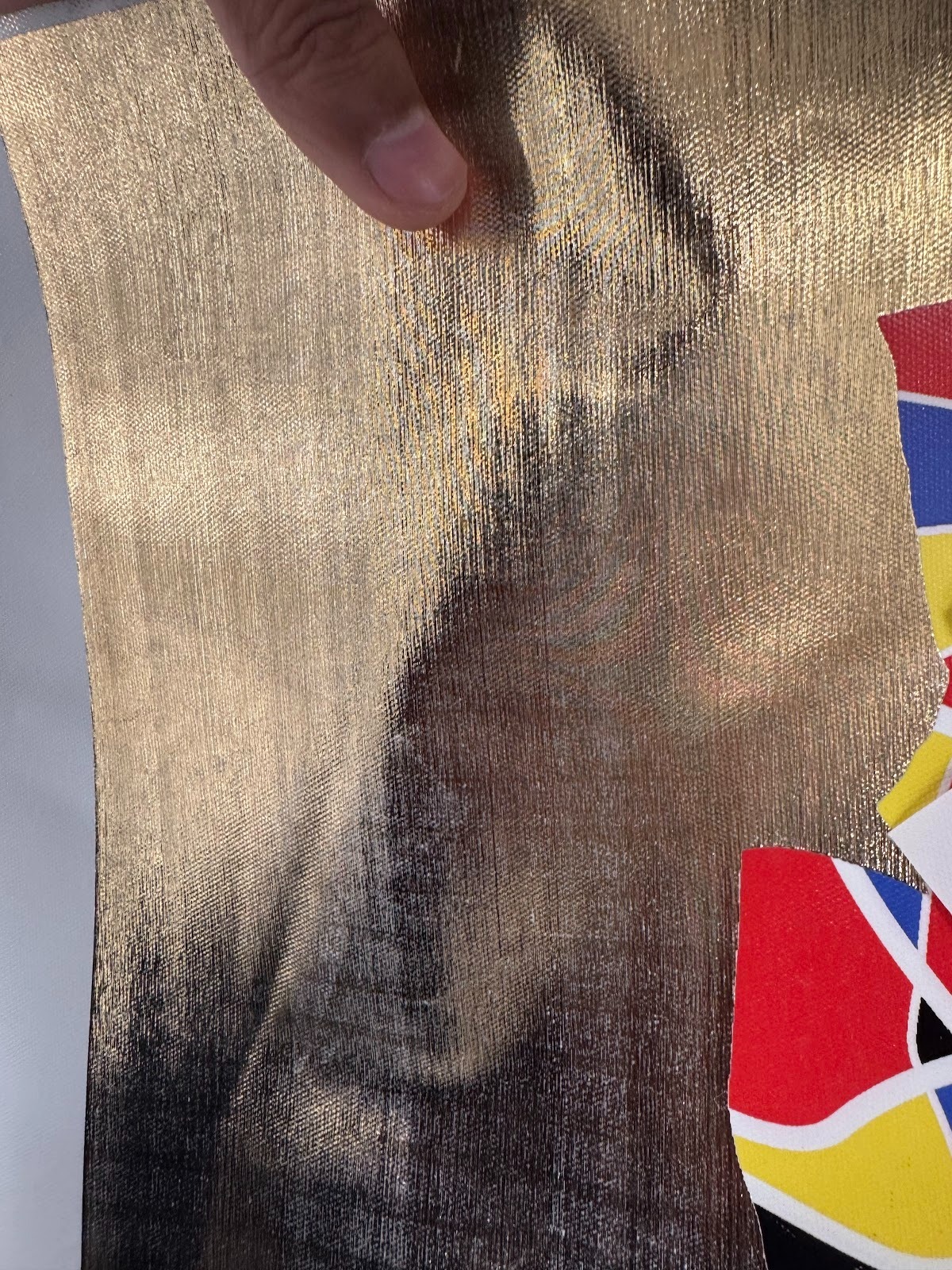
Cause Analysis
Broken white ink nozzles
If some white ink nozzles are damaged or blocked, those channels will stop discharging ink. As a result, the white ink layer that should be smooth and even becomes uneven.
Insufficient surface height for lamination
The laminating machine can only transfer gold film onto the surface of cured white ink. When there is a large height difference across the white ink layer, lower areas cannot contact the gold film properly, causing incomplete coverage and exposed white ink.
Troubleshooting
-
Print the nozzle status chart, then check the printhead condition.
-
Carefully inspect the white ink nozzle section for issues such as broken lines, missing dots, blurring, or uneven output.
-
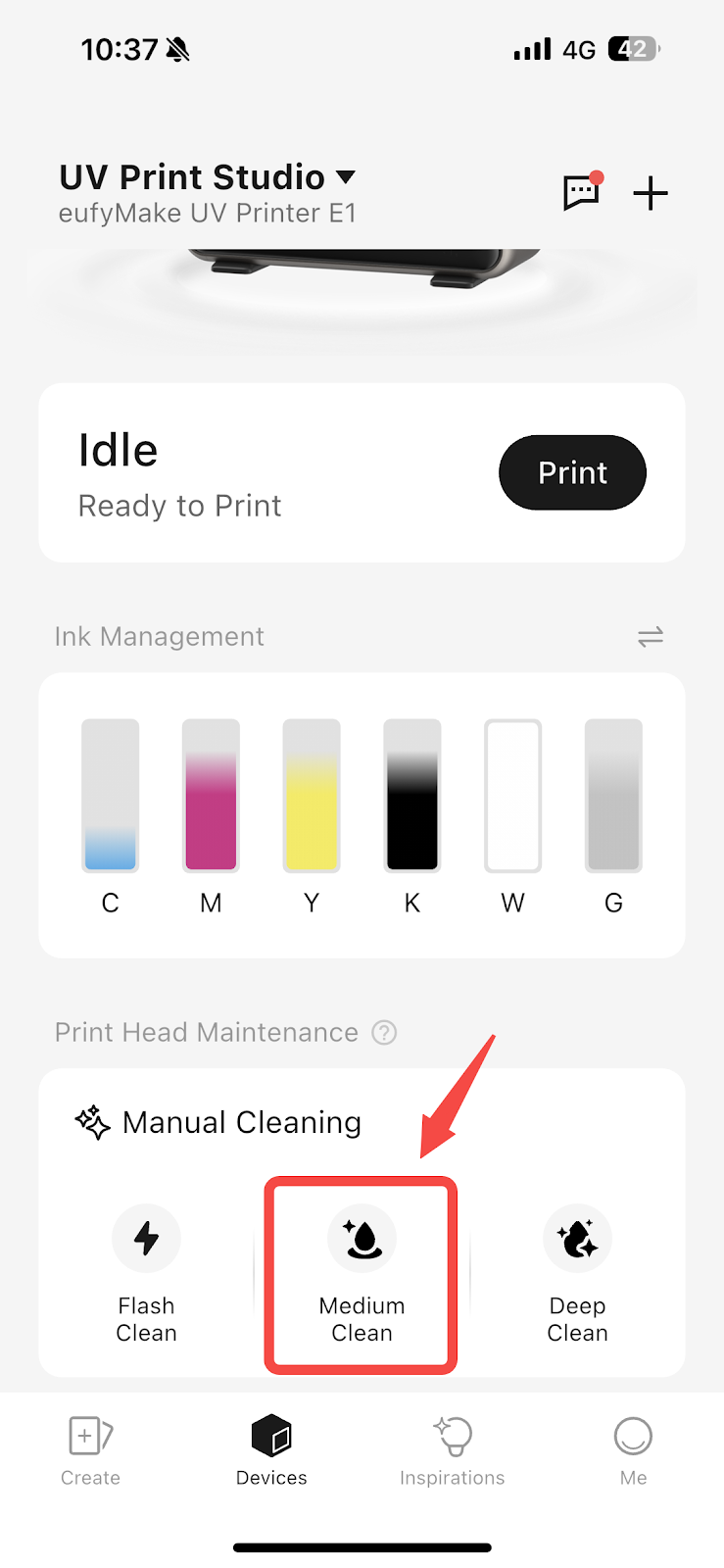
If broken nozzles are observed, perform two Medium Clean operations on the printhead.
-
After cleaning, print the nozzle status chart again and check whether the white ink output has recovered.
-
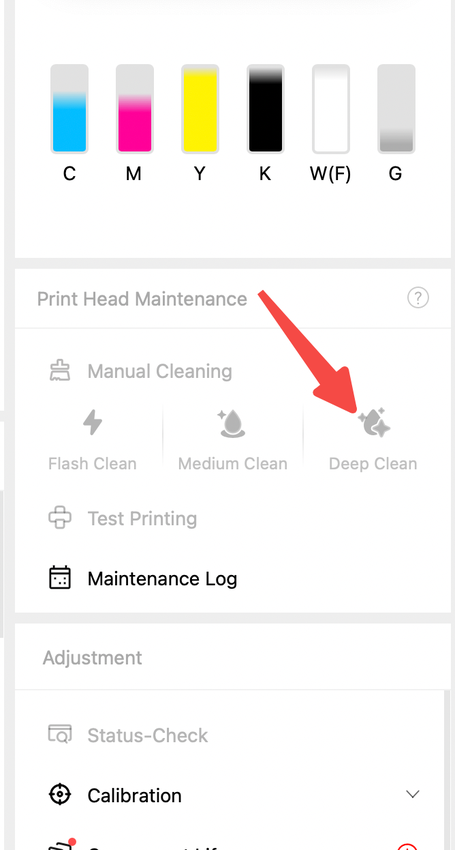
If there is no improvement or multiple broken nozzles remain, perform a Deep Clean, then print the nozzle status chart again for inspection.
-
If the issue still persists, perform a factory reset, reinitialize the ink filling process, and then print again for verification. Please refer to: https://support.eufymake.com/s/article/eufyMake-UV-Printer-E1-Device-Unbinding-Factory-Reset
Support Contact
If the issue persists after completing the above steps, please contact eufyMake Customer Support at support@eufymake.com with the following information:
-
Your Order Information.
-
Printer SN. Please refer to: https://support.eufymake.com/s/article/How-to-Check-the-Device-Serial-Number-SN
-
Printer and App Logs. Please refer to:https://support.eufymake.com/s/article/Log-Upload-Process-App-PC-Overview
-
Print photos of gilded works and photos of state diagrams.