Fault Phenomenon
-
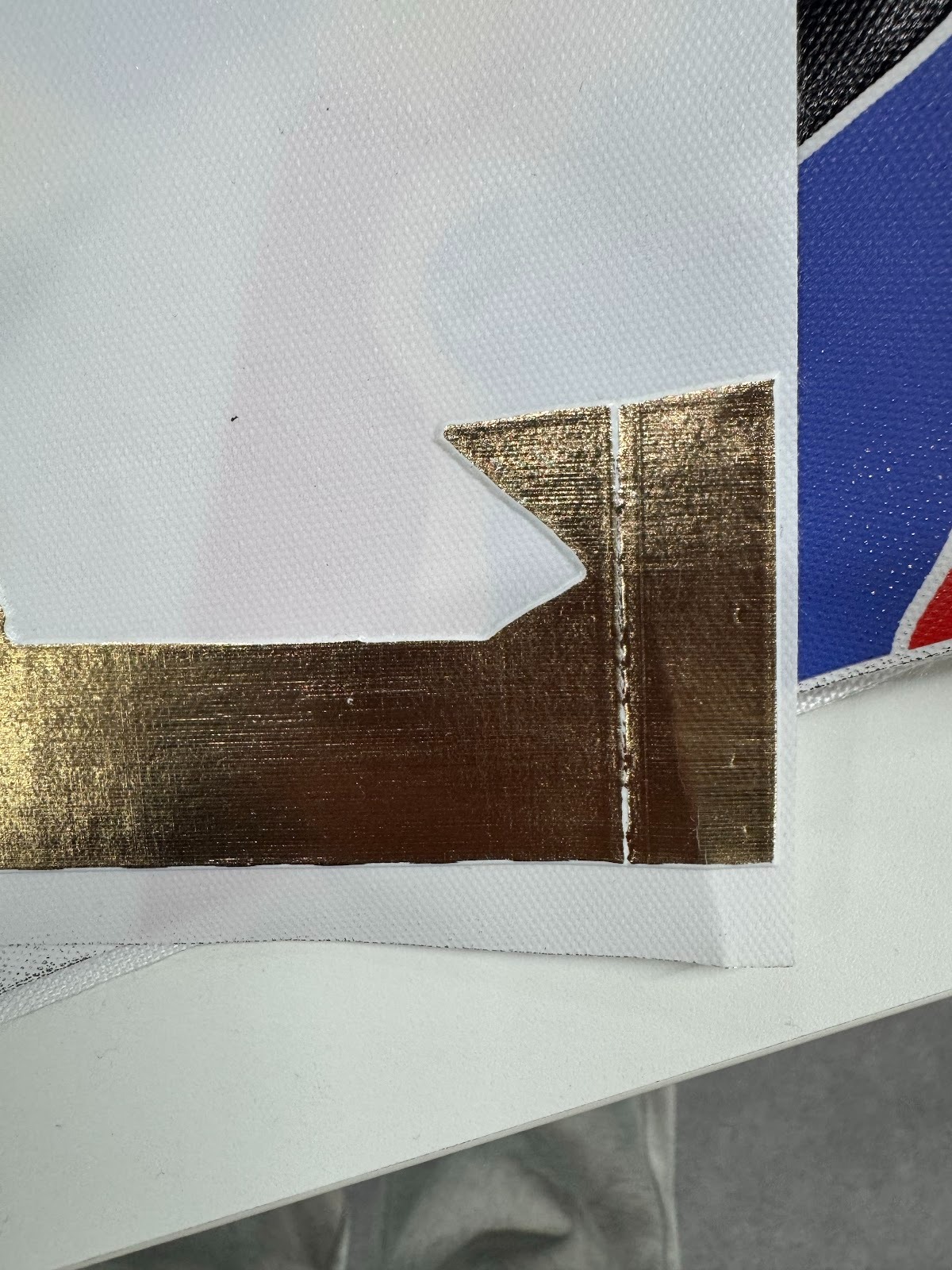
When printing gold (foil-stamp) works, one or more distinct vertical lines appear on otherwise flat areas of the print.
-
After lamination, the areas corresponding to these vertical lines are not fully laminated.
Cause Analysis
Ink contamination on the encoder strip
-
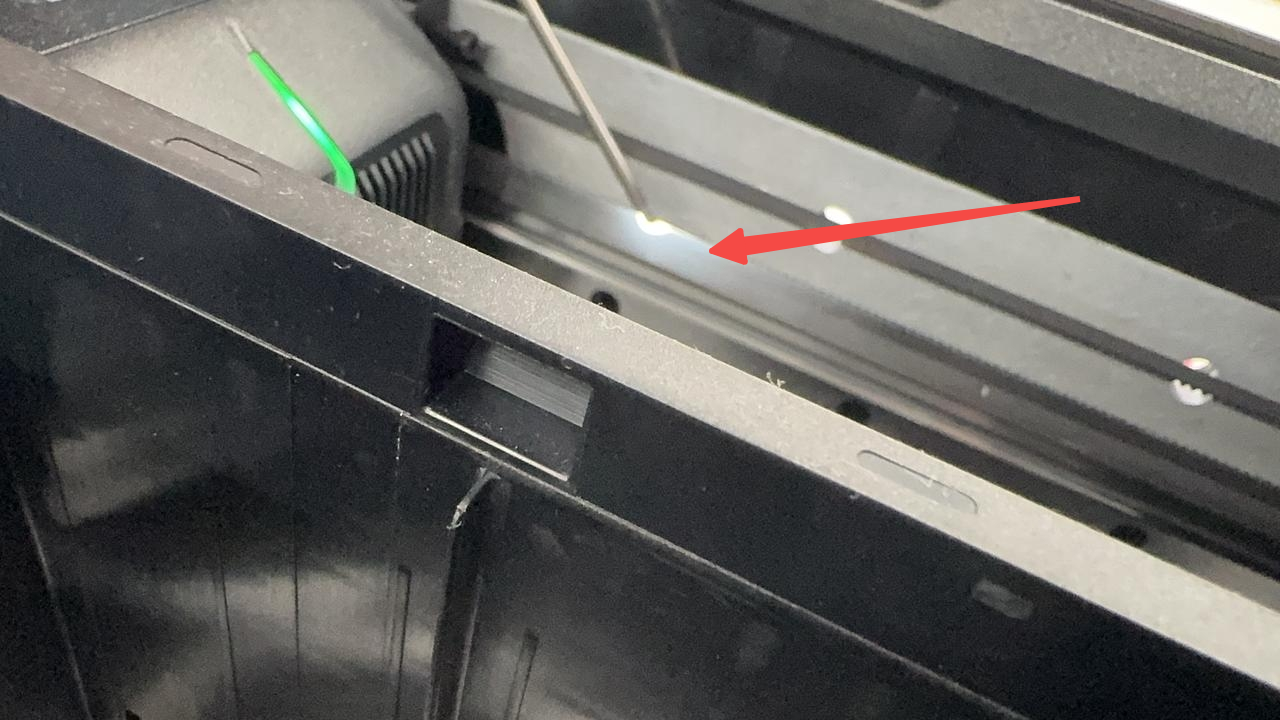
Inside the printer, there is a transparent polymer strip called the encoder strip, which is used for precise printhead positioning.
-
If the encoder strip becomes contaminated (for example, ink adhering to it during long-term printing), the printhead cannot correctly determine its position at the contaminated location. As a result, no ink is ejected at that coordinate, producing vertical lines in the printed result.
Troubleshooting Steps
-
Power off the printer and remove the top cover.
-
Inspect the encoder strip for ink contamination.
-
If the encoder strip is not contaminated, refer to https://support.eufymake.com/s/article/eufyMake-UV-Printer-E1-Encoder-Strip-Replacement-SOP
-
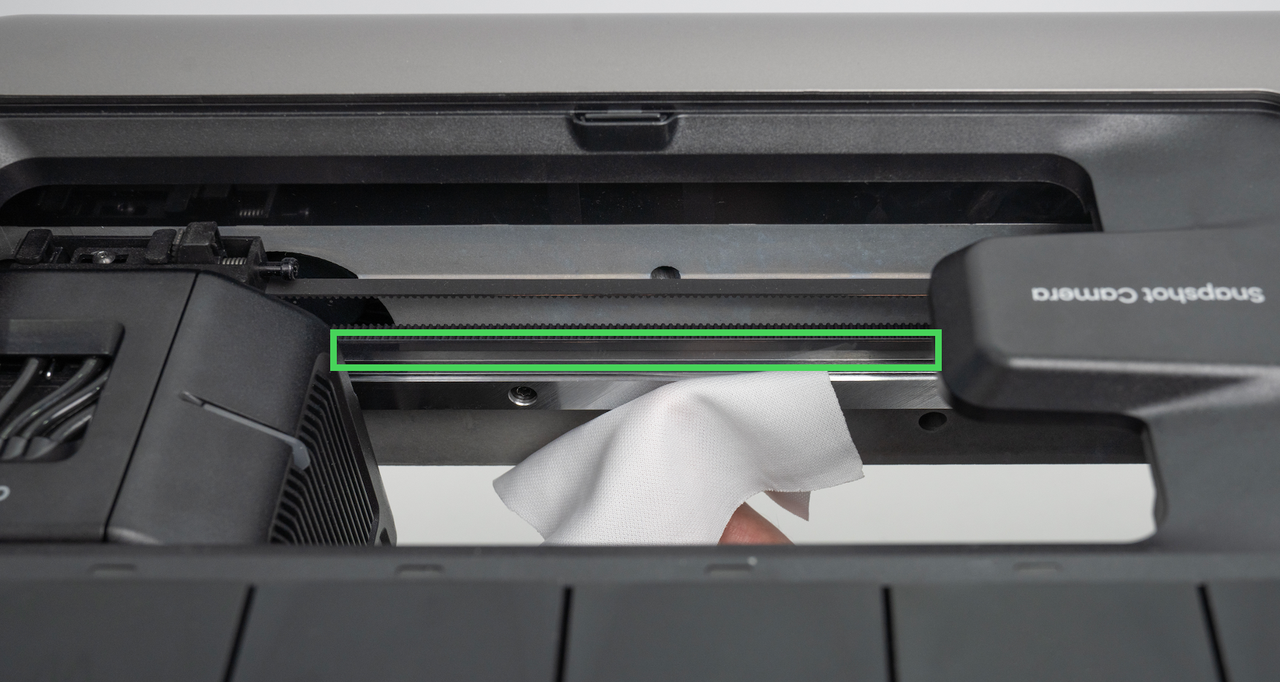
If contamination is present, lightly moisten a lint-free cloth with alcohol and gently clean the affected area of the encoder strip.
-
Reinstall the top cover of the printer.
-
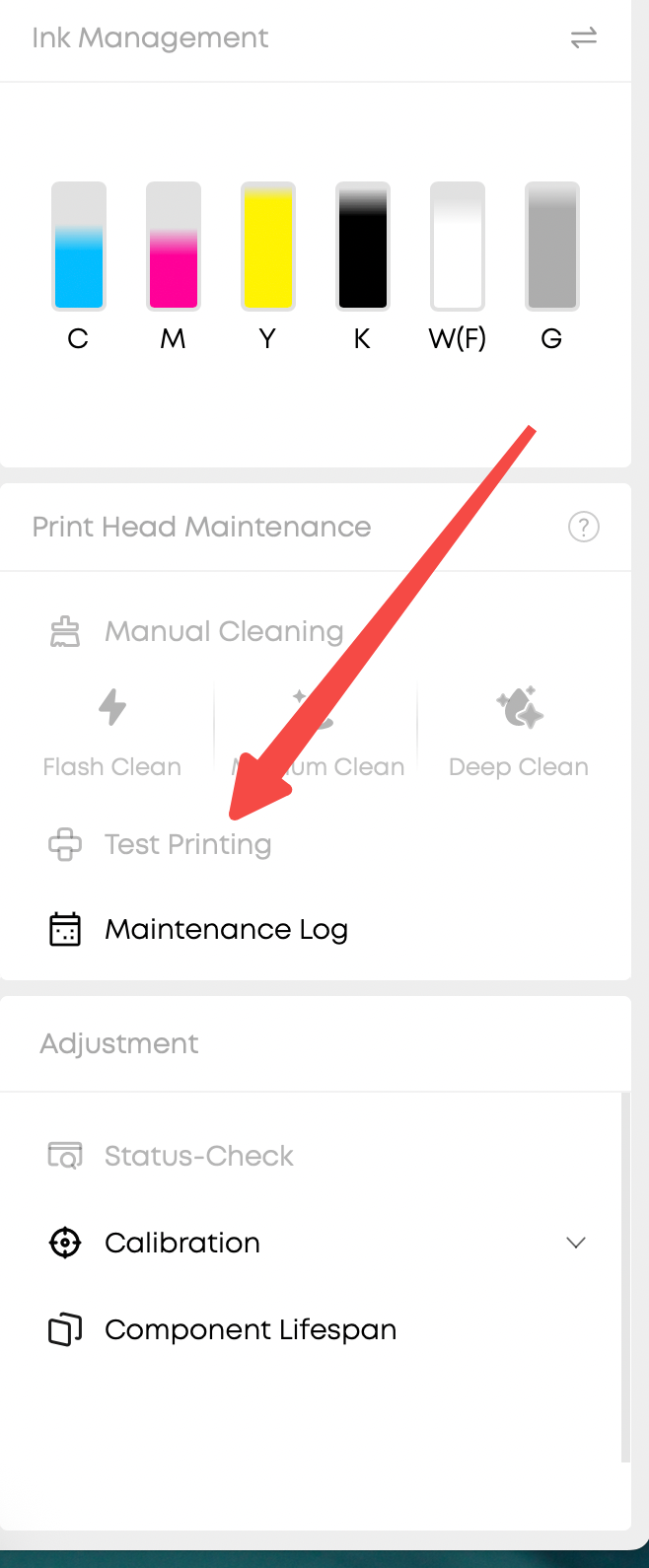
Print a status chart and check whether vertical lines are still present.
-
If no vertical lines appear, the issue has been resolved.
Support Contact
If the issue persists after completing the above steps, please contact eufyMake Customer Support at support@eufymake.com with the following information:
-
Your Order Information.
-
Printer SN. Please refer to: https://support.eufymake.com/s/article/How-to-Check-the-Device-Serial-Number-SN
-
Printer and App Logs. Please refer to:https://support.eufymake.com/s/article/Log-Upload-Process-App-PC-Overview
-
Print photos of the gold-foil stamped works and photos of the barcode area.