Failure Phenomenon
During the printing process, ink droplets fall onto the printing area or other parts of the machine.
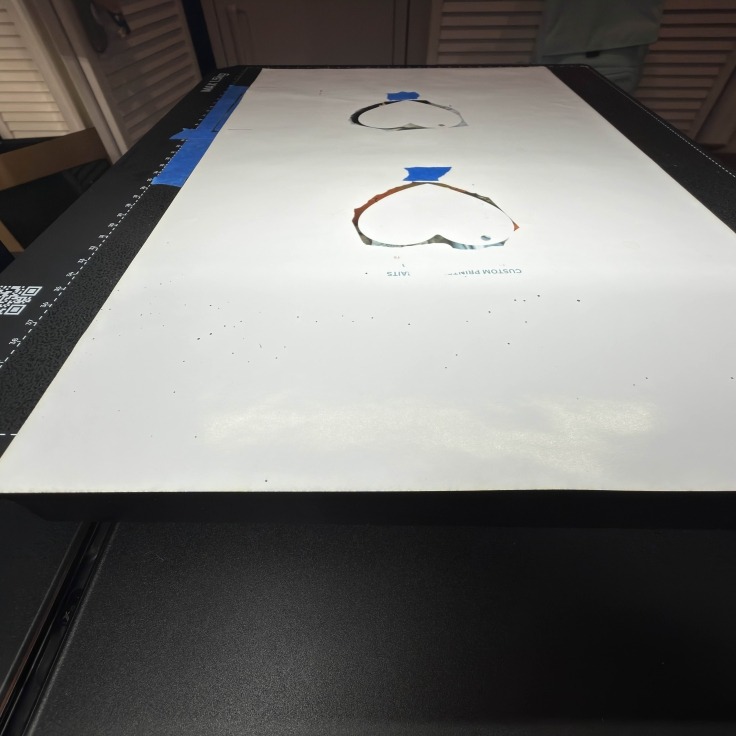
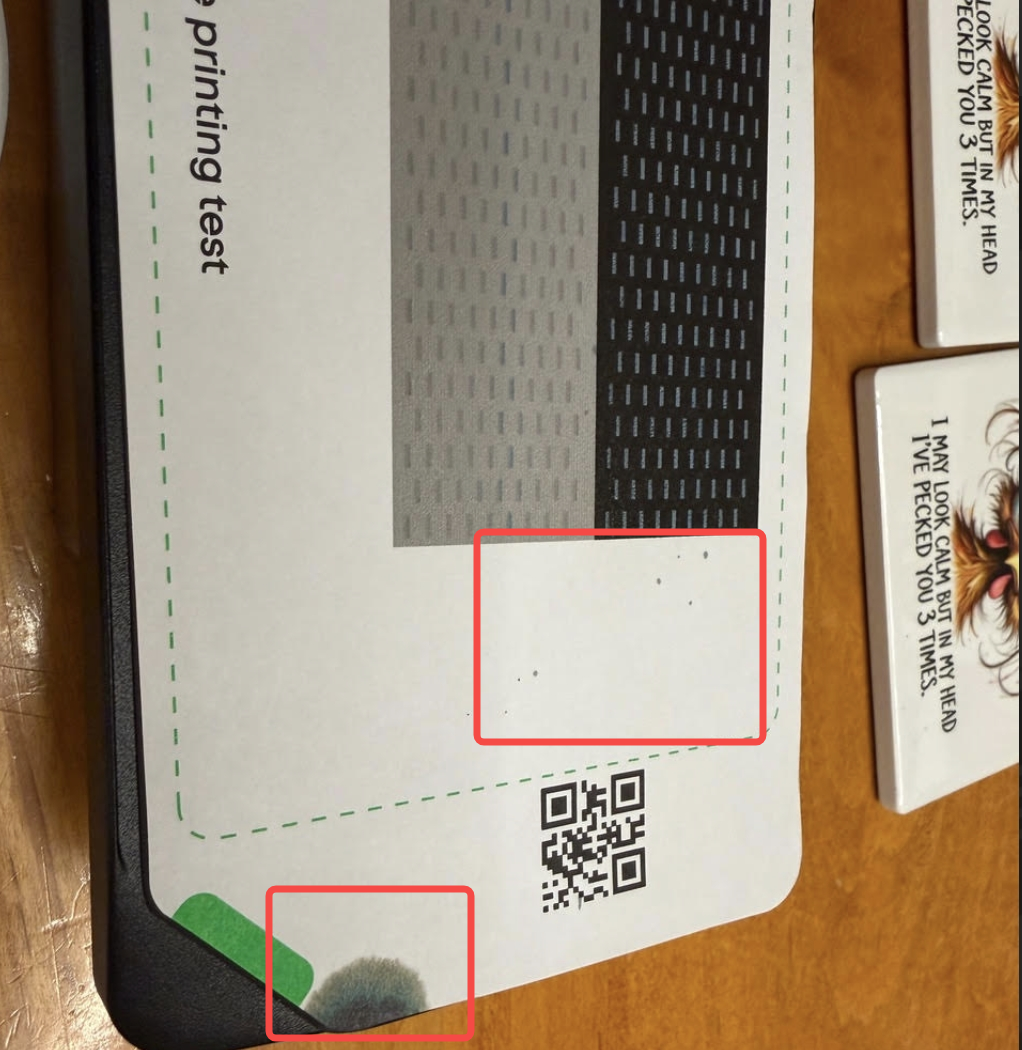
Cause Analysis
-
The wiper (scraper) has aged and can no longer completely remove ink from the printhead surface.
-
The printer has not been maintained for an extended period, and ink residue near the ink stack (capping station) has not been cleaned.
-
The scraper is not installed correctly and cannot operate normally.
-
Hardware malfunction: the scraper does not extend and operate properly.
Troubleshooting Steps
On the device interface, go to Component Lifespan → Scraper Set and check whether maintenance is required.
-
If the scraper has been used for more than three months, replace the ink stack scraper with a new one.
-
Clean the area around the printer ink pad according to the daily maintenance guide,Manually Cleaning for UV Printer E1
-
Refer to the scraper installation guide to confirm that the scraper is installed correctly. Introduction to Print Head Station Replacement Kit
-
Refer to the figure below, execute the Print Test Chart command, and check whether the printer scraper extends normally during operation.
-
If ink dripping still occurs, remove the printhead and check whether there are any ink droplets or contamination on the printhead nozzle surface.
Support Contact
If the issue persists after completing the above steps, please contact eufyMake Customer Support at support@eufymake.com with the following information:
-
Your Order Information.
-
Printer SN. Please refer to: https://support.eufymake.com/s/article/How-to-Check-the-Device-Serial-Number-SN
-
Printer and App Logs. Please refer to:https://support.eufymake.com/s/article/Log-Upload-Process-App-PC-Overview
-
Troubleshooting results from steps 1–5
-
Relevant photos and videos.










