Fault Phenomenon
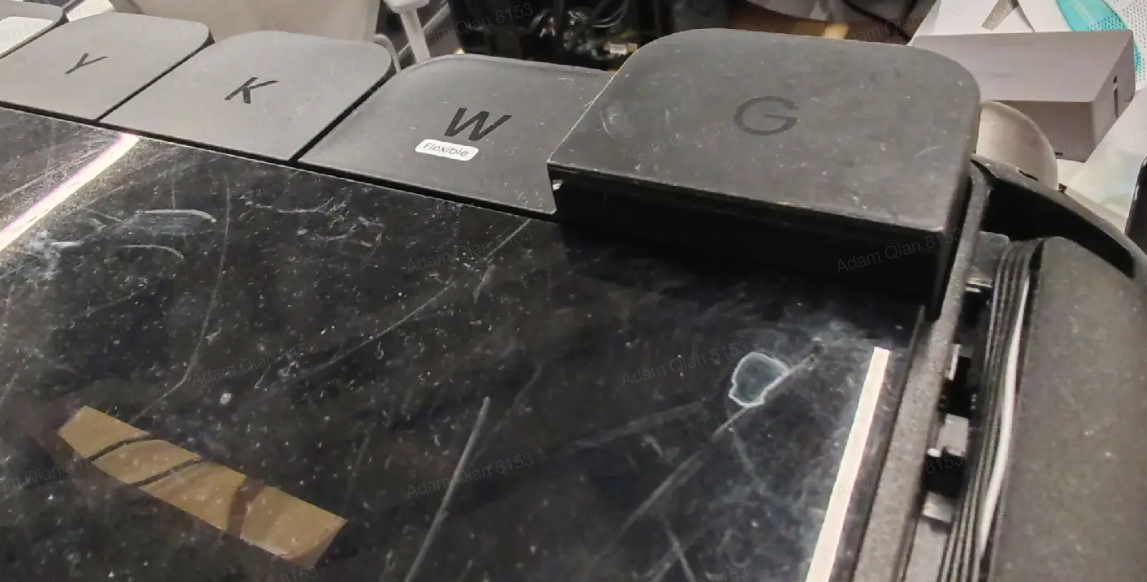
Cartridge Not Installed Properly
After installation, the ink cartridge sits at the same height as other cartridges but rebounds and cannot be locked into place.
Cause Analysis
-
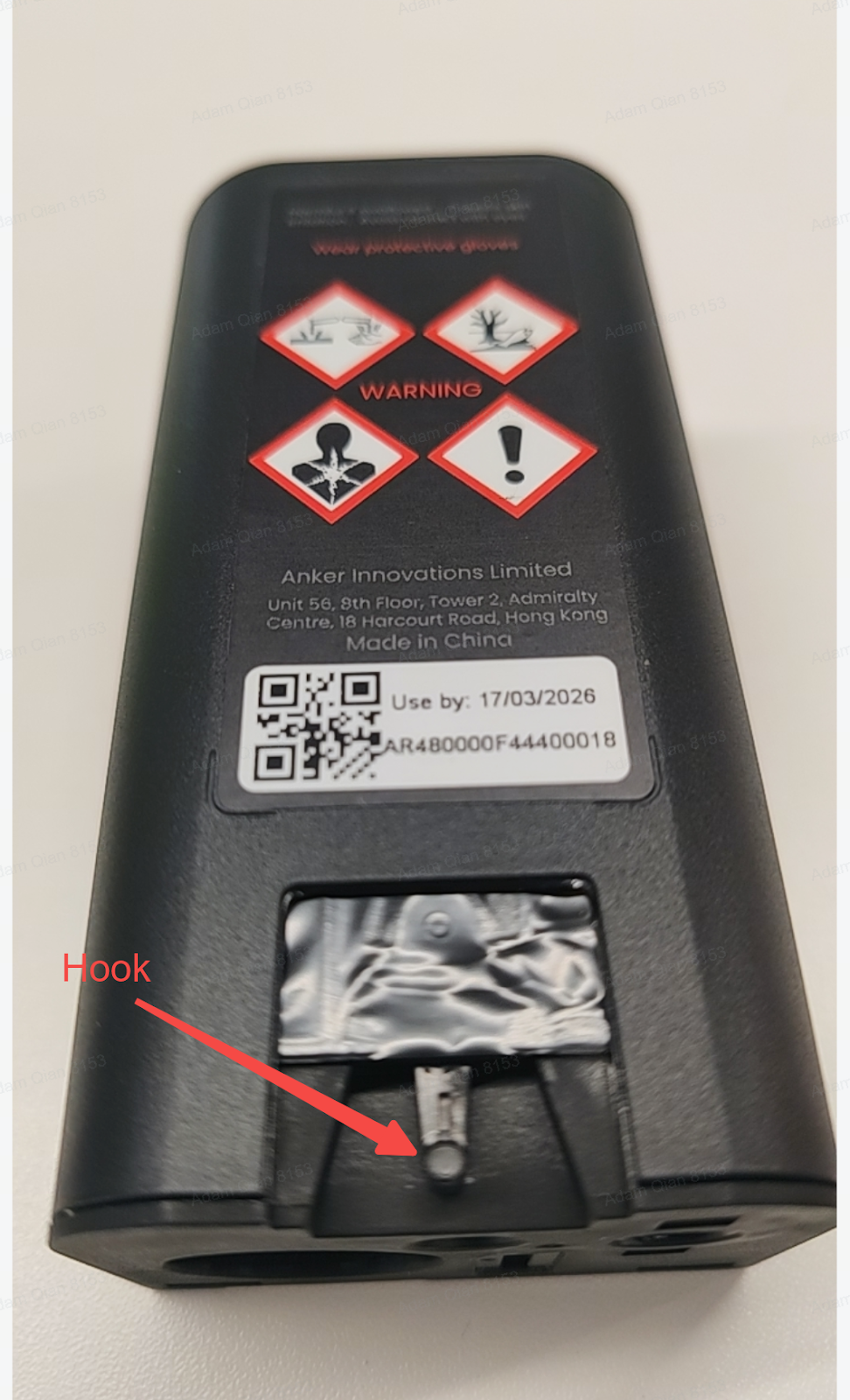
Ink cartridge hook is broken
-
Liquid contamination on the cartridge hook
-
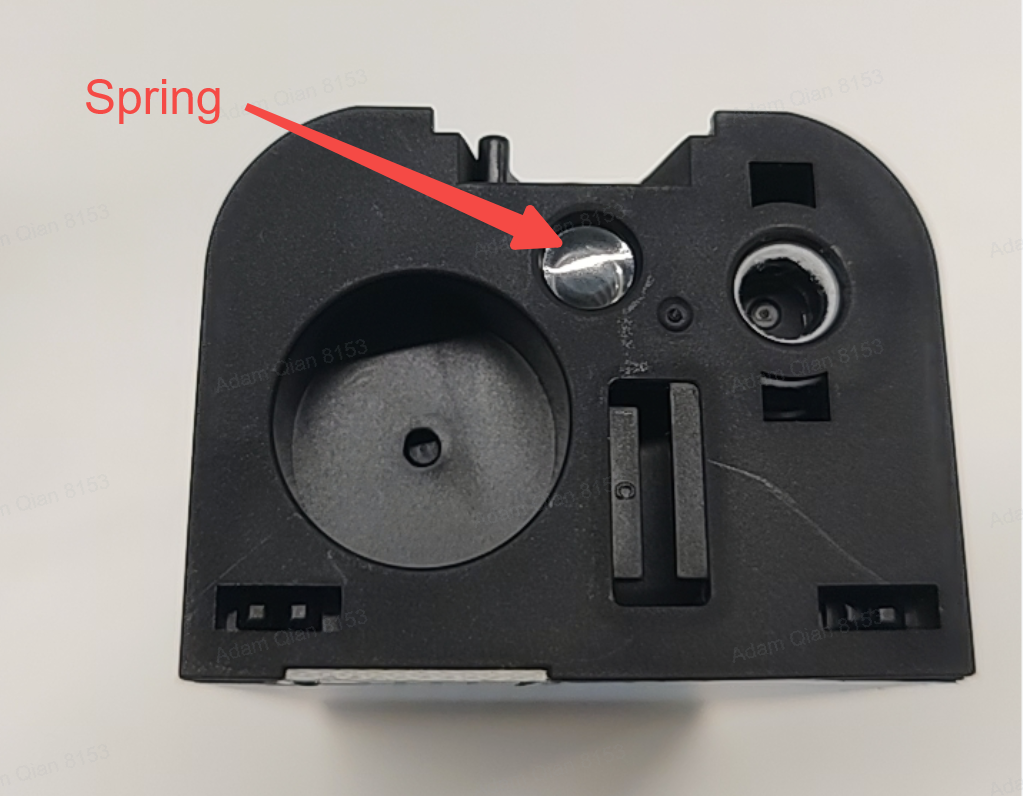
Missing spring at the bottom of the ink cartridge
-
Cartridge not pressed fully into position
-
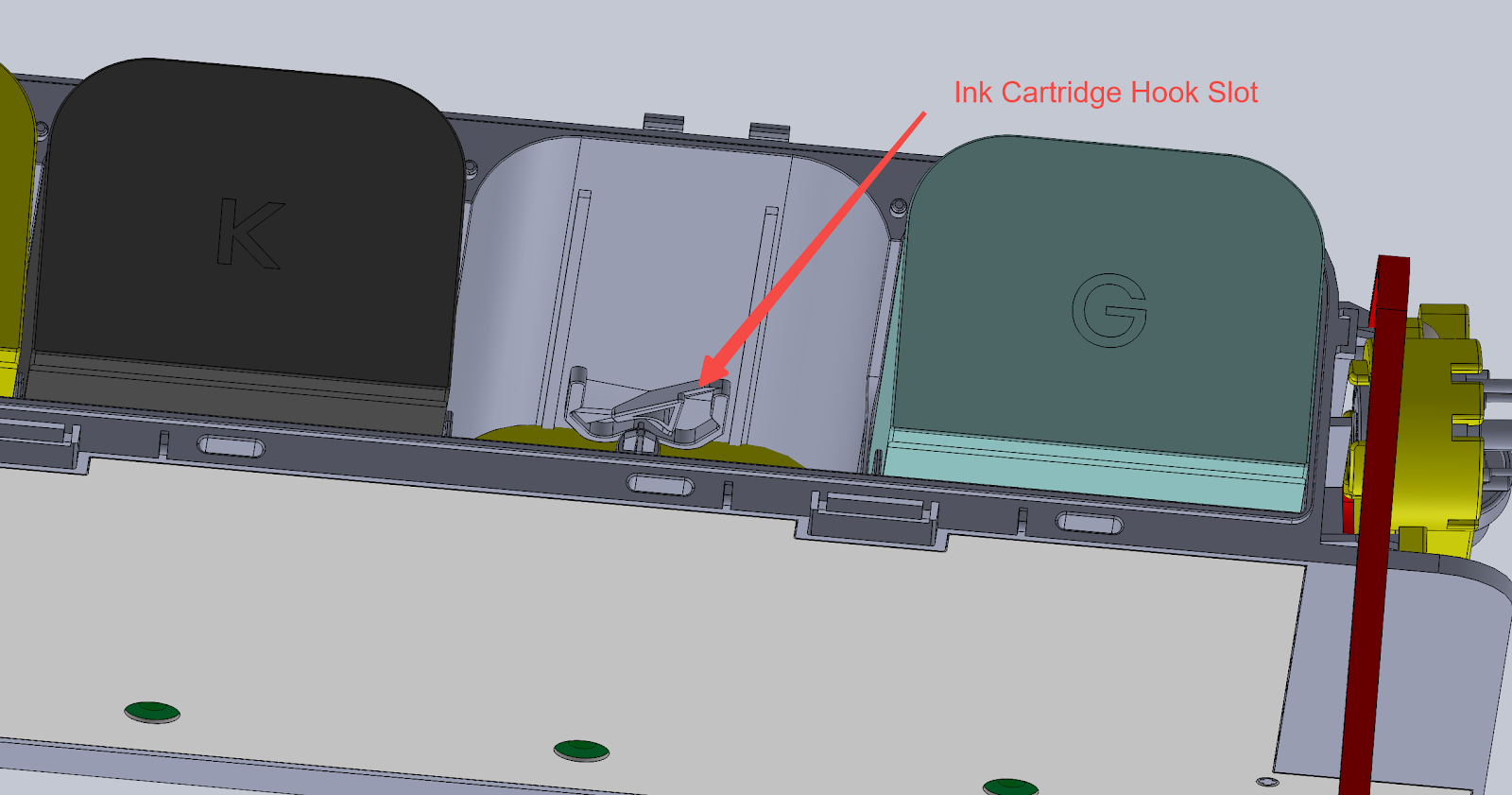
Ink cartridge holder hook is damaged
Required Tools
Maintenance Cartridge
Operation Safety Precautions
Gloves must be worn during operation to prevent ink from contacting the skin.
Troubleshooting Steps
-
Ink cartridge hook is damaged: Replace the ink cartridge.
-
Liquid present on the ink cartridge hook: Use a tissue or the cotton swab included in the maintenance kit to thoroughly clean the ink from the hook area.
-
Ink cartridge spring missing
-
Check whether the spring at the bottom of the cartridge is missing.
-
If missing, remove a spring from an empty ink cartridge and install it onto the cartridge that lacks the spring.
-
Ink cartridge holder hook damaged
-
If the hook on the cartridge holder is damaged, the cartridge holder must be replaced.
-
This repair must be performed by an authorized maintenance center.
Support Contact
If the issue persists after completing the above steps, please contact eufyMake Customer Support at support@eufymake.com with the following information:
-
Your Order Information
-
Printer SN. Please refer to:https://support.eufymake.com/s/article/How-to-Check-the-Device-Serial-Number-SN
-
Printer and App Logs. Please refer to https://support.eufymake.com/s/article/Log-Feedback-Upload-Process-App-PC-Overview
-
Relevant photos and videos.










