Low-Temperature Error After First Startup or Winter Transportation (Most Common)
Ambient Temperature Does Not Meet Operating Requirements
Ambient Temperature Meets the Requirement but Low-Temperature Errors Still Occur
Low-Temperature Error After First Startup or Winter Transportation (Most Common)
Problem Cause
After winter shipping, the internal temperature of the printer (especially the printhead) may be very low and has not yet returned to the normal operating range. Although the ambient temperature may already meet the required standard, the temperature of the printer’s internal core components may still be below the operating requirements.
Solution
-
Place the printer and ink cartridges in a warm indoor environment (15 °C - 35 °C).
-
Keep the printer powered on and allow it to sit for 12 hours, allowing the internal hardware and ink to return to the normal temperature naturally.
-
After 12 hours, perform ink filling or printing operations again.
Ambient Temperature Does Not Meet Operating Requirements
Problem Cause
The required operating temperature for the printer is 15 °C - 35 °C, and the required humidity range is 20% - 85%.
If the ambient temperature falls below 15 °C, the printer’s low-temperature protection mechanism will be triggered.
Solution
-
Turn on indoor heating or air conditioning to increase the overall ambient temperature.
-
Place auxiliary heating devices, such as electric heaters, near the printer.
Important Note
-
When using heating equipment, maintain a safe distance to prevent fire hazards.
-
Due to the special composition of the ink, it must not be placed too close to heating equipment for rapid heating. Instead, allow the ink to warm up gradually in a normal indoor environment (15 °C - 35 °C).
-
Confirm that the ambient temperature has reached at least 15 °C before operating the printer.
Ambient Temperature Meets the Requirement but Low-Temperature Errors Still Occur
Problem Cause
-
The temperature sensor in the current printer version may be overly sensitive, with a possible detection deviation of 2-3 °C, which may cause false alarms at temperatures close to the threshold (for example 15 °C - 17 °C).
-
The user’s indoor thermometer may be located far from the printer, and the actual temperature around the printer may be lower than the temperature measured elsewhere in the room.
Solution 1
-
Short-term solution: Follow the guidance in Section II: Ambient Temperature Does Not Meet Operating Requirements, and increase the ambient temperature to above 18 °C.
-
Long-term solution: The R&D team is optimizing the firmware. A future update will adjust the sensor threshold, improve detection logic, and reduce temperature detection errors.
Solution 2
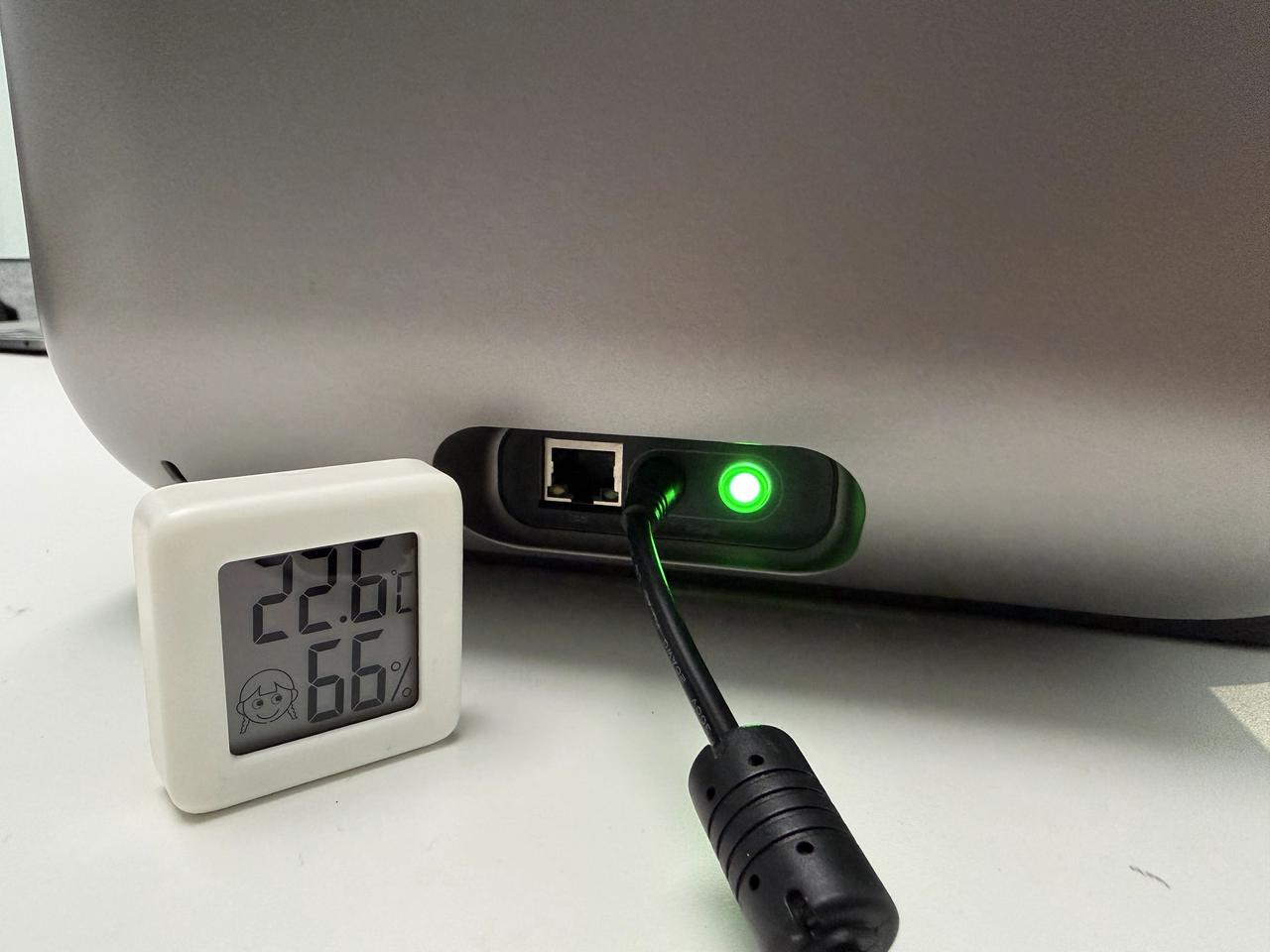
If a thermo-hygrometer or thermometer is available:
-
Place the sensor near the printer’s DC power connector.
-
Leave it undisturbed for 3 hours.
-
Check the temperature around the printer.
If the measured temperature is within the normal range, follow the instructions under Solution 1.
Support Contact
If the issue persists after completing the above steps, please contact eufyMake Customer Support at support@eufymake.com with the following information:
-
Your Order Information.
-
Printer SN. Please refer to: https://support.eufymake.com/s/article/How-to-Check-the-Device-Serial-Number-SN
-
Printer and App Logs. Please refer to:https://support.eufymake.com/s/article/Log-Upload-Process-App-PC-Overview
-
Relevant photos and videos.










