1. Fault Symptoms
The printer reports error code 0xFD01190001 (Left Filter Fan Open Circuit Error) or 0xFD01190003 (Right Filter Fan Open Circuit Error) in the eufyMake App or eufyMake Studio.
2. Cause Analysis
1.False software alarm.
2.Abnormal cable connection.
3.Filter fan hardware malfunction.
3. Troubleshooting Steps
1.Remove the Air Filter
Open the front cover of the UV Printer E1 and remove the air filter.
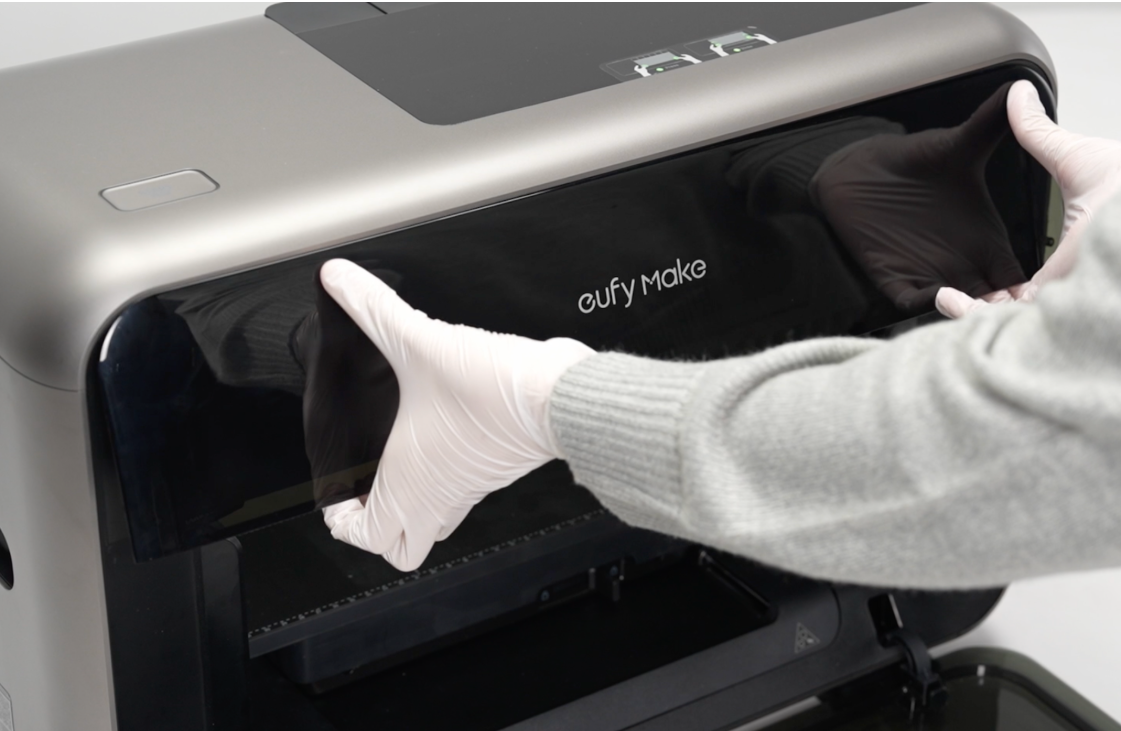
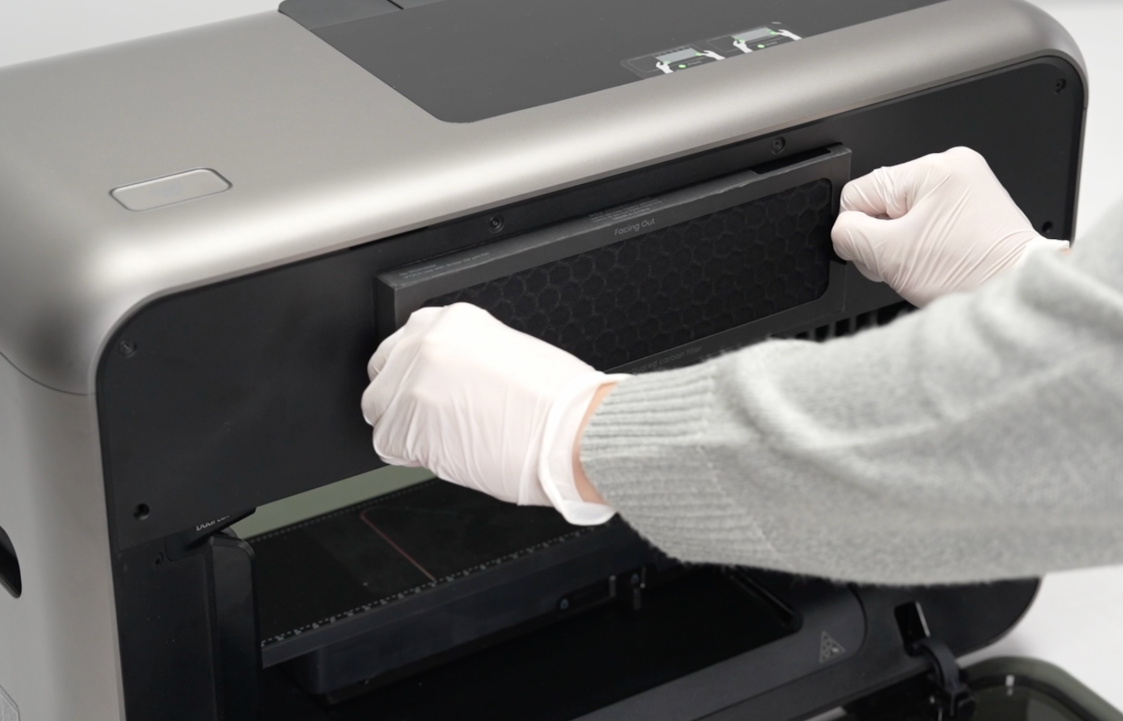
2.Run a Print Test
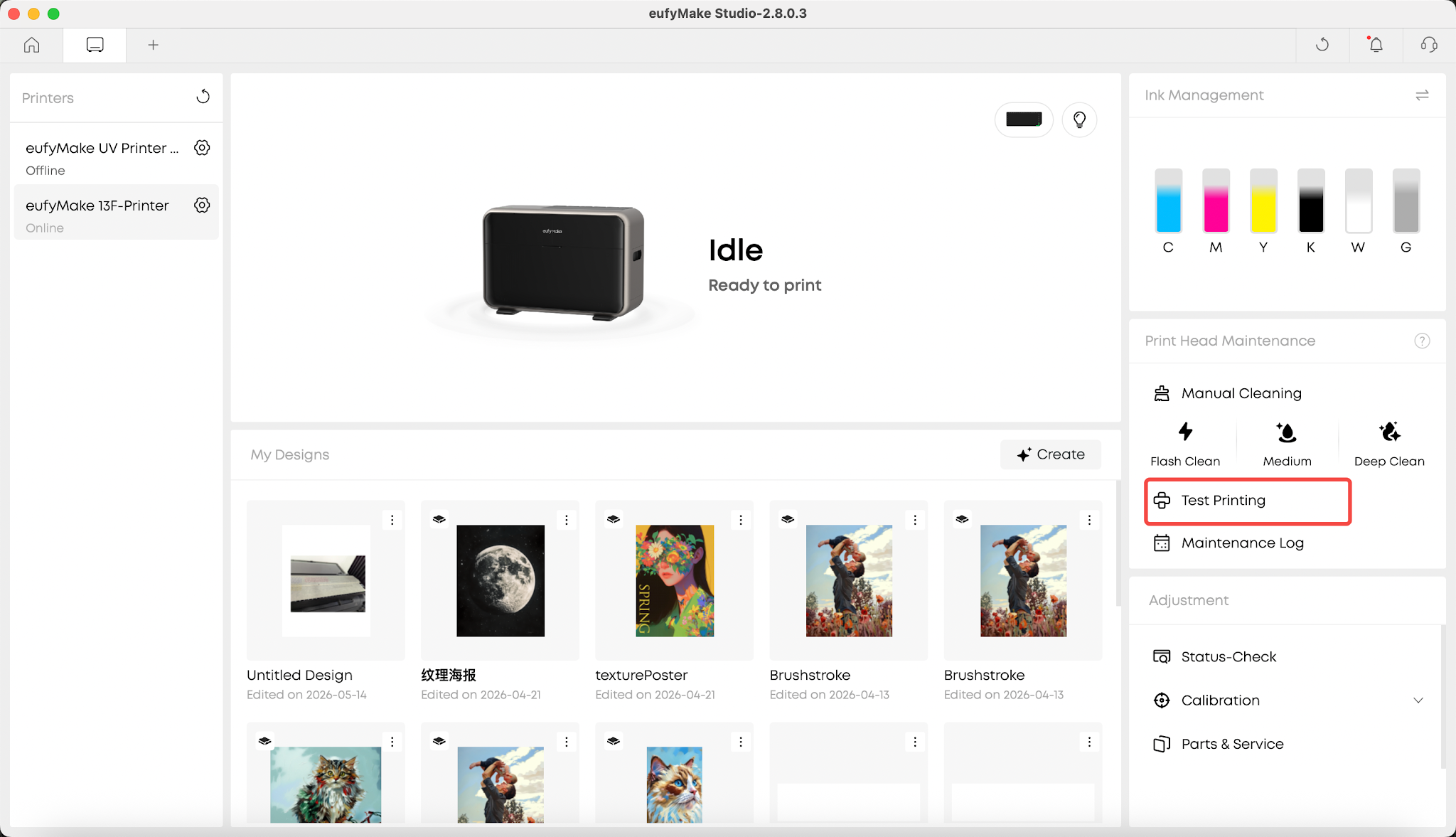
In the eufyMake App, go to the Device page and tap Print Test.
Wait for the printer to begin the test process.
3.Check Filter Fan Operation
Once the print test begins, the left and right filter fans will start running.
Use one of the following methods to verify fan operation:
Option A:
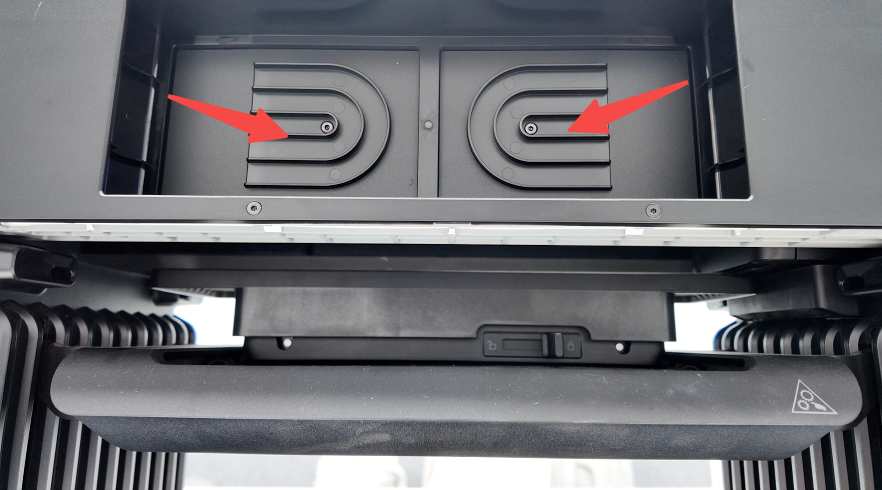
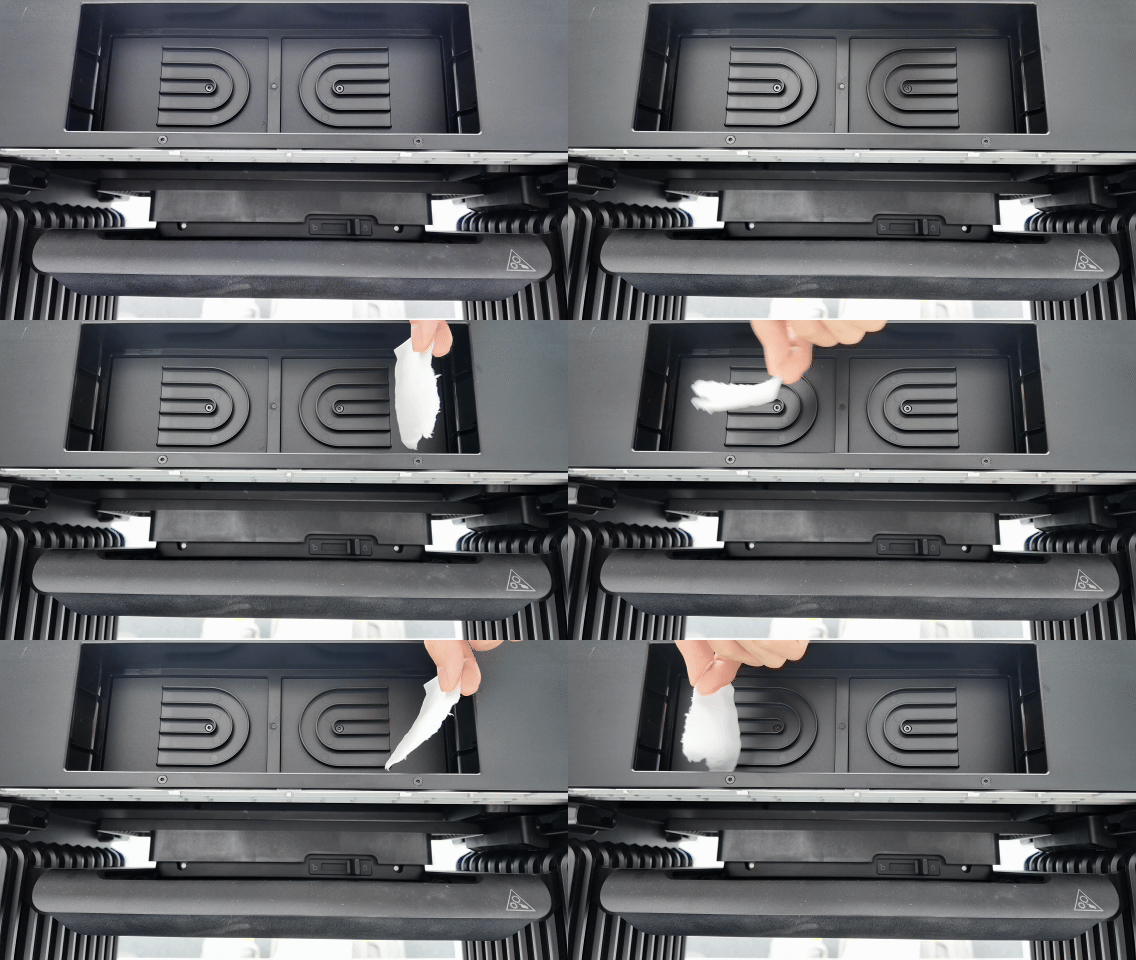
Place your hand near the air filter opening and check whether airflow can be felt from both sides.
Option B:
Place a small piece of tissue near the air filter opening and observe whether it moves due to the airflow.
4.Check the Fan Cable Connections
If airflow is not present on one side, the corresponding filter fan may not be operating correctly.
Determine whether the issue affects the left fan or the right fan, then perform the following checks:
1.Refer to the following SOP to remove the printer covers:
https://support.eufymake.com/s/article/Printer-Cover-Disassembly-and-Assembly-SOP
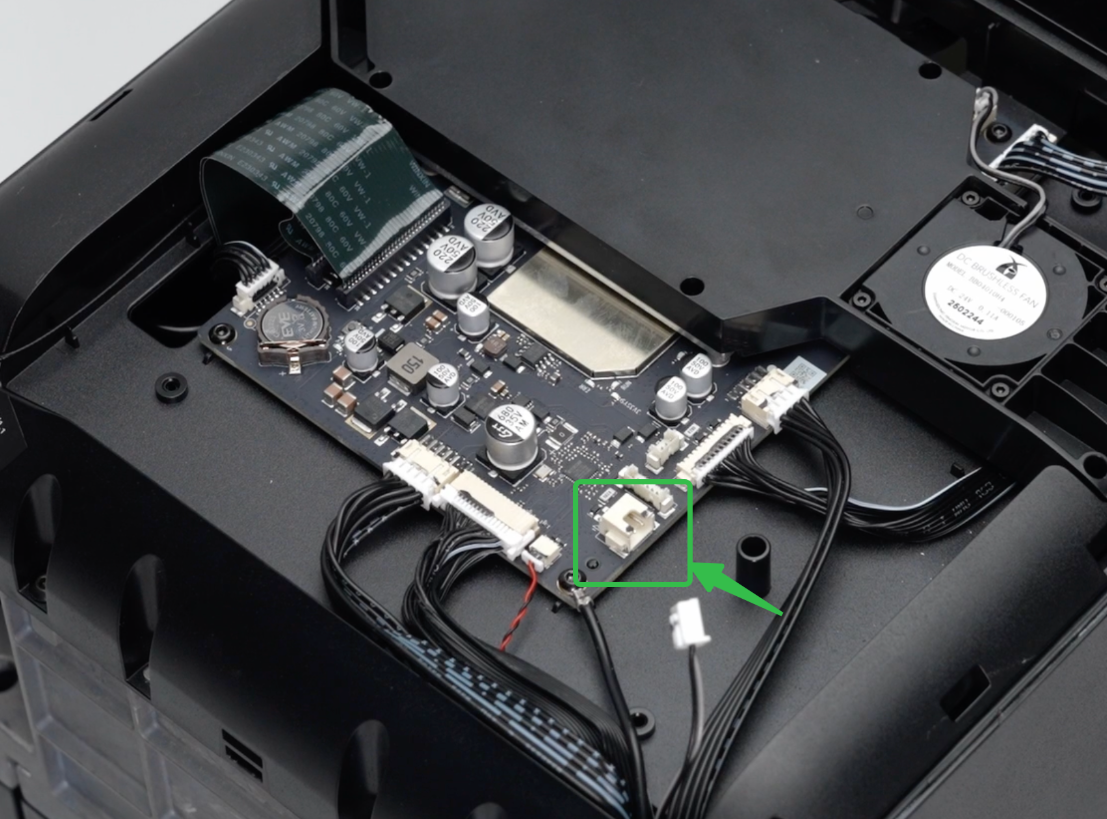
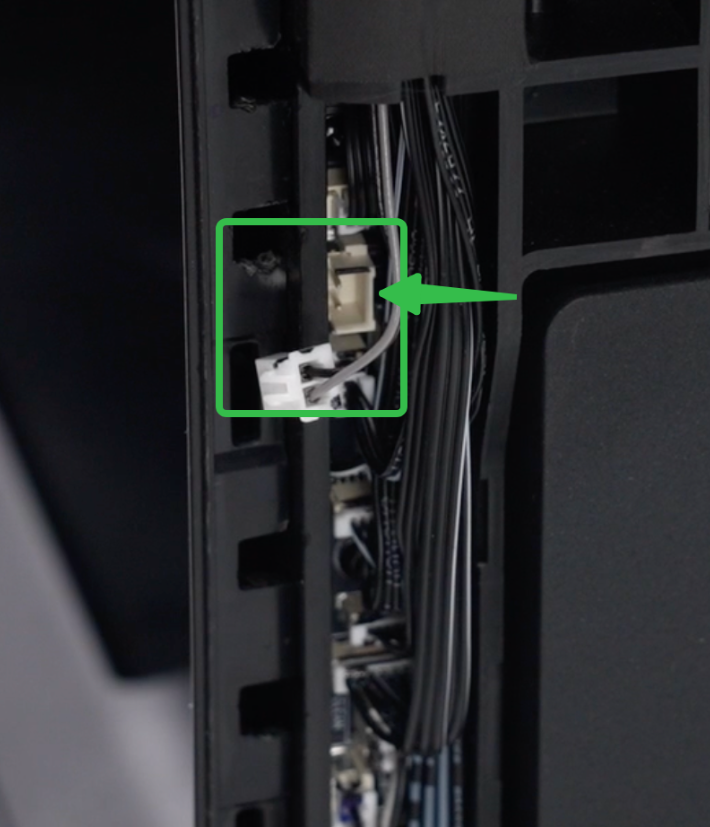
2.Check whether the filter fan cables are securely connected.
Left fan connector (mainboard)
Right fan connector
Support Contact
If the issue persists after completing the above steps, please contact eufyMake Customer Support at support@eufymake.com with the following information:
-
Your Order Information
-
Printer SN. Please refer to: https://support.eufymake.com/s/article/How-to-Check-the-Device-Serial-Number-SN
-
Printer and App Logs. Please refer to https://support.eufymake.com/s/article/Log-Upload-Process-App-PC-Overview
-
Relevant photos and videos.










