Ink Cartridge and Cleaning Cartridge
Roll-to-Film Attachment and Rotary Printing Attachment
Overview
This document provides a Serial Number (SN) lookup guide for the following eufyMake products:
-
eufyMake UV Printer E1
-
Ink Cartridges
-
Cleaning Cartridges
-
Roll-to-Film Attachment
-
Rotary Printing Attachment
-
Laminating Machine
Overview
This document provides a Serial Number (SN) look up guide for the following eufyMake products:
-
eufyMake UV Printer E1
-
Ink Cartridges
-
Cleaning Cartridges
-
Roll-to-Film Attachment
-
Rotary Printing Attachment
-
Laminating Machine
eufyMake UV Printer E1
-
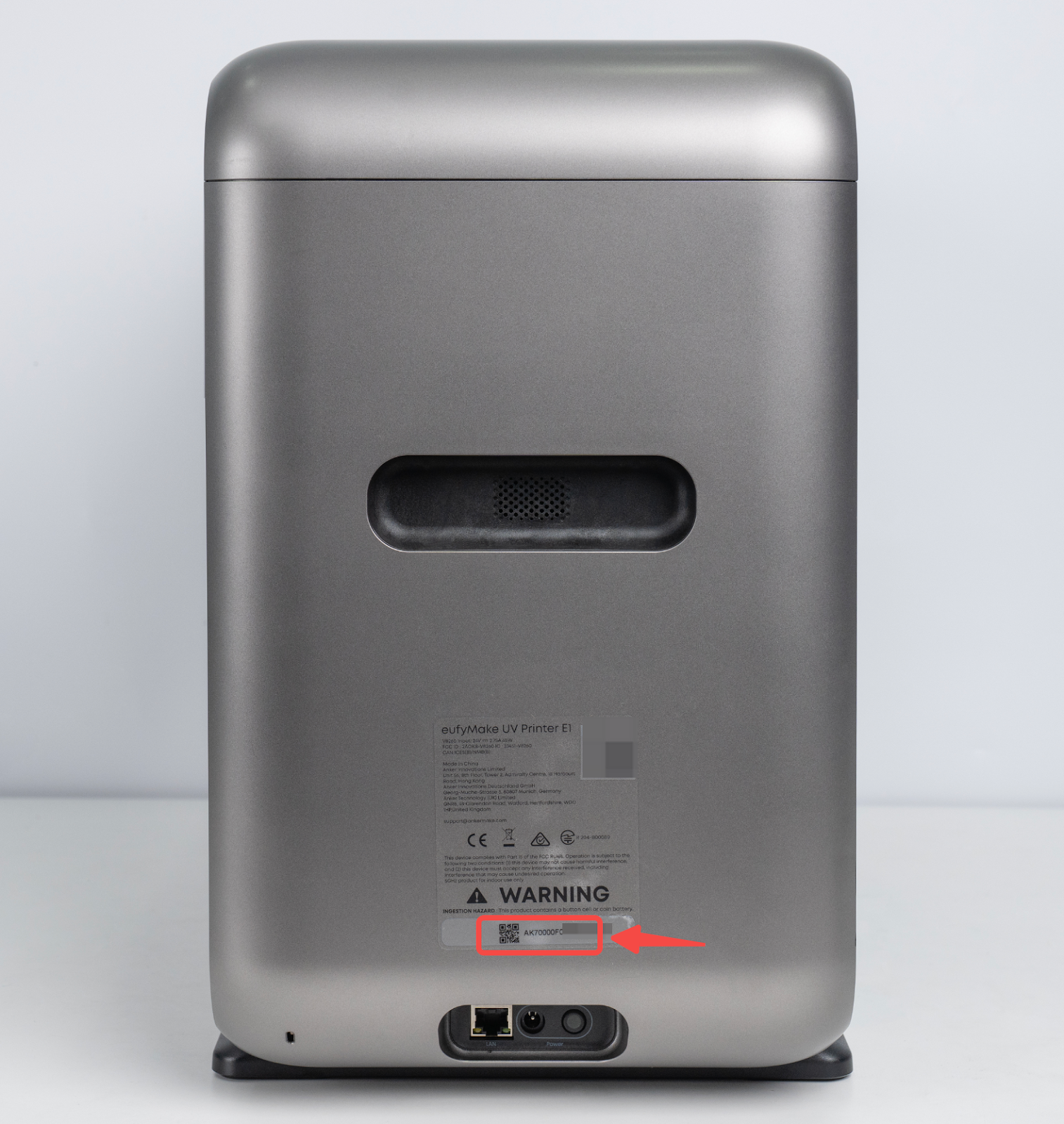
Shell sticker
The serial number label is located on the printer housing above the power interface on the left side of the machine.
-
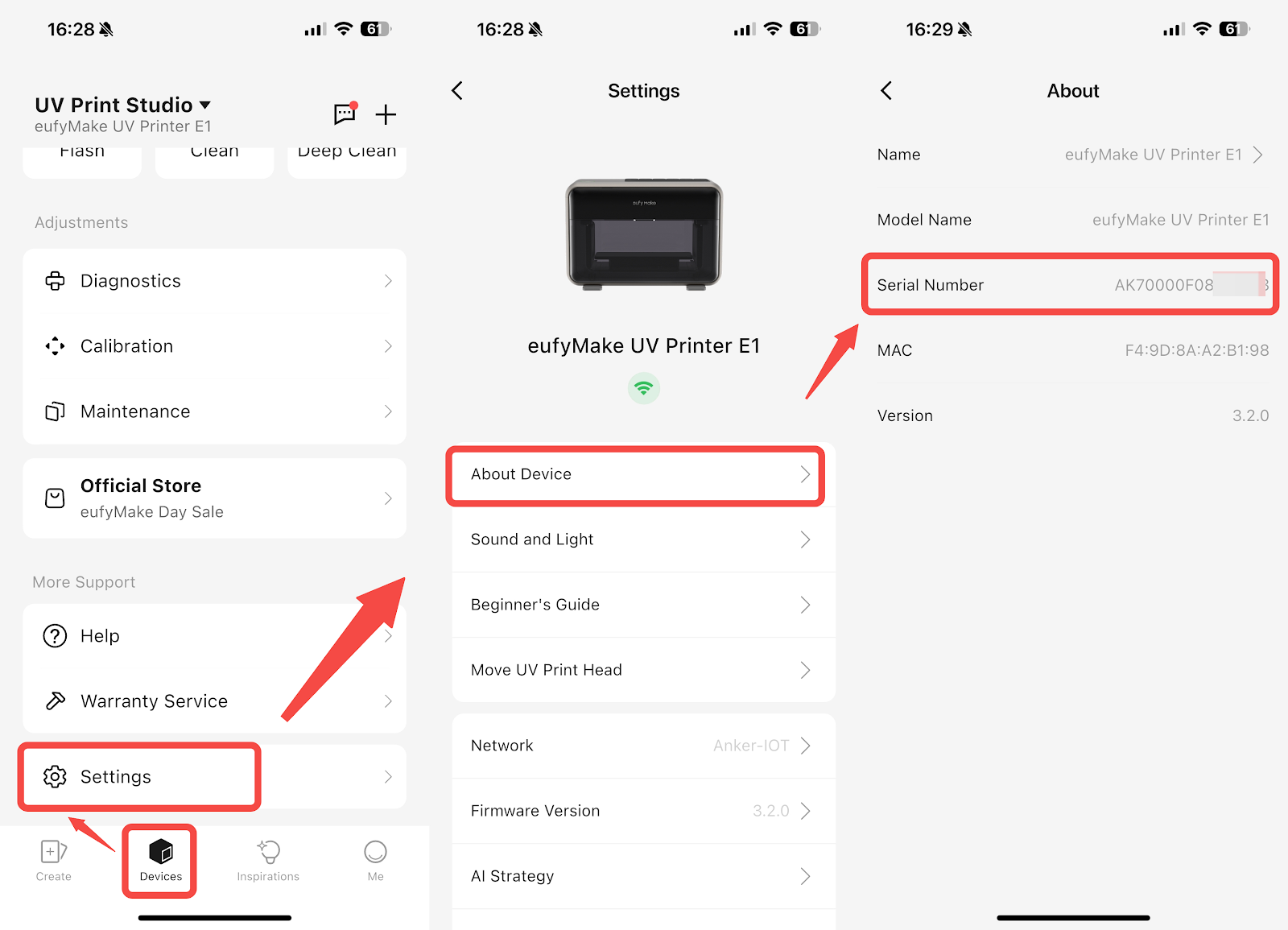
Find SN in the App
Open the App and follow the path below:
Device → Scroll to the bottom → Settings → About Device → Serial Number
-
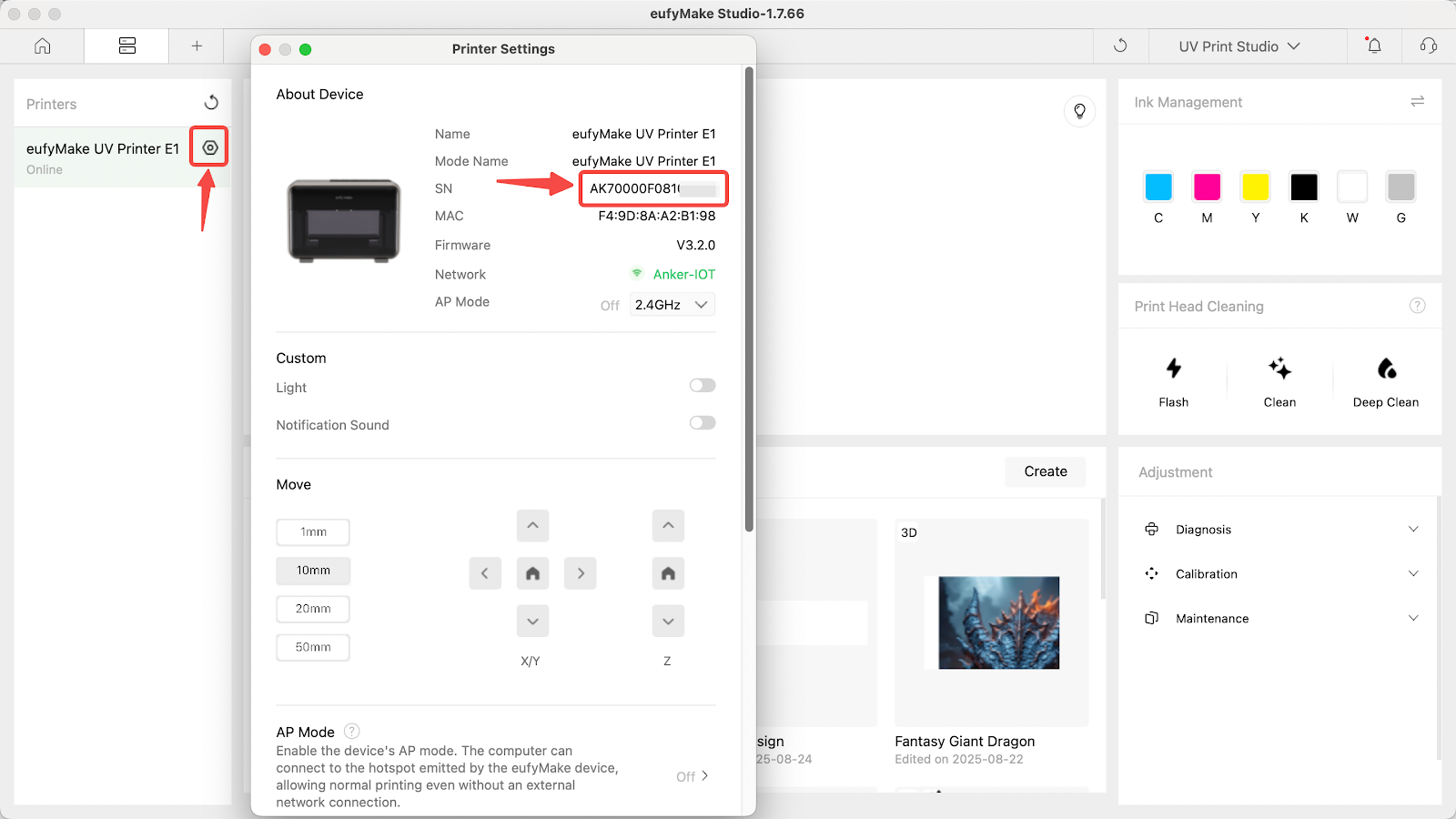
Find SN on PC
Open Printer Settings in the PC software to view the printer serial number.
Ink Cartridge and Cleaning Cartridge
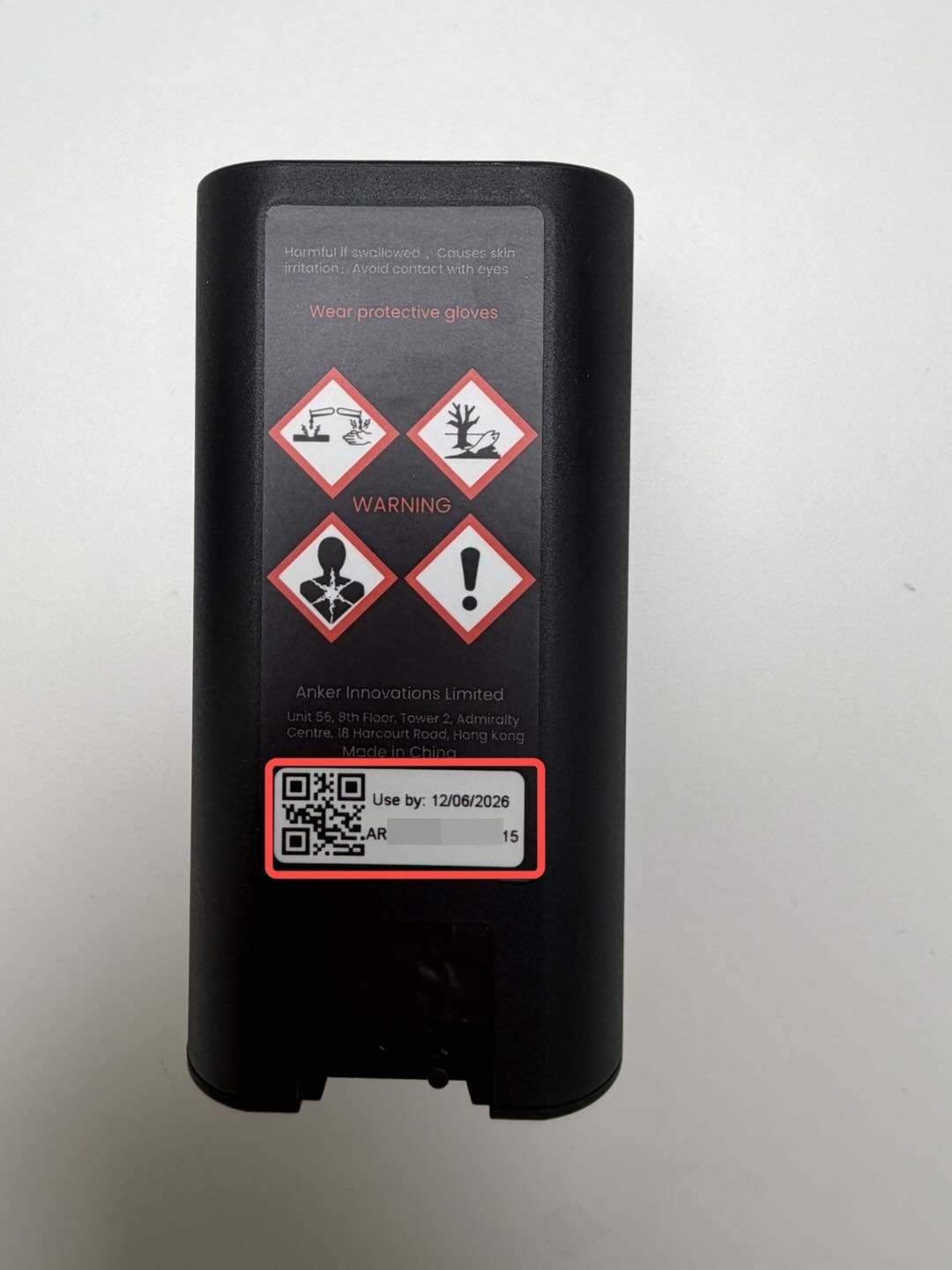
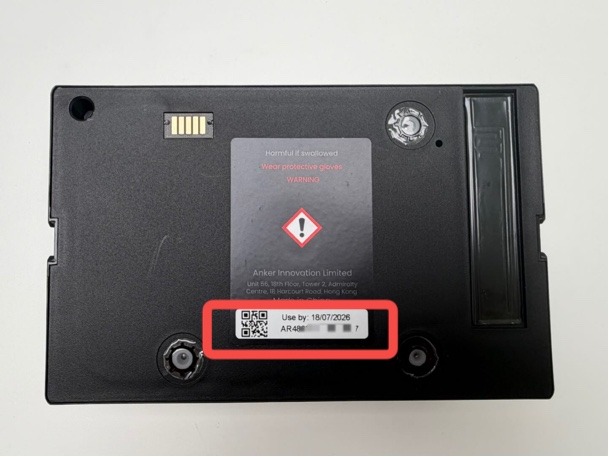
Both the ink cartridge and cleaning cartridge have serial number labels affixed to the back of the cartridge.
Roll-to-Film Attachment and Rotary Printing Attachment
-
Bottom Label
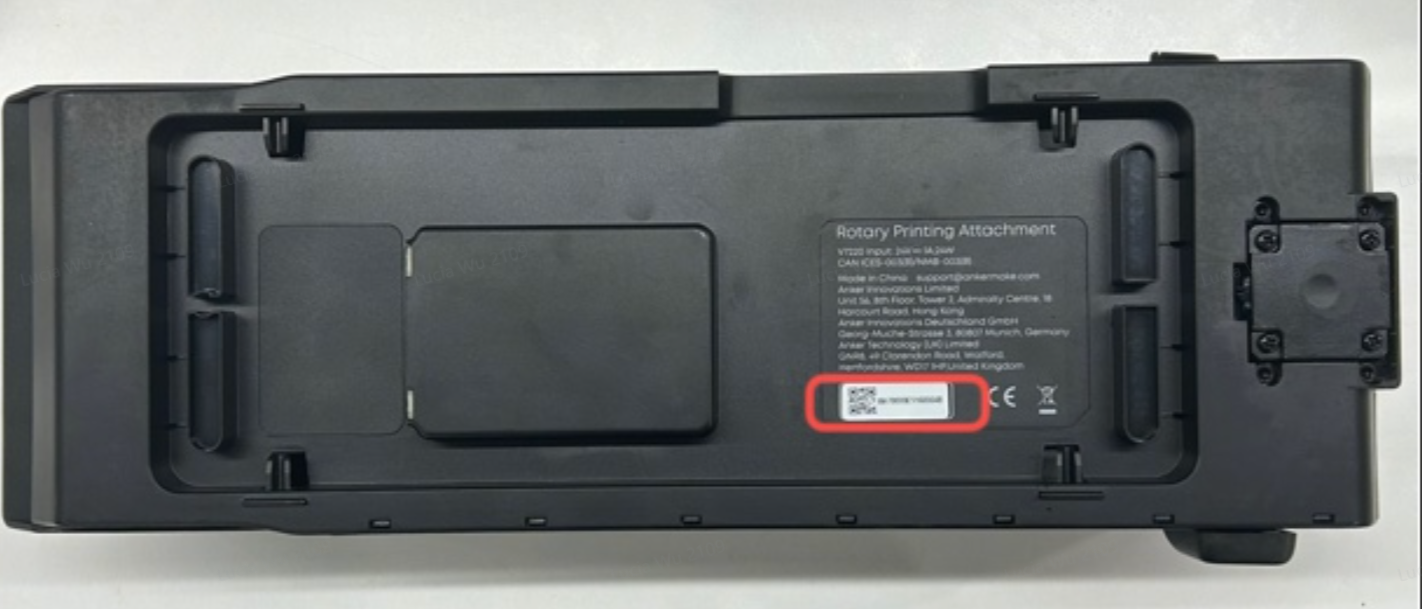
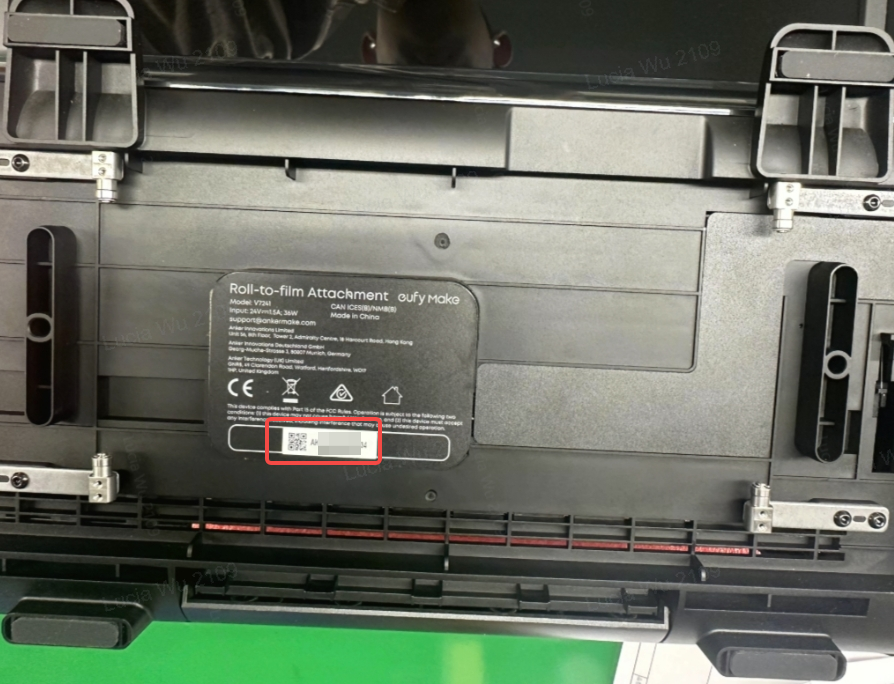
Serial number labels are affixed to the bottom of the Roll-to-Film attachment and the Rotary Printing Attachment.
-
Find SN in the App / PC
When the Roll-to-Film attachment or Rotary Printing Attachment is installed on the printer:
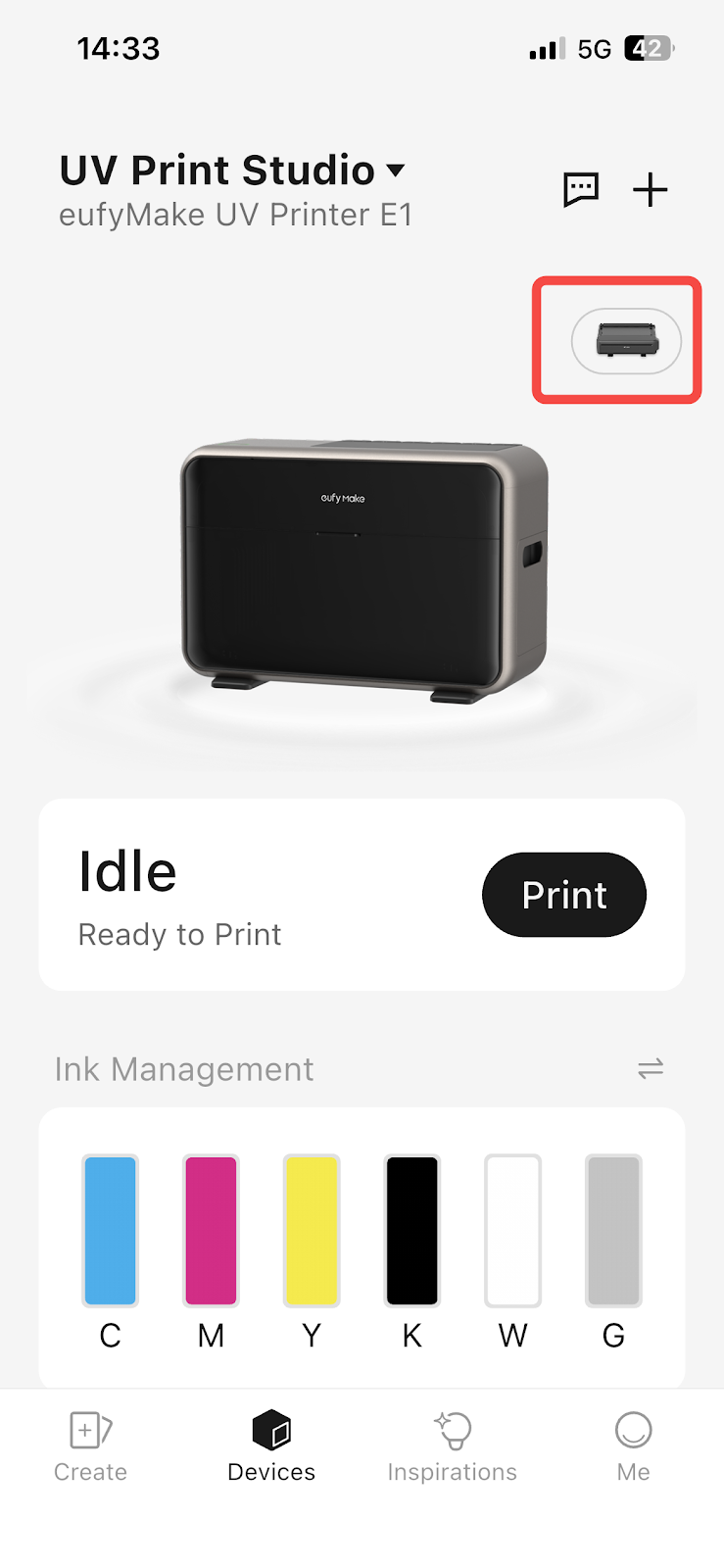
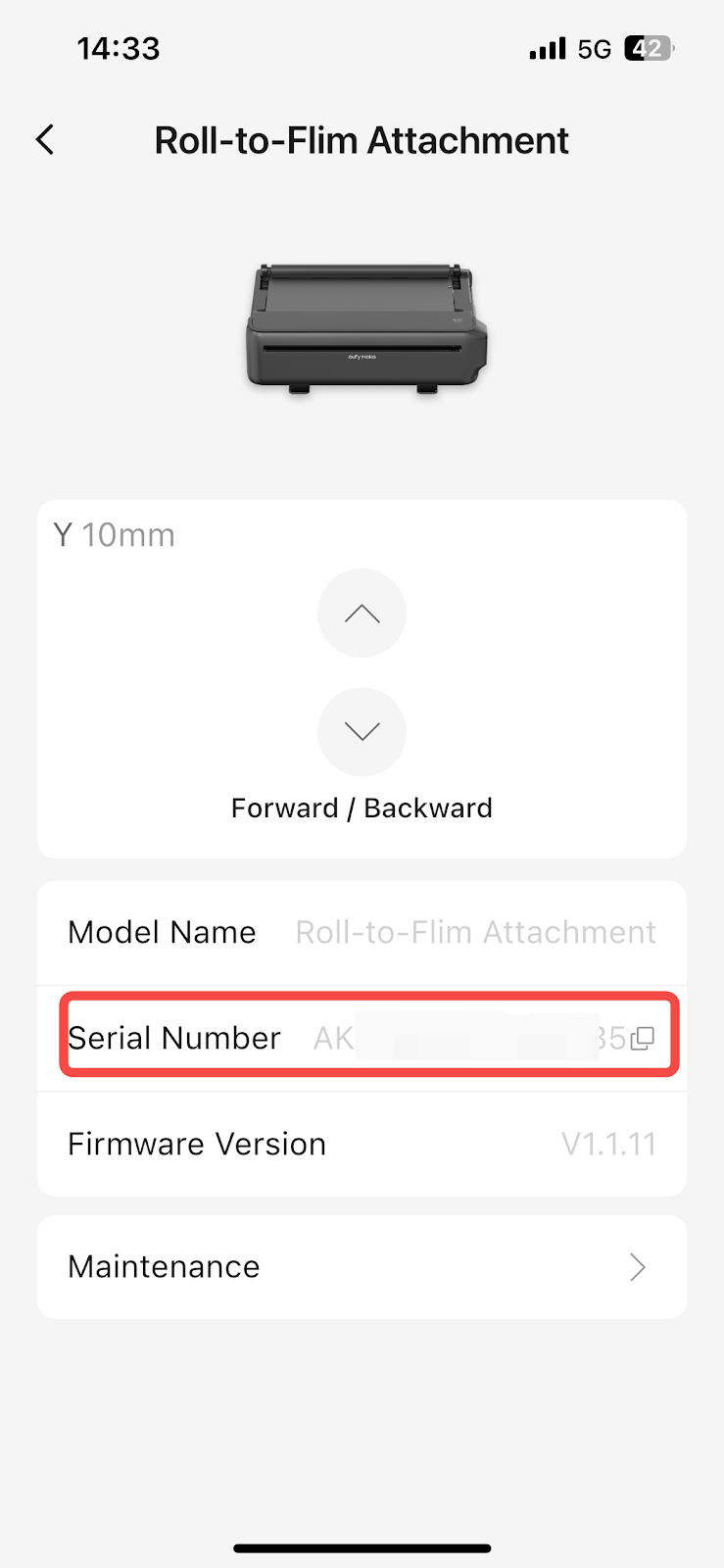
Open the App → Devices → tap the icon in the upper-right corner of the printer to view the serial number of the connected accessory.
Laminating Machine
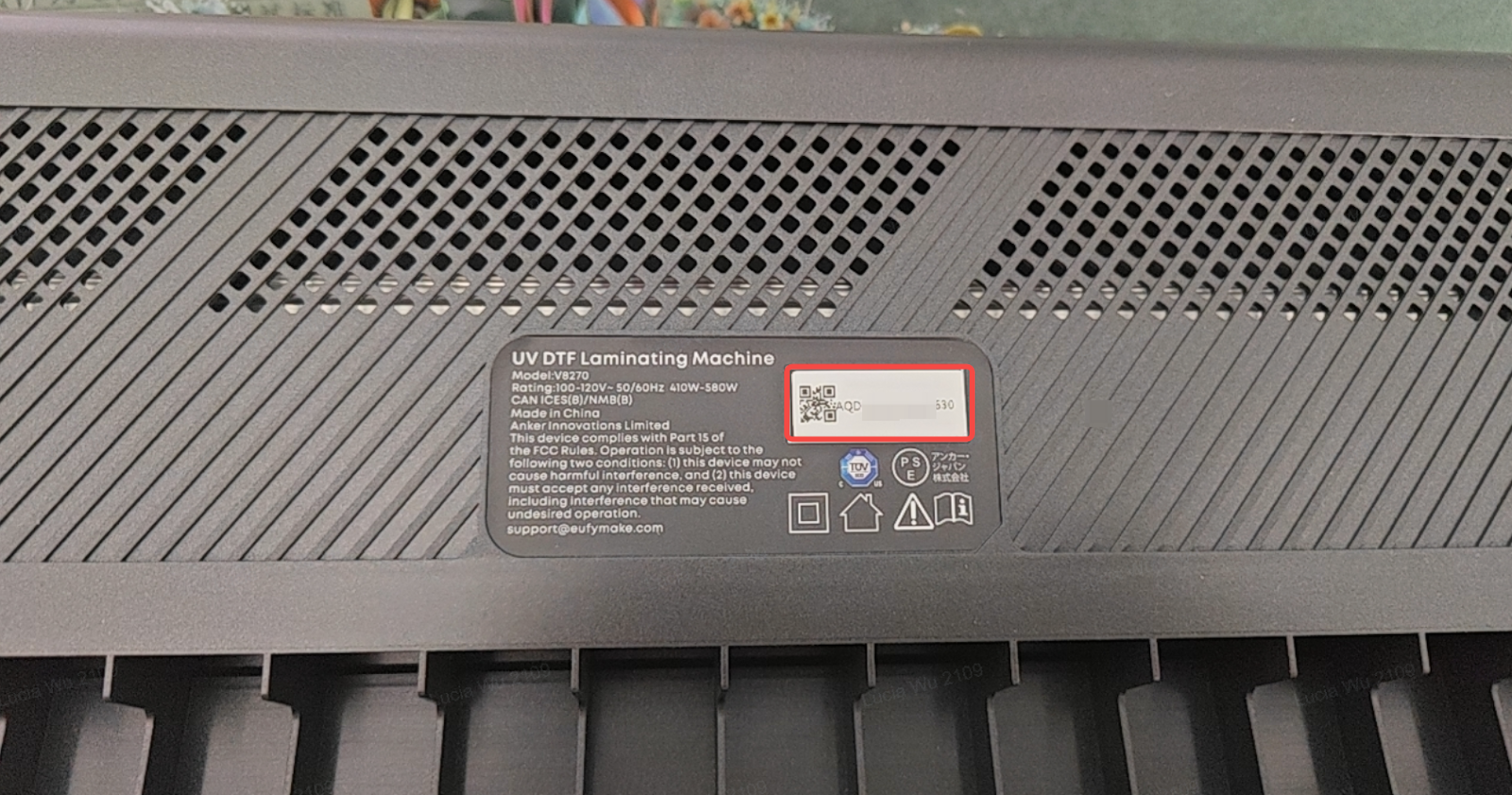
The serial number label is located on the bottom of the laminating machine.