How to Assemble M5
Step 1: Unbox and Check Parts
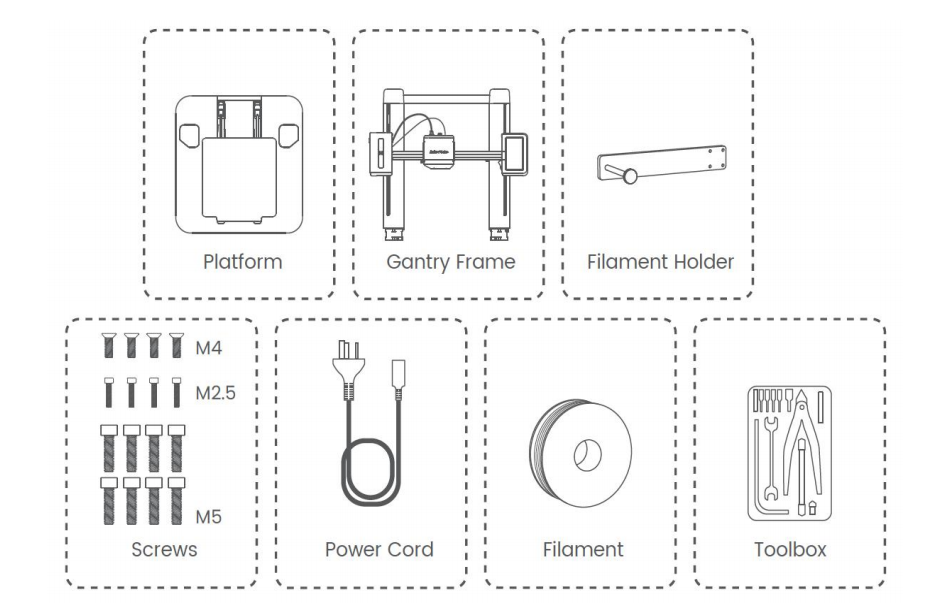
- Open the box and remove all product parts and accessories.
- Verify that all parts and accessories are complete.
Step 2: Position the Gantry Frame
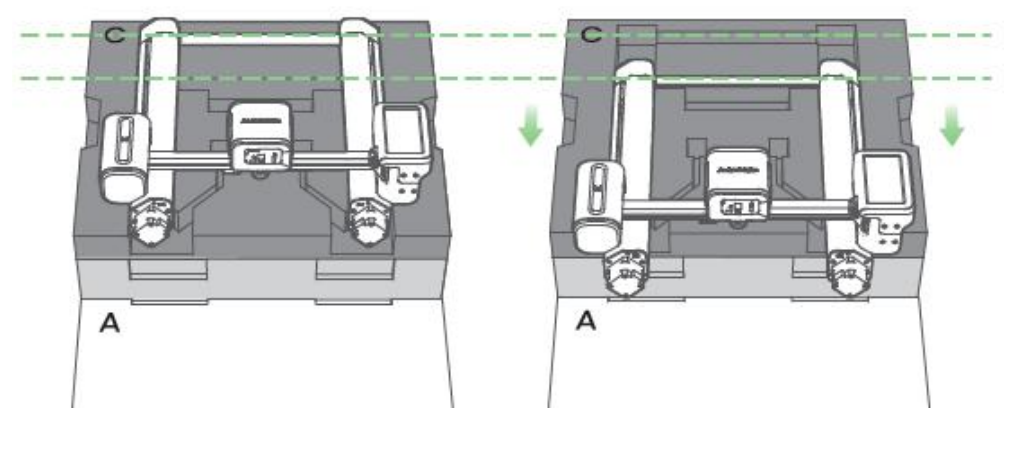
- Place the protective foam on the ground to provide support.
- Move and fix the gantry frame in the direction shown in the image below.
Step 3: Remove the Base and Open the Cover
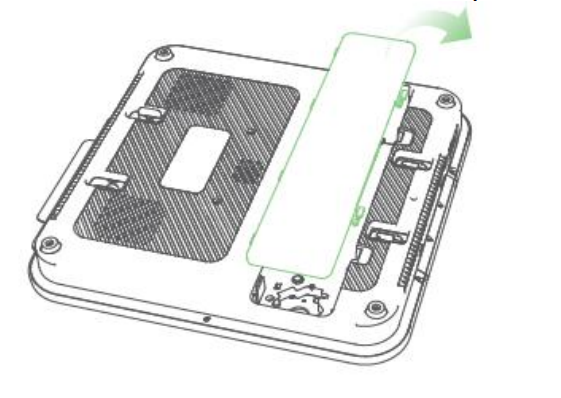
- Remove the base.
- Open the back marking cover.
Step 4: Assemble the Gantry and Base
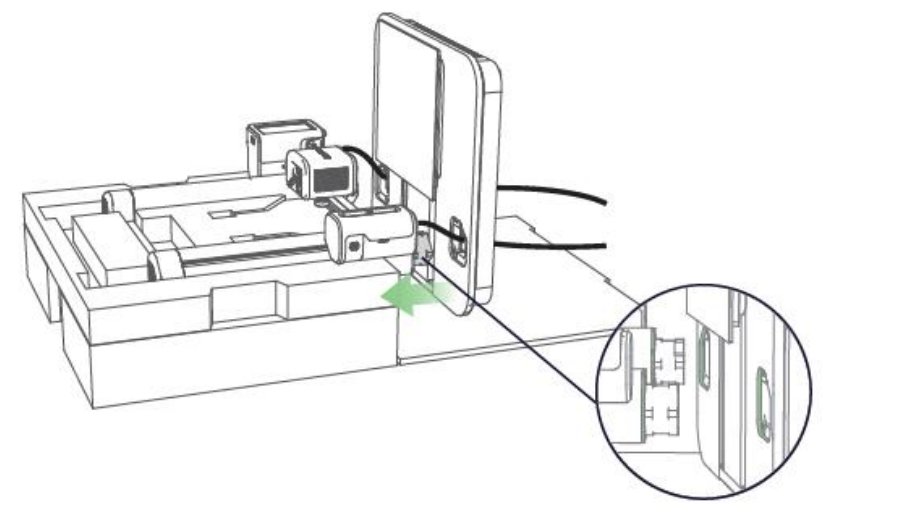
- Place the first layer of foam pad on the bottom.
- Place the base on the foam pad perpendicular to the gantry.
- Move the base so that the gantry passes through the base hole until it is fully inserted. Ensure the white part is fully embedded.
- Make sure two USB-C wires pass through the holes during insertion.

Step 5: Tighten Z Axes Bolts
- Use Hex wrench 4.0 to tighten the eight M5 bolts for the two Z pillars, as marked in yellow below.

Step 6: Insert and Secure USB-C Cable
- Insert the marked USB-C cables into ports highlighted in red. Ensure the Type-C cables are properly inserted.
- Use Hex wrench H 2.0 to fix the four M2.5 bolts at the interface, as marked in red above.
Step 7: Connect Terminal Wires
- Insert the left and right terminal wires into the left and right Z-axis motors, as shown in the blue mark in the image.
- Replace the base cover.
Step 8: Secure the Equipment
- Return the printer to the upright position.
- Use Hexagon batch-head H 2.5 to tighten the four M4 screws to fix the filament holder. There are three fixing methods:


- Two horizontal fixing methods (upper & lower)
- Top vertical fixing
Step 9: Check Voltage
- Ensure the voltage matches the required setting. If not, adjust it to the correct voltage.


Step 10: Power On and Start Printing
- Plug in the power.
- Turn on the switch.
- Wait for the screen to light up before starting to print.

If you have any further questions, please contact us for assistance.


119 undefined
How to Fix WiFi Connection Issues?


How to Fix the Extruder Filament Feeding Issue
How to Fix Auto-Level Errors for M5
How to Fix Homing Fail Issue
How to Fix a Clogged Extrusion Gear
How to Remove Filament and Clean Up Residual Filament of M5
Abnormal Heating of the Nozzle or Hot Bed
Filament Cannot Pass the Filament Detection Sensor of M5
Analyzing Bottom Layer Error
How to Fix the Data Transmission Error

M5C X Axis Belt Adjuster.gcode
Ankermake Studio Guide(V1.5.21)
M5C Y axis belt adjuster.gcode
V8110 AnkerMake M5C EU Declaration of Conformity
V8110_UK Declaration of Conformity
M5C Y Axis Belt Adjuster.gcode
View More


How to Replace the Air Guide of the Print Model Fan

How to Replace the Print Model Fan

Auto Leveling

V Wheel Adjustment

How to Transfer Files and Start Printing

Loading Filament
View More


