Fault Symptoms
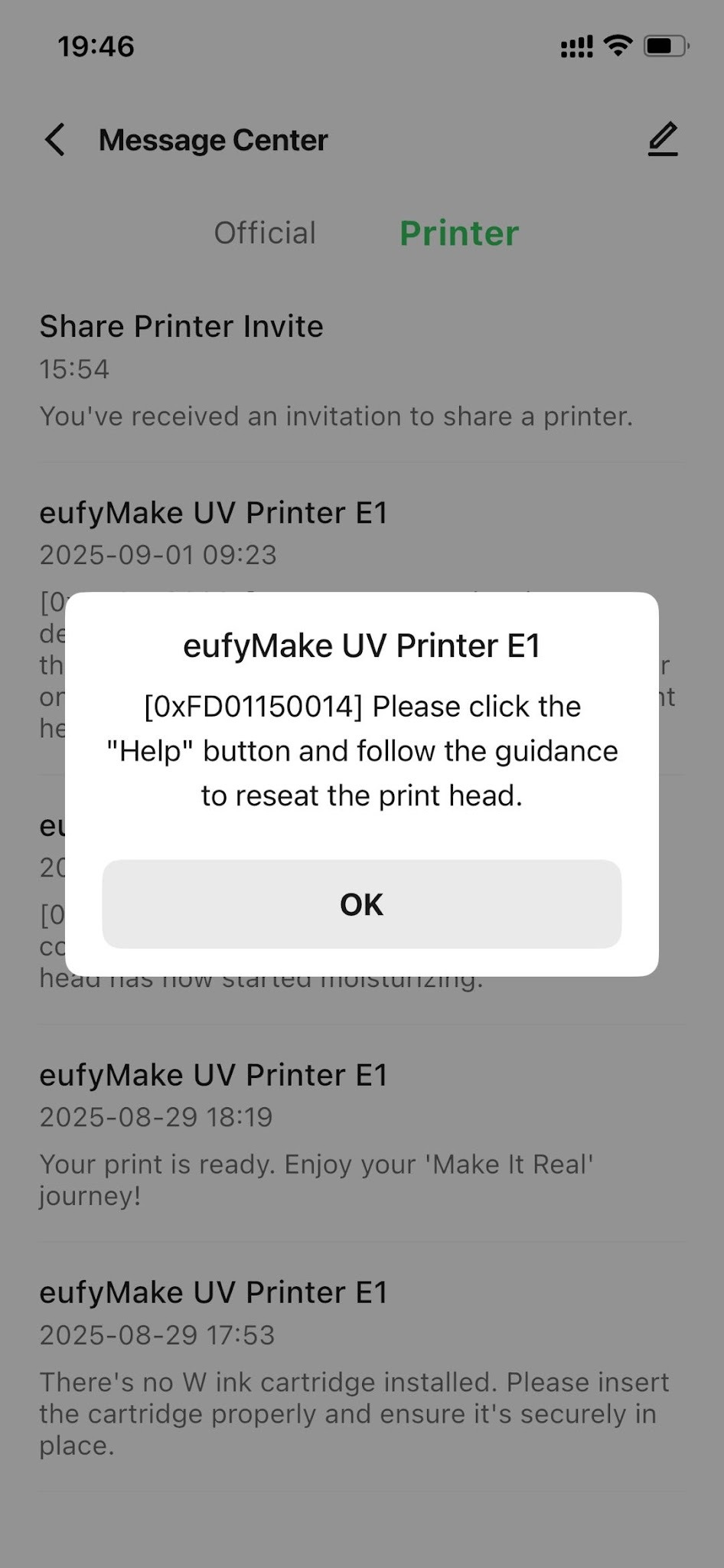
The eufyMake App or eufyMake studio displays the message "UV Print Head Not in Position."
Cause Analysis
1.Poor connection between the print head module and the printer.
2.Damaged FFC cable causing communication issues.
3.Poor contact between the print head module and the metal contacts (gold fingers).
Troubleshooting Steps
If you have recently replaced the print head, first confirm that the print head is installed correctly and that the metal contacts (gold fingers) are making proper contact.
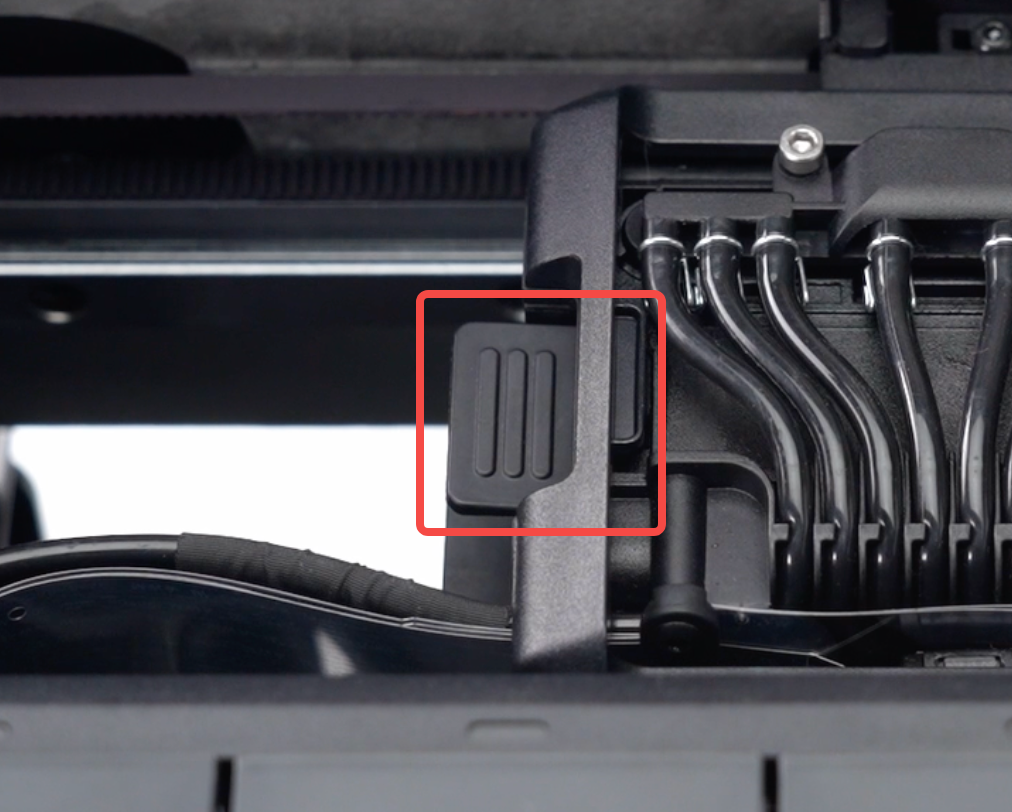
1.Check the Print Head Quick-Release Latch
Verify that the print head quick-release latch is installed correctly and fully secured.
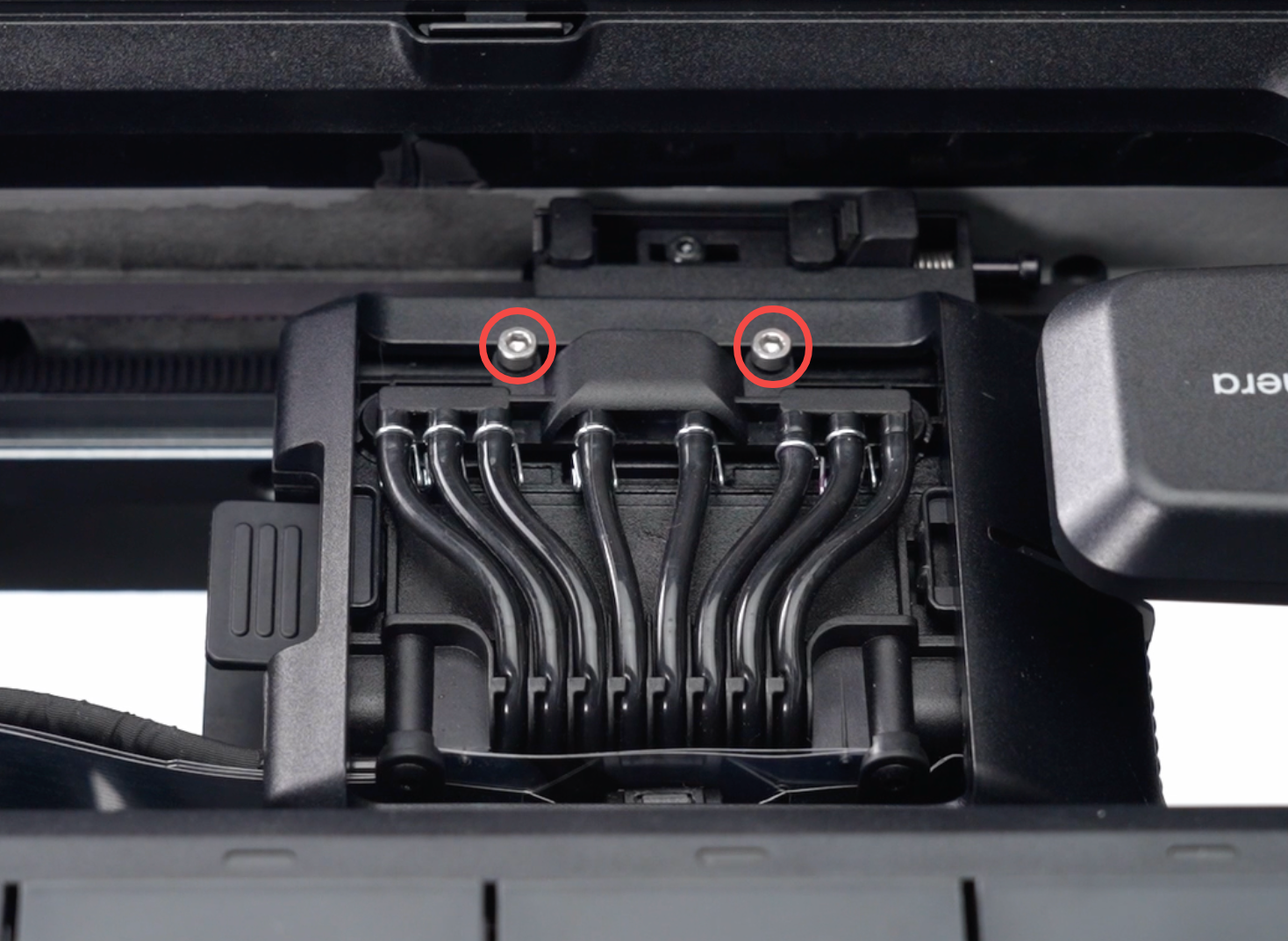
2.Check the Print Head Fixing Screws
Verify that the print head fixing screws are fully tightened.
If any screws are loose, tighten them and check whether the issue is resolved.
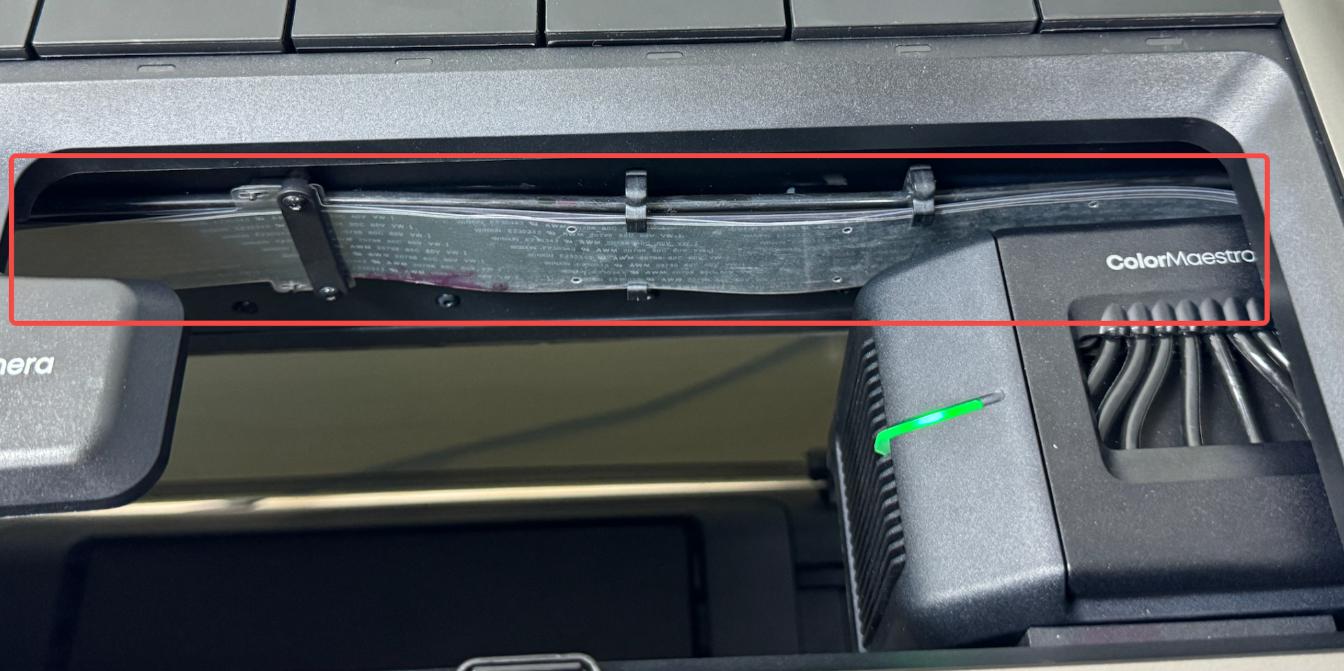
3.Inspect the FFC Cable
Inspect the FFC cable along the inside wall of the printer for damage, tears, or severe creasing.
Take photos or record a video if any abnormalities are found.
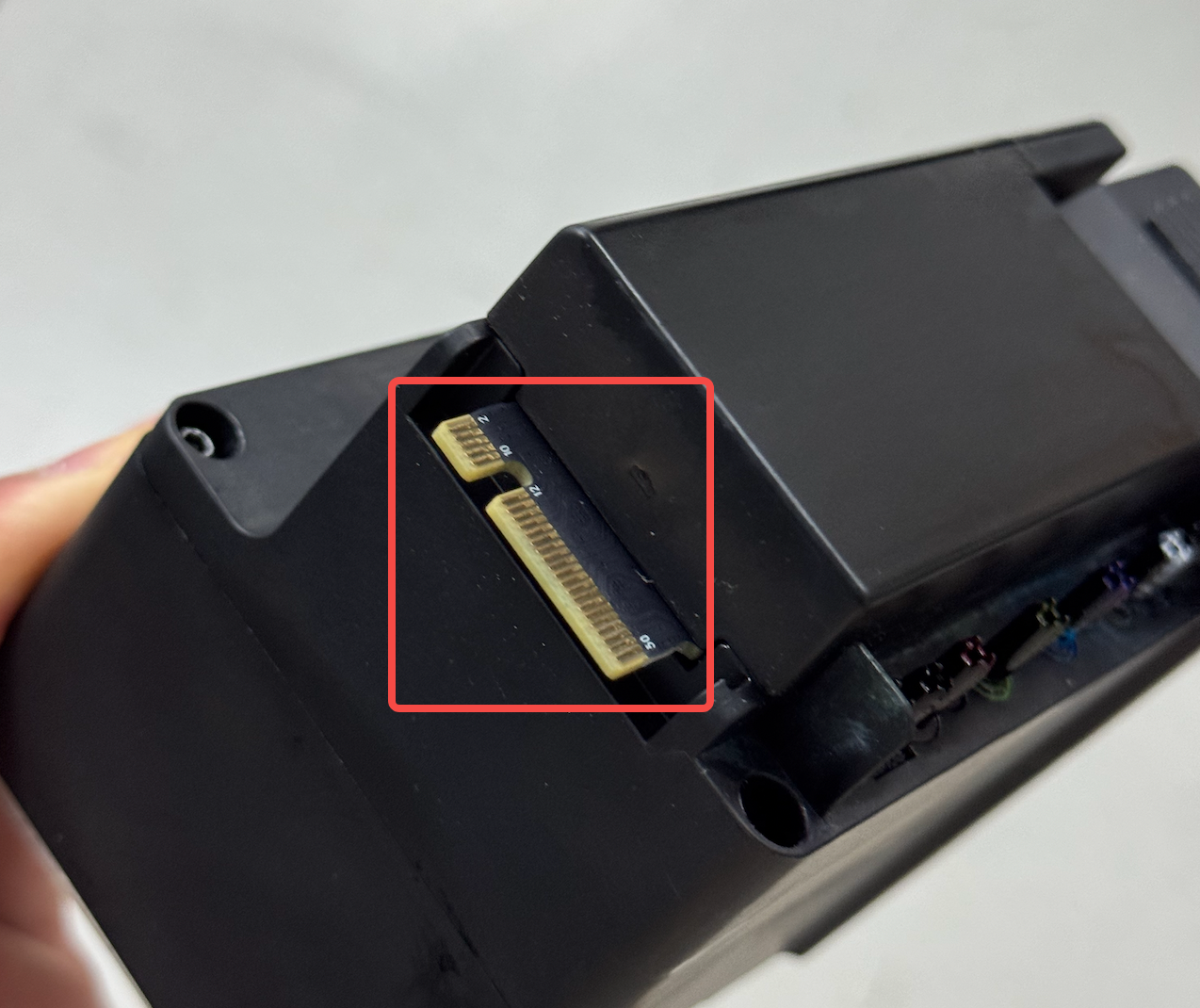
4.Inspect and Clean the Gold Fingers
Remove the print head module from the printer and inspect the metal contacts (gold fingers) on the rear of the module.
Check for:
-
Dirt or contamination
-
Wear
-
Scratches or other damage
Take photos of the contacts for reference.
Using a lint-free cloth lightly moistened with anhydrous alcohol, gently clean the surface of the gold fingers.
For detailed print head removal instructions, refer to:
https://support.eufymake.com/s/article/Introduction-and-Replacement-SOP-of-Printhead
Support Contact
If the issue persists after completing the above steps, please contact eufyMake Customer Support at support@eufymake.com with the following information:
-
Your Order Information
-
Printer SN. Please refer to: https://support.eufymake.com/s/article/How-to-Check-the-Device-Serial-Number-SN
-
Printer and App Logs. Please refer to https://support.eufymake.com/s/article/Log-Upload-Process-App-PC-Overview
-
Relevant photos and videos.










