Fault Symptom
The printer reports error code 0xFD01190007 (UV Curing Light Fan Open Circuit Error) in the eufyMake App or eufyMake Studio.
Cause Analysis
1.False software alarm.
2.The UV curing light fan cable is not connected correctly.
3.UV curing light fan hardware malfunction.
Troubleshooting Steps
1.Run a Self-Check
Start a device self-check through the eufyMake App, or disconnect and reconnect the printer's power cable. The printer will automatically perform a self-check during startup.
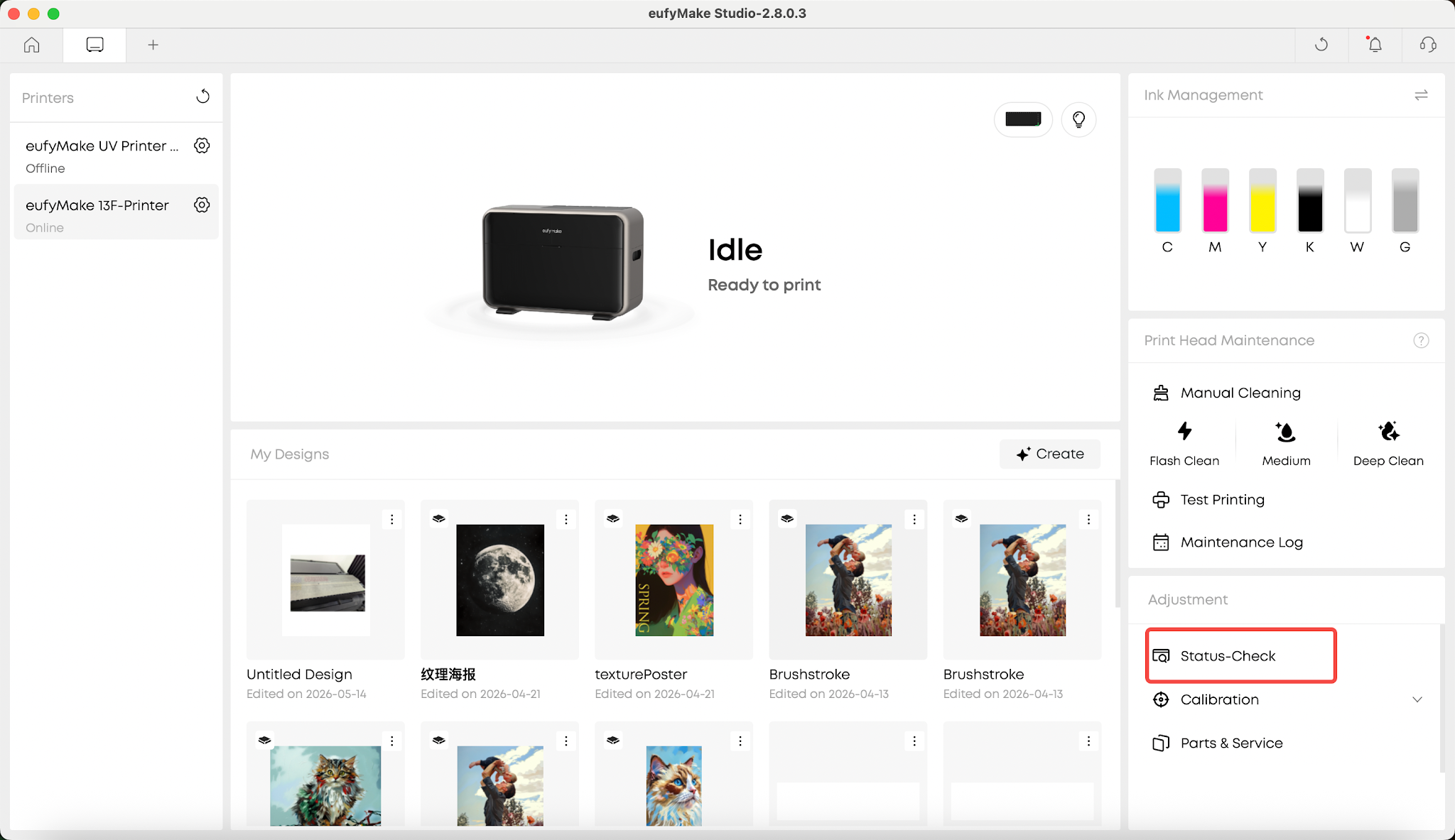
2.Prepare for the Test
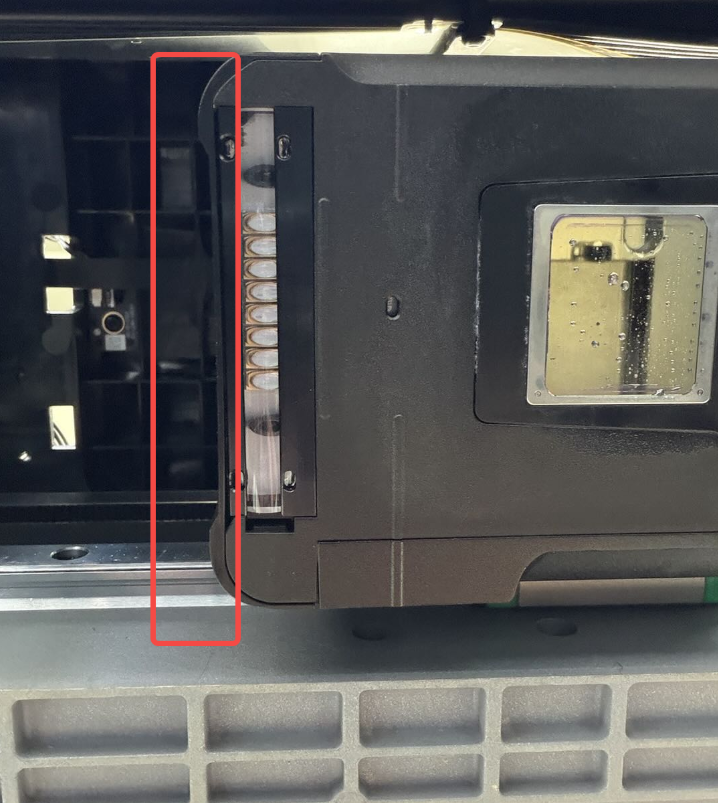
Before starting the self-check, place a tissue in the position shown below.
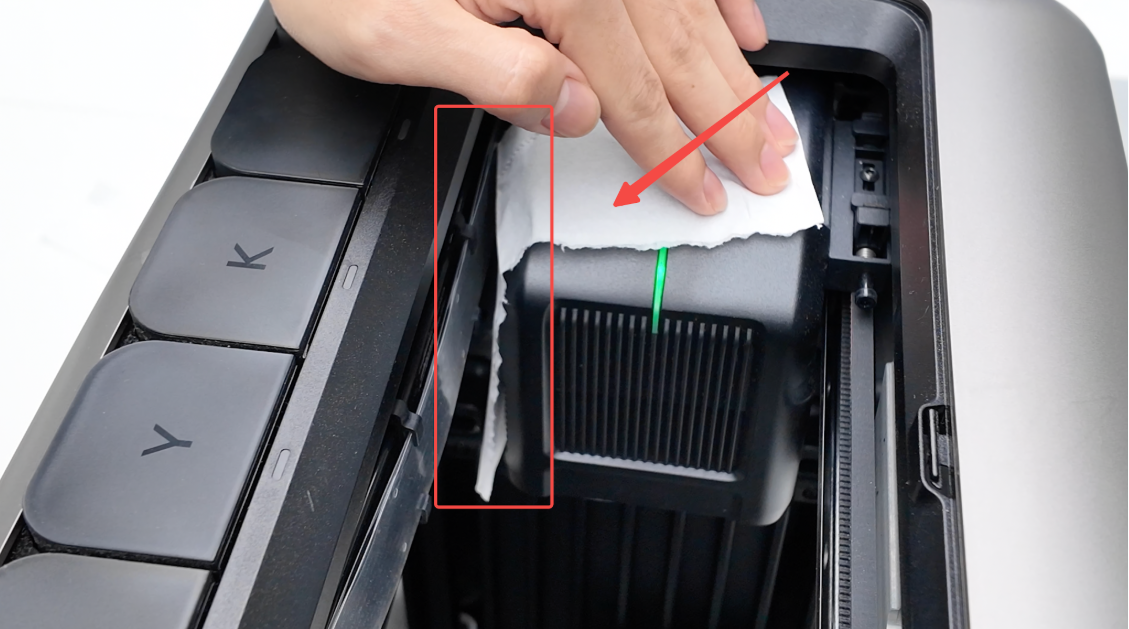
3.Check Fan Operation
During the UV curing light self-check, the UV curing light fan should run and create enough airflow to move the tissue.
If the tissue moves normally, the fan is operating correctly.
If the fan is running normally but the error continues to appear, the error may be a false alarm. Restart the printer and check whether the error appears again.
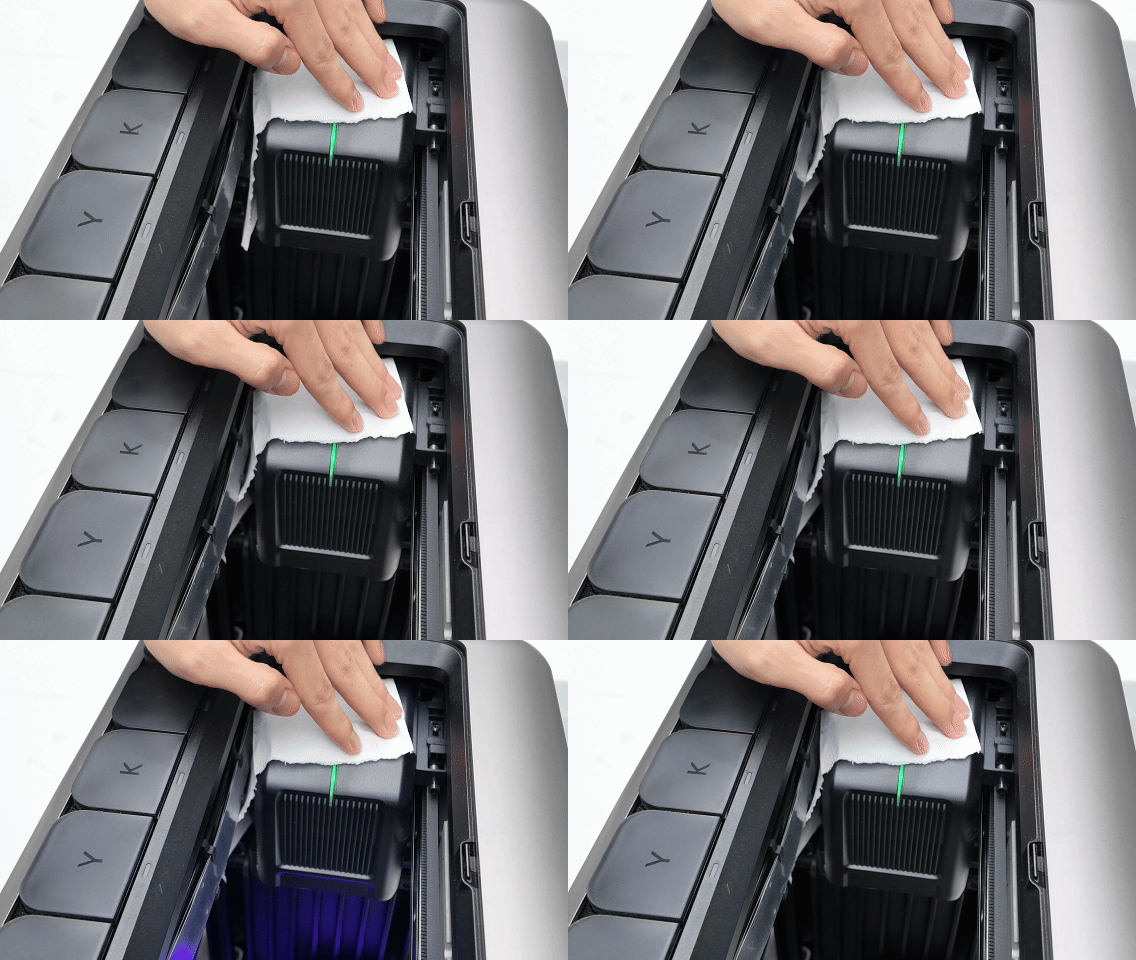
4.Check the Fan Cable Connection
If the tissue does not move at any point during the self-check, the UV curing light fan may not be operating correctly.
Check whether the ribbon cable connection is properly seated by following the steps below.
5.Move the Printhead and Disconnect Power
Move the printhead to the center of the printer, then disconnect the printer's power cable.
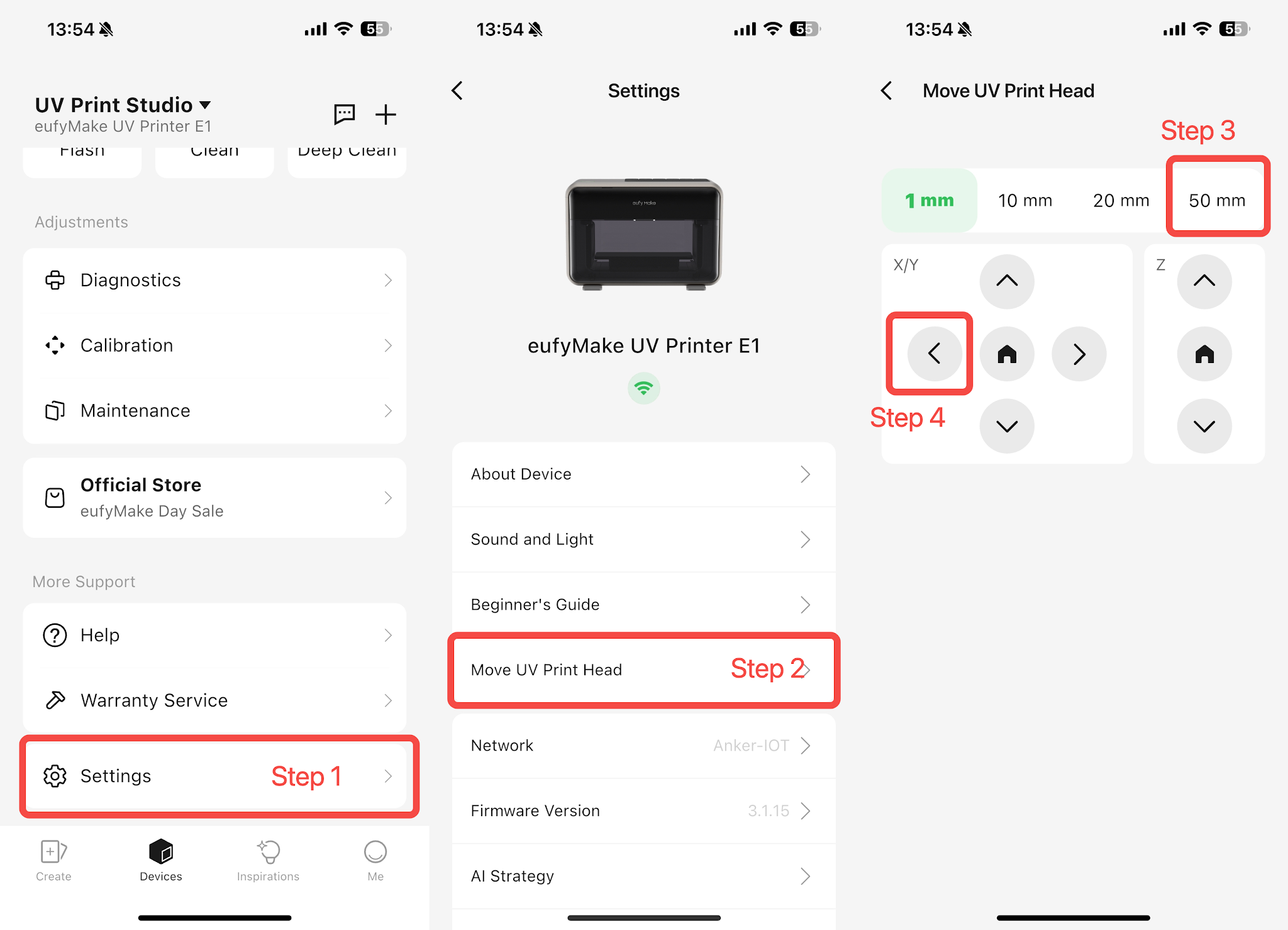
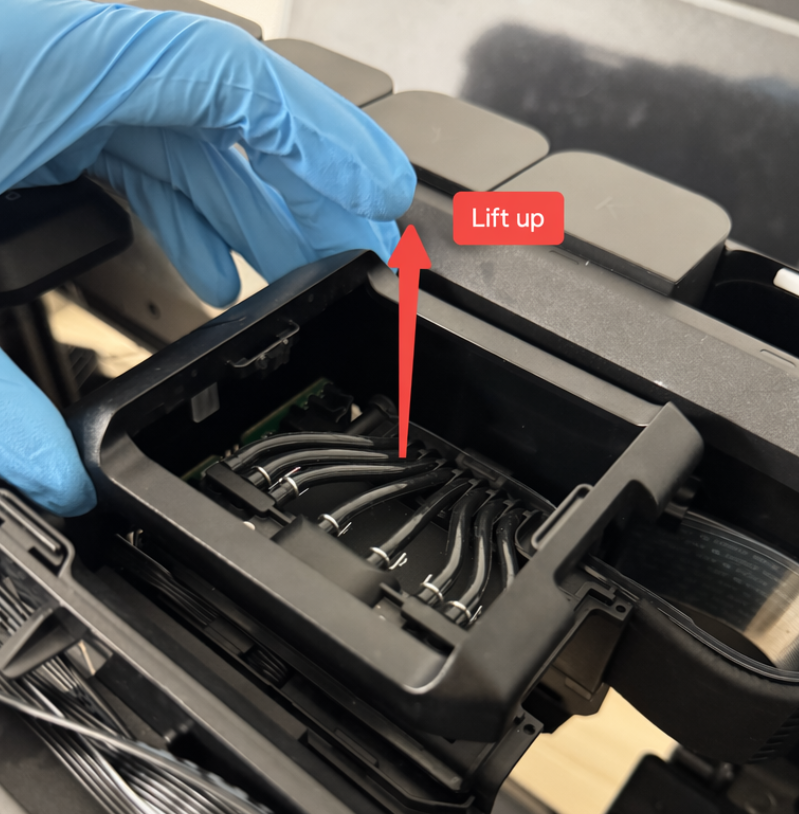
6.Remove the Printhead Cover
Grip both sides of the printhead cover and pull upward.
If it is difficult to remove, use your other hand to gently push upward while lifting.
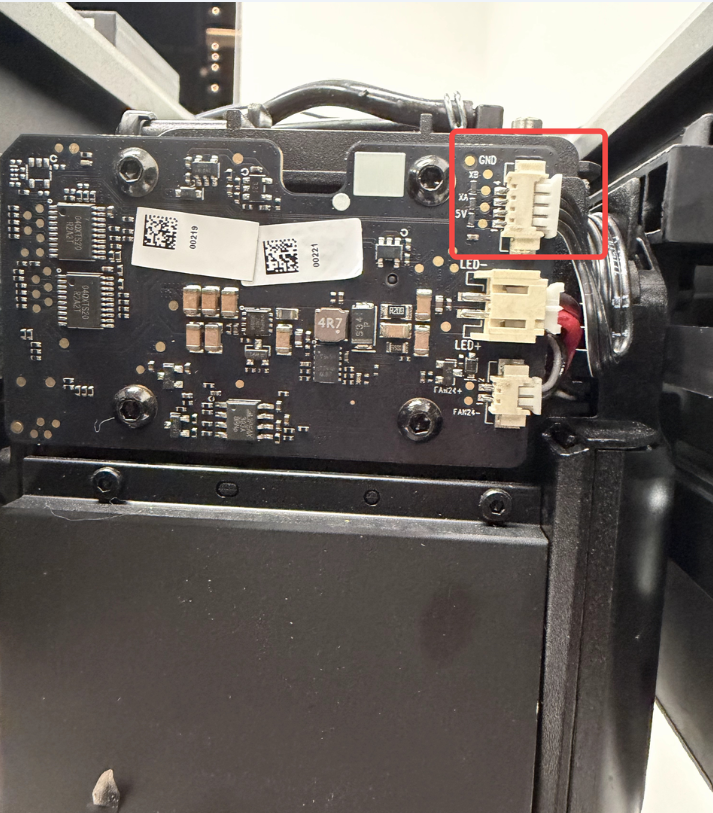
7.Check the Ribbon Cable Connection
Inspect the ribbon cable connection on the printhead adapter board and confirm that it is fully inserted.
Press gently on the connector to ensure it is seated securely.
8.Verify the Result
If the issue persists after completing the above steps, record a video showing the issue and contact eufyMake Customer Support with the information listed below.
Support Contact
If the issue persists after completing the above steps, please contact eufyMake Customer Support at support@eufymake.com with the following information:
-
Your Order Information
-
Printer SN. Please refer to: https://support.eufymake.com/s/article/How-to-Check-the-Device-Serial-Number-SN
-
Printer and App Logs. Please refer to https://support.eufymake.com/s/article/Log-Upload-Process-App-PC-Overview
-
Relevant photos and videos.










