1. Error Description
The printer reports error code 0xFD01190008 (UV Curing Light Fan MOS Transistor Error) in the eufyMake App or eufyMake Studio.
2. Possible Causes
1.False software alarm.
2.Hardware malfunction affecting the UV curing light fan MOS transistor.
3. Troubleshooting Steps
1.Run a Self-Check
Start a device self-check through the eufyMake App, or disconnect and reconnect the printer's power cable to trigger the automatic self-check process.
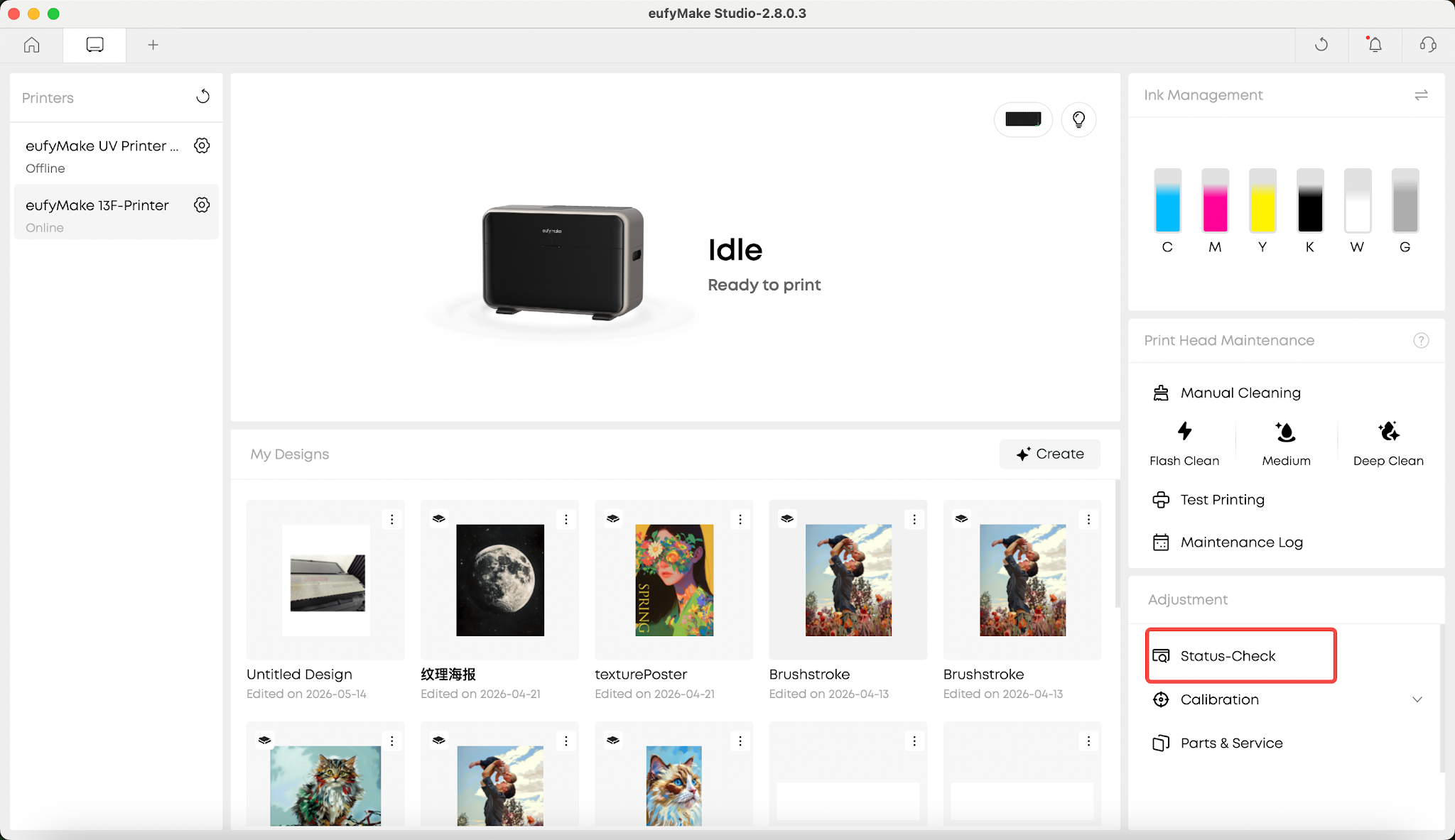
2.Prepare for the Test
Before starting the self-check, place a tissue in the position shown below.
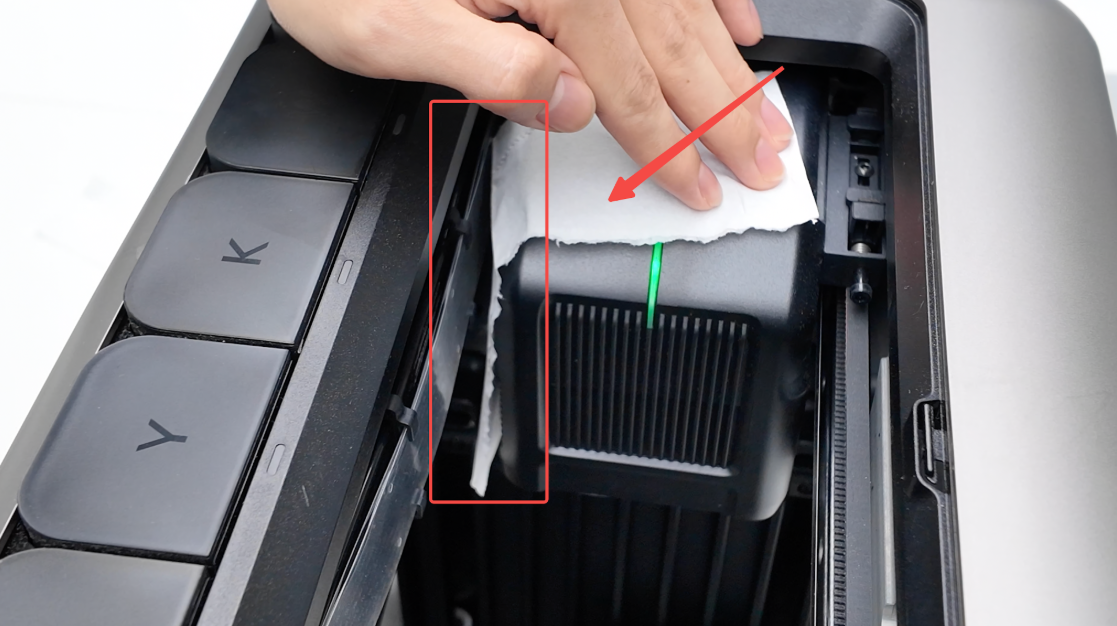
Under normal conditions, the UV curing light fan will start during the self-check process and stop once the self-check is complete.
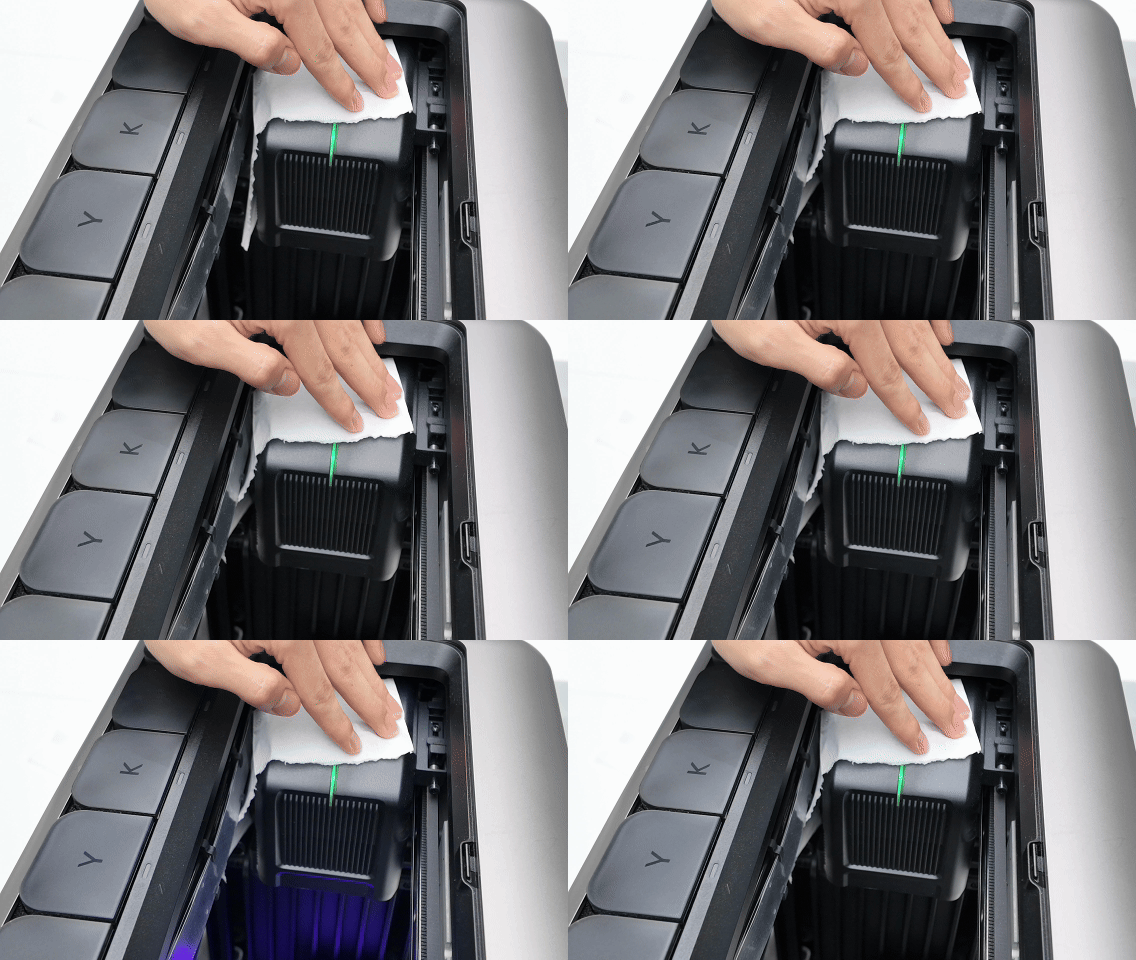
3.Observe Fan Operation
During the UV curing light self-check, observe whether the fan airflow causes the tissue to move.
If the tissue moves while the self-check is running and the fan stops after the self-check is complete, the UV curing light fan is operating normally and the error may be a false alarm.
4.Check for Abnormal Fan Operation
If the UV curing light fan continues running after the self-check has completed and continues to blow the tissue, the MOS transistor controlling the fan may be malfunctioning.
Please record a video showing the issue and contact eufyMake Customer Support with the information listed below.
4. Customer Support (Support Contact)
If the issue persists after completing the above steps, please contact eufyMake Customer Support at support@eufymake.com with the following information:
-
Your Order Information
-
Printer SN. Please refer to:https://support.eufymake.com/s/article/How-to-Check-the-Device-Serial-Number-SN
-
Printer and App Logs. Please refer to:https://support.eufymake.com/s/article/Log-Upload-Process-App-PC-Overview
-
Relevant photos and videos.










