Fault Symptom
The printer reports error code 0xFD0119001C in the eufyMake App or eufyMake Studio.
Cause Analysis
1.False software alarm.
2.Lifting solenoid hardware malfunction.
Troubleshooting Steps
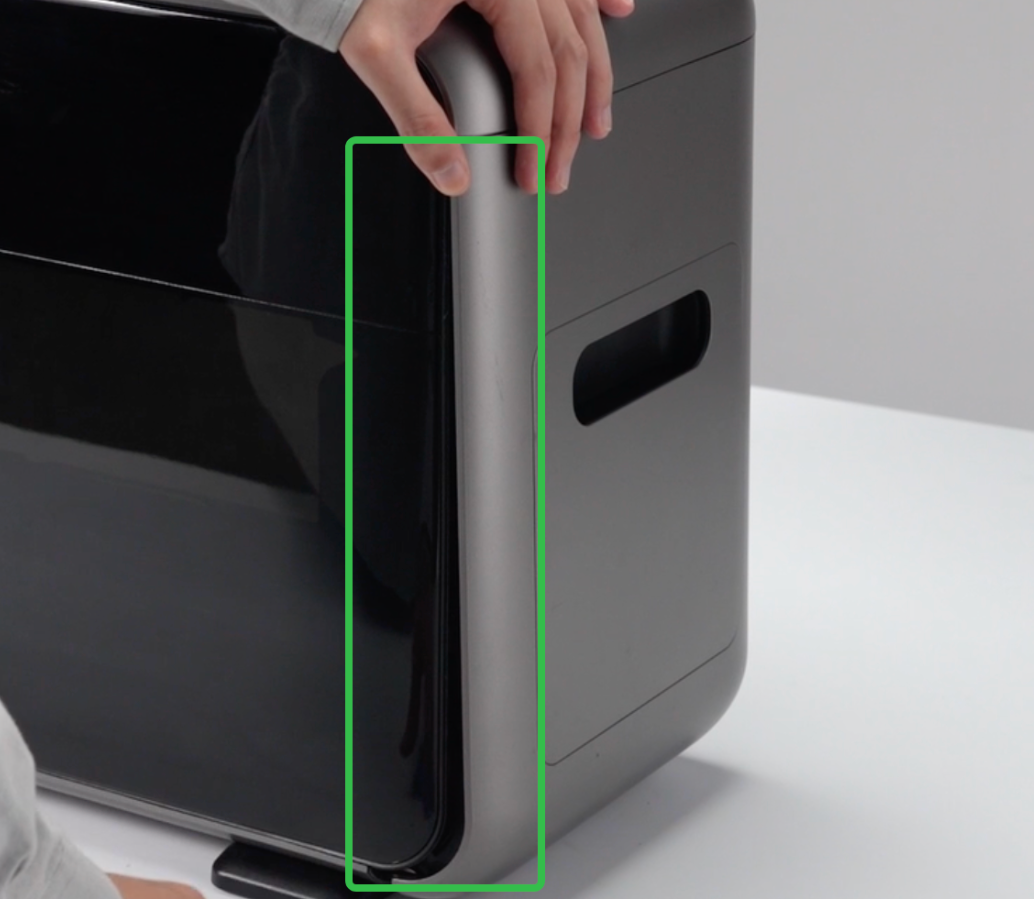
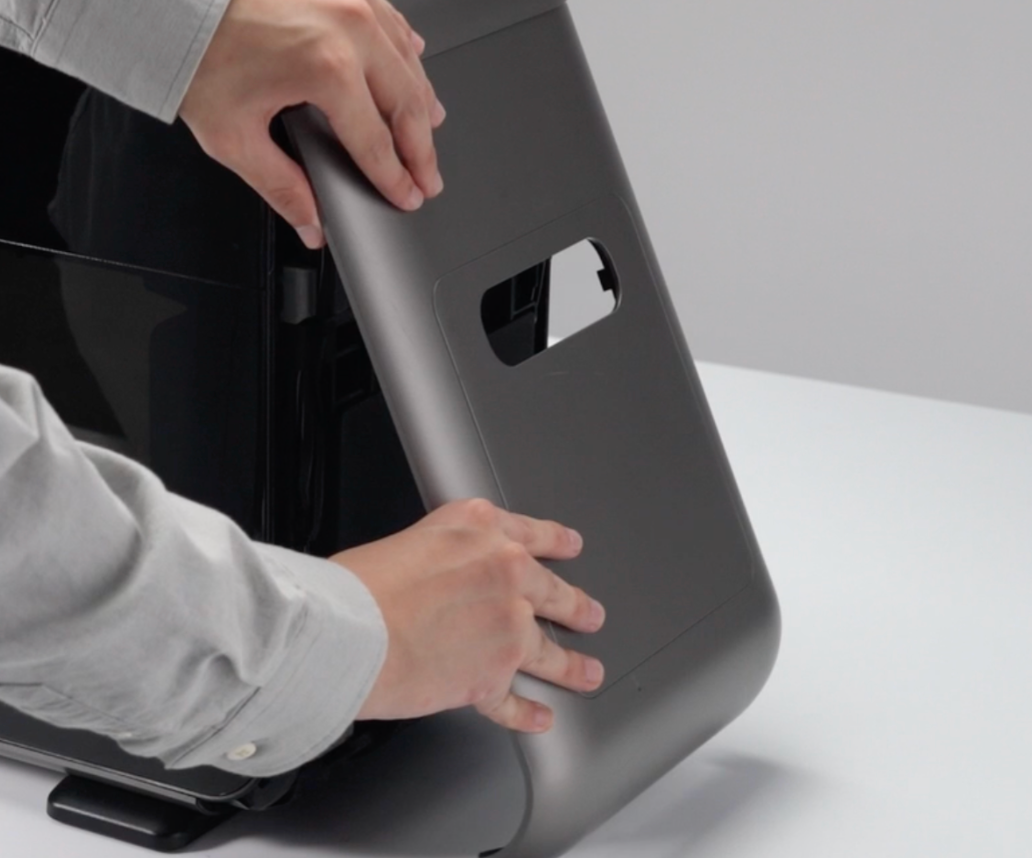
1.Remove the Right Side Cover
Refer to the following SOP to remove the printer's right side cover:
https://support.eufymake.com/s/article/Printer-Cover-Disassembly-and-Assembly-SOP
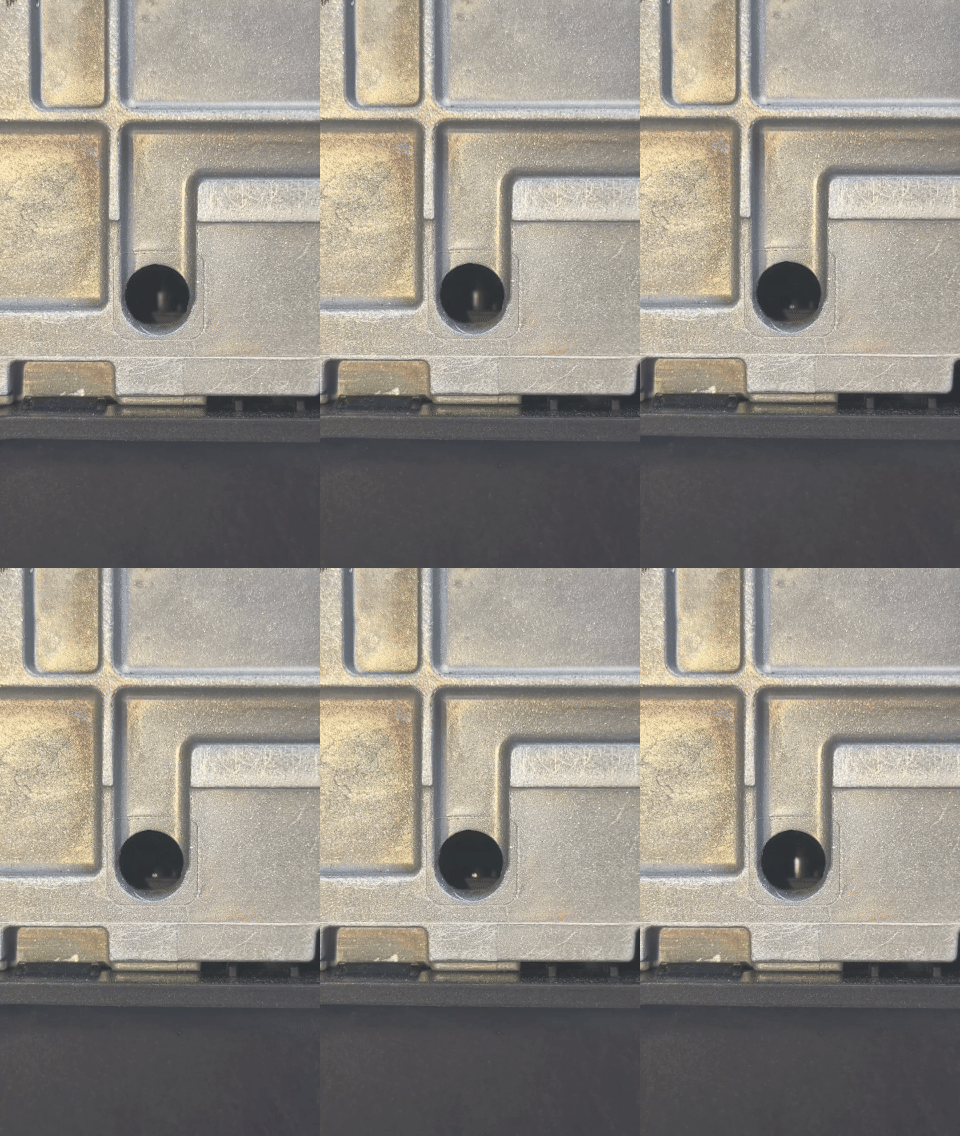
2.Locate the Lifting Solenoid
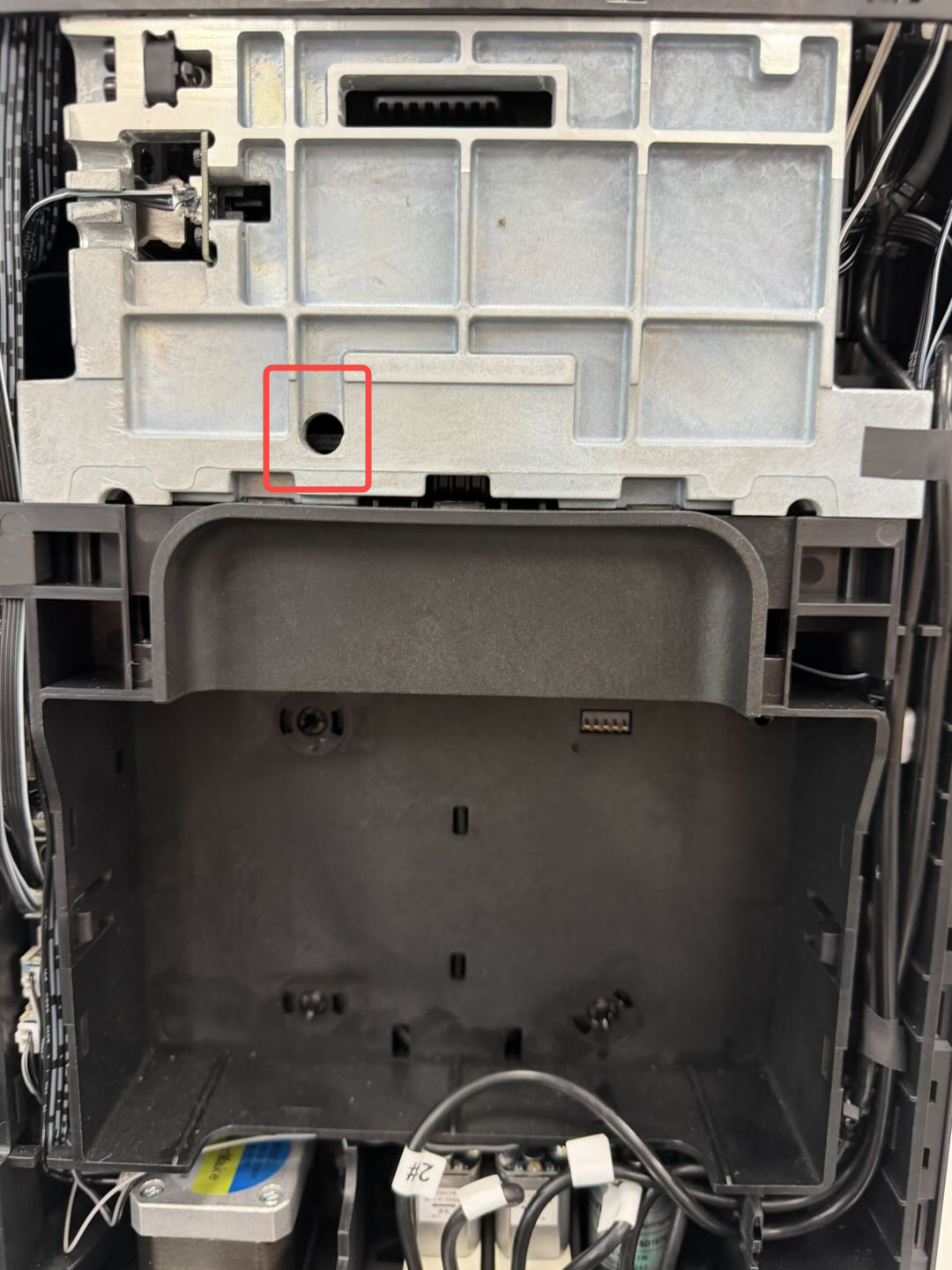
Observe the lifting solenoid through the access hole on the right side of the printer.
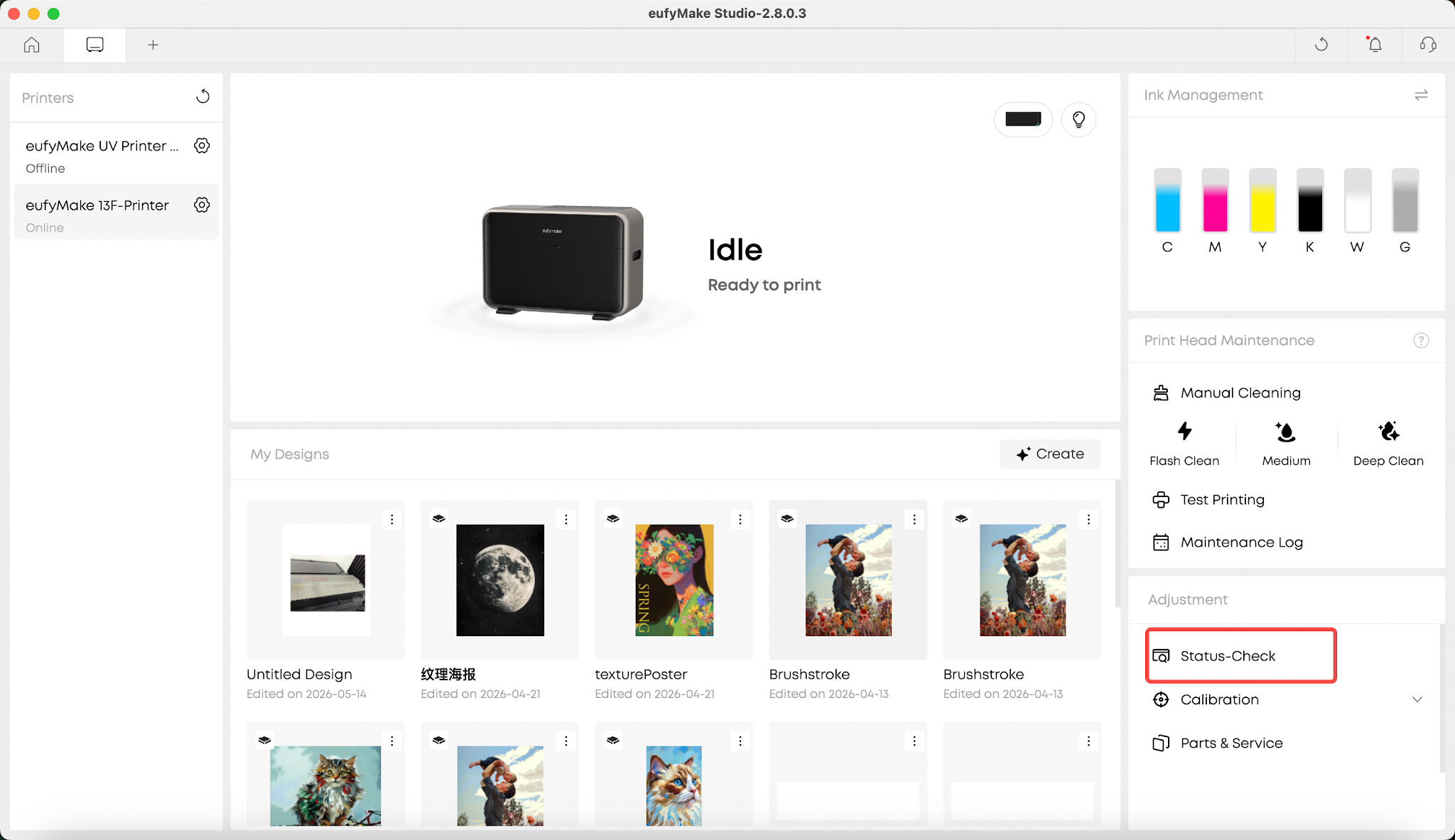
3.Run a Homing Operation or Self-Check
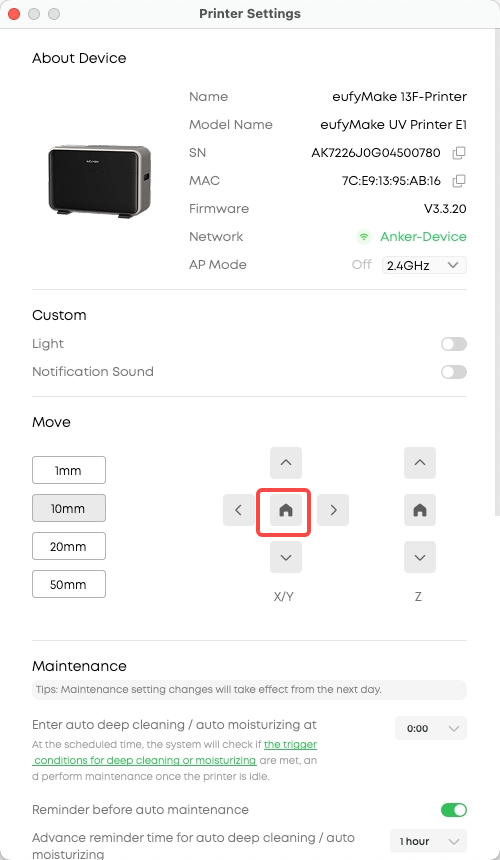
Homing Operation:
Self-Check Operation:
Run a self-check through the software, or disconnect and reconnect the printer's power cable. The printer will automatically perform a self-check during startup.
4.Observe Solenoid Movement
During the homing process or self-check, observe whether the lifting solenoid moves up and down as shown below.
5.Verify the Result
-
If the lifting solenoid moves up and down normally, the hardware is functioning correctly and the error may be a false alarm.
-
If the lifting solenoid does not move normally, or does not move at all, the solenoid may be malfunctioning.
In either case, please upload the printer logs and provide a video showing the behavior to eufyMake Customer Support for further analysis.
Support Contact
If the issue persists after completing the above steps, please contact eufyMake Customer Support at support@eufymake.com with the following information:
-
Your Order Information
-
Printer SN. Please refer to: https://support.eufymake.com/s/article/How-to-Check-the-Device-Serial-Number-SN
-
Printer and App Logs. Please refer to https://support.eufymake.com/s/article/Log-Upload-Process-App-PC-Overview
-
Relevant photos and videos.










