Fault Symptom
The printer reports error code 0xFD01190029 (Stirring Motor Open Circuit Error) in the eufyMake App or on the device.
Possible Causes
1.False software alarm.
2.Stirring motor open circuit failure.
Troubleshooting Steps
1.Check Whether the Stirring Motor Is Operating
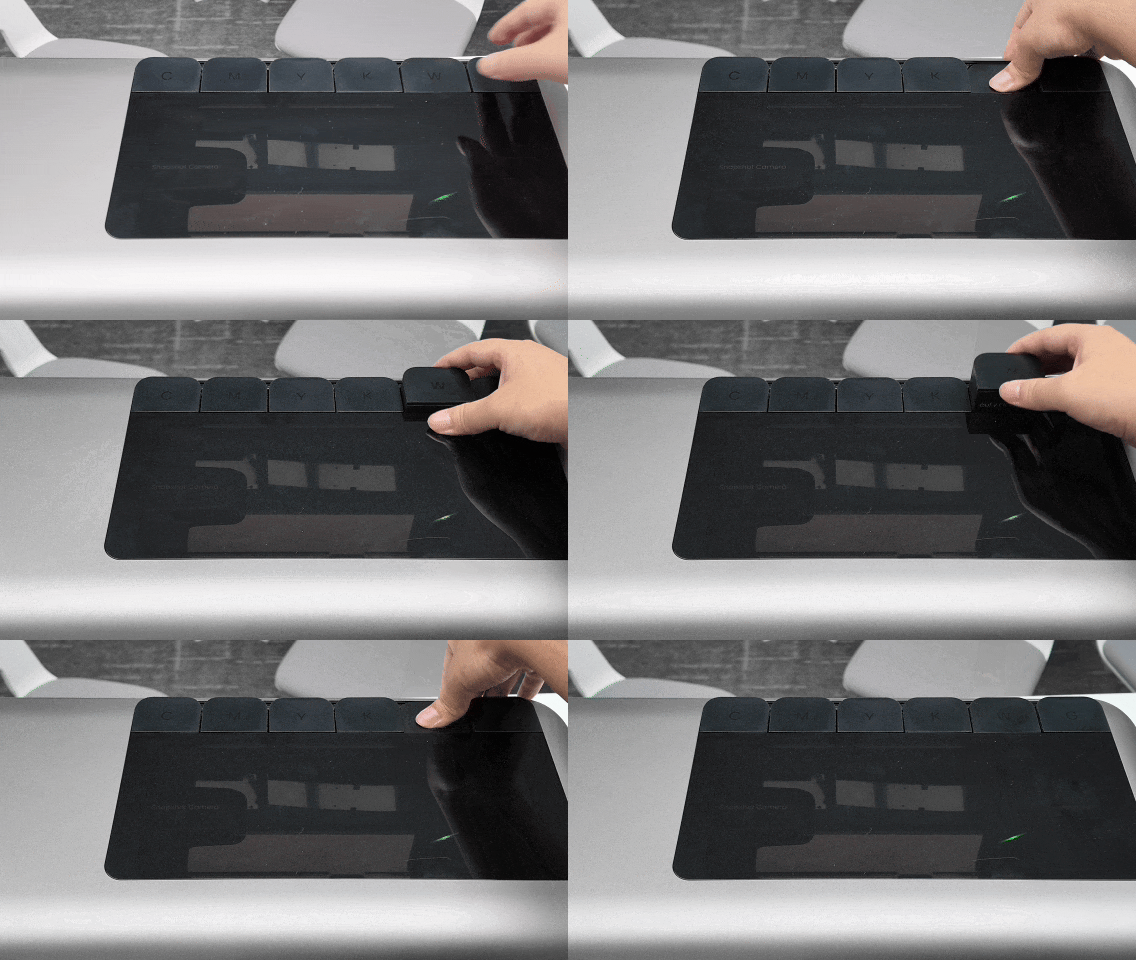
Remove and reinstall the White Ink Cartridge (W).
After the cartridge is reinstalled, the stirring motor should start operating automatically.
2.Check for Vibration or Operating Sound
Place your hand on the White Ink Cartridge and compare it with the other cartridges to determine whether vibration can be felt.
You can also listen for the sound of the stirring motor operating.
3.Check for Ink Leakage
Remove the White Ink Cartridge and inspect the cartridge compartment for signs of significant ink leakage.
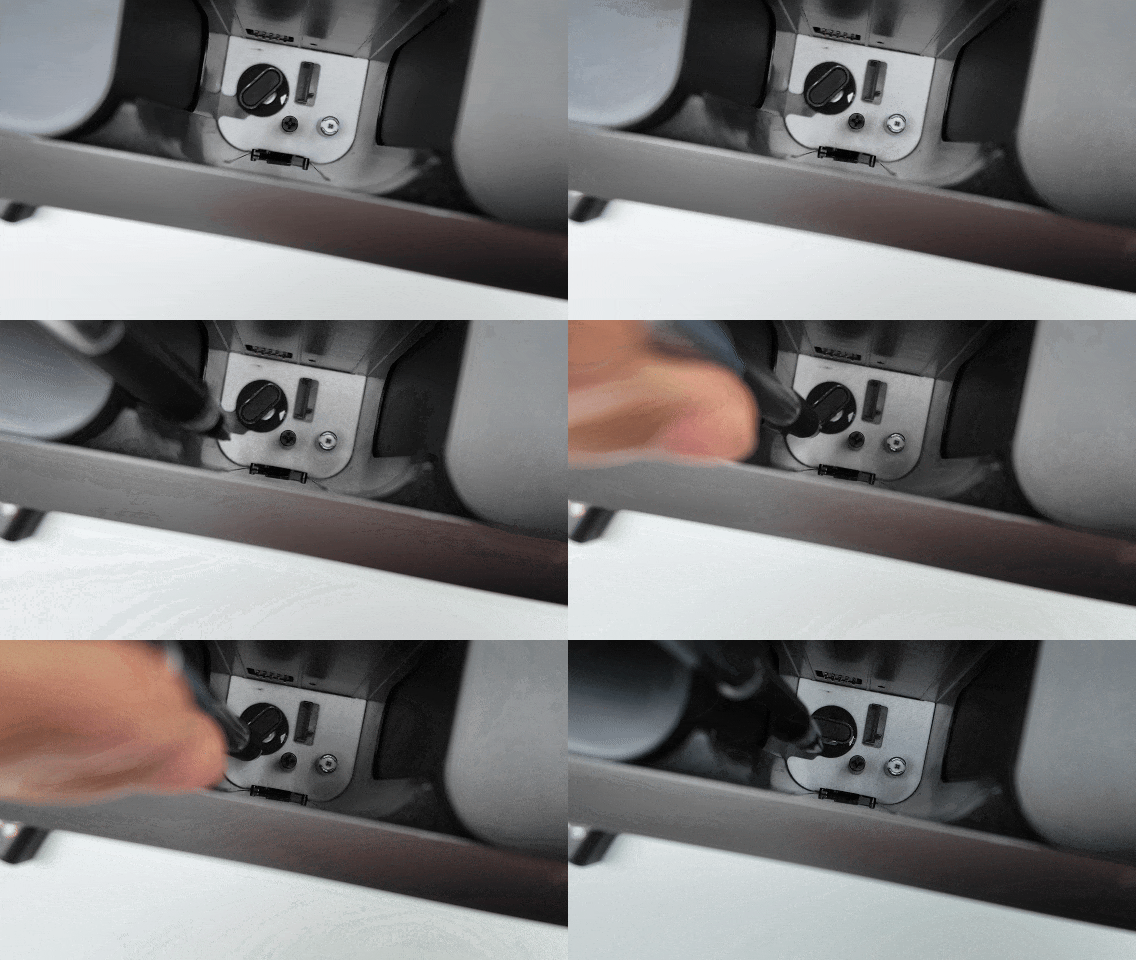
4.Check Whether the Stirring Motor Can Rotate
Using a pen or similar tool, gently rotate the stirring motor rotor and confirm that it can rotate freely.
If the rotor cannot rotate normally, please contact eufyMake Customer Support and provide the information listed below.
Support Contact
If the issue persists after completing the above steps, please contact eufyMake Customer Support at support@eufymake.com with the following information:
-
Your Order Information
-
Printer SN. Please refer to: https://support.eufymake.com/s/article/How-to-Check-the-Device-Serial-Number-SN
-
Printer and App Logs. Please refer to https://support.eufymake.com/s/article/Log-Upload-Process-App-PC-Overview
-
Relevant photos and videos.










