1. Fault Symptom
The printer reports error code 0xFD011E0004 (Handle Measurement Failure) in the eufyMake App or on the device.
2. Cause Analysis
- The cup handle does not meet the Rotary Printing Attachment requirements. If the handle is too tall or has an irregular shape, the laser sensor may not be able to detect it correctly, causing the measurement to fail.
- The laser sensor path is obstructed. Any obstruction between the laser emitter and receiver can block the signal and prevent the measurement from completing.
- The laser emitter and receiver are misaligned, resulting in inaccurate measurement data.
3. Troubleshooting Steps
1.Check the Handle Height
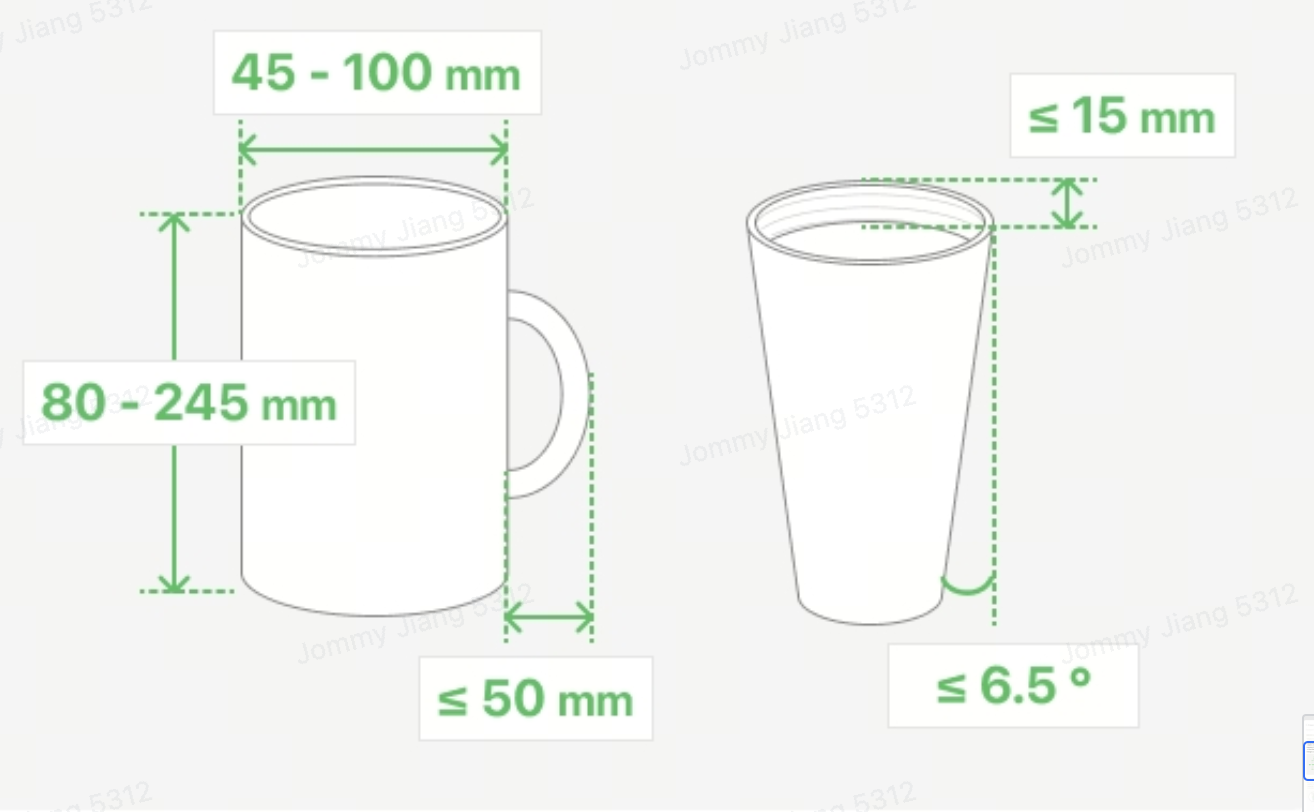
Measure the height of the cup handle and confirm that it does not exceed 50 mm.
The Rotary Printing Attachment only supports cups with a handle height of 50 mm or less.
2.Check for Obstructions
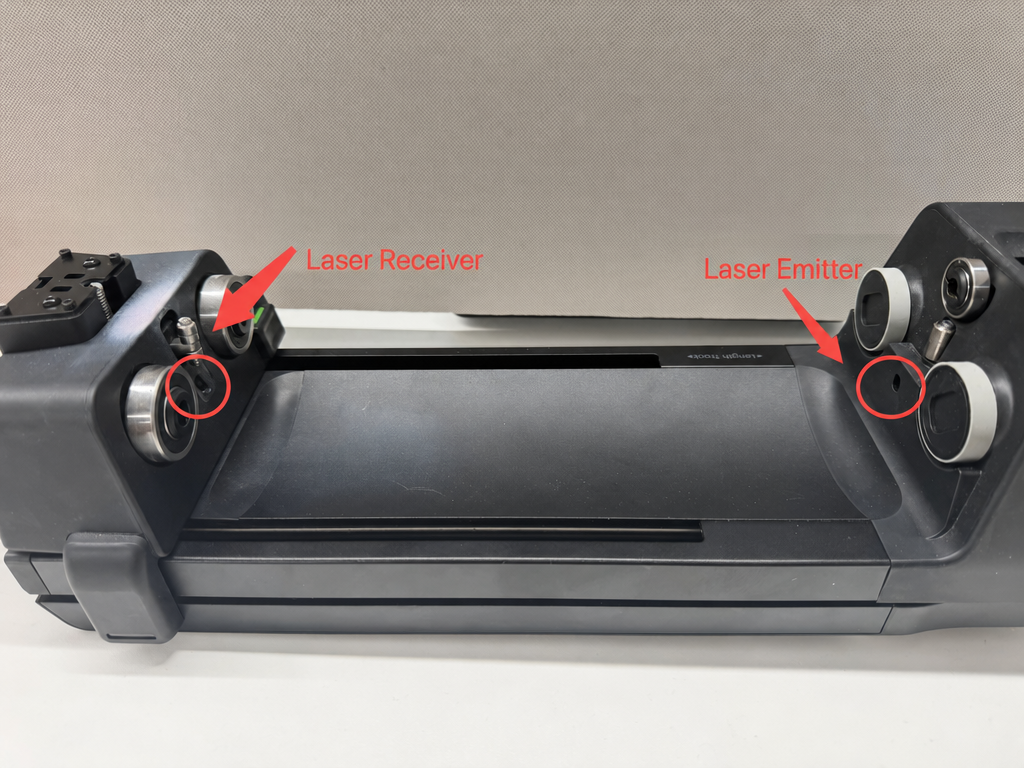
Inspect the path between the laser emitter and laser receiver for any obstructions.
If an obstruction is found, remove it and run the measurement again.
If no obstruction is found, continue to the next step.
3.Check Laser Alignment
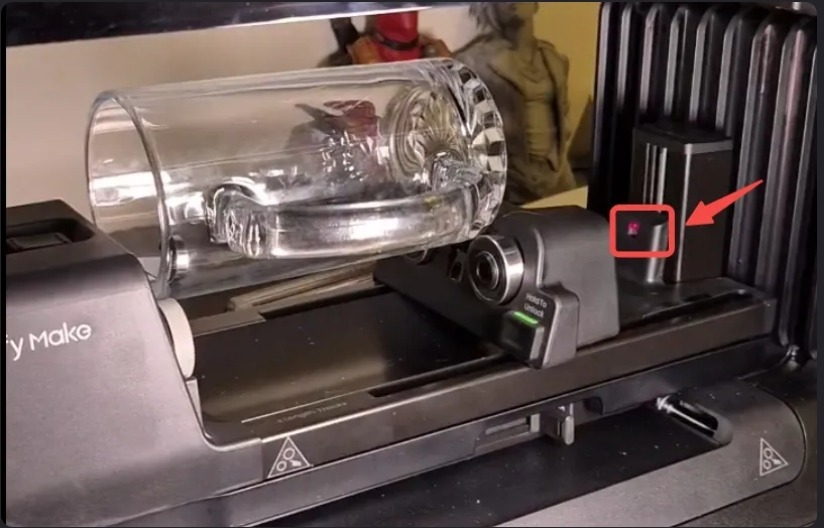
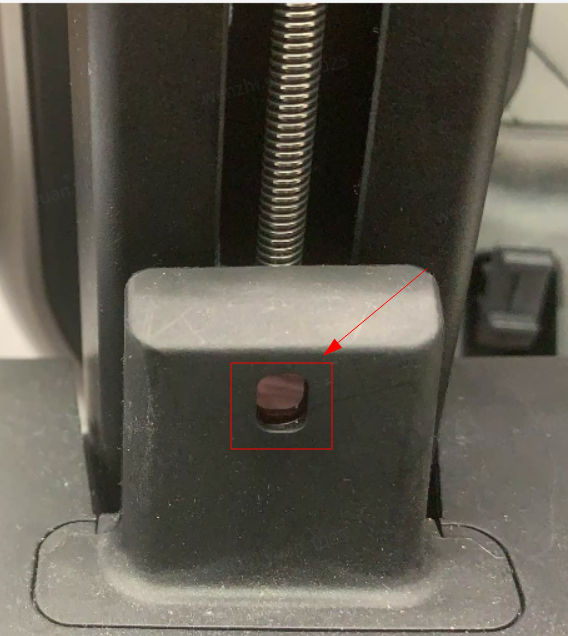
During the automatic measurement process, observe the laser from the side of the attachment and confirm that the emitted light spot falls within the circular recess of the receiver.
Do not look directly into the laser emitter.
If the light spot does not align with the receiver, take photos of the issue and send them to eufyMake Customer Support.
4.Check Cup Positioning
Make sure the cup is sitting level on the Rotary Printing Attachment.
If the cup is tilted, the system may incorrectly identify it as a tapered cup and stop the measurement process.
If needed, install the auxiliary wheel to increase the contact area and improve stability during measurement.
Support Contact
If the issue persists after completing the above steps, please contact eufyMake Customer Support at support@eufymake.com with the following information:
-
Your Order Information
-
Printer SN. Please refer to: https://support.eufymake.com/s/article/How-to-Check-the-Device-Serial-Number-SN
-
Printer and App Logs. Please refer to https://support.eufymake.com/s/article/Log-Upload-Process-App-PC-Overview
-
Relevant photos and videos.